
Provides access to Overleaf projects via Git integration, enabling reading of LaTeX files, document structure analysis, content extraction by section, and project management capabilities across multiple Overleaf projects.
Click on "Install Server".
Wait a few minutes for the server to deploy. Once ready, it will show a "Started" state.
In the chat, type
@followed by the MCP server name and your instructions, e.g., "@Overleaf MCP Servershow me the latest changes in my paper's introduction section"
That's it! The server will respond to your query, and you can continue using it as needed.
Here is a step-by-step guide with screenshots.
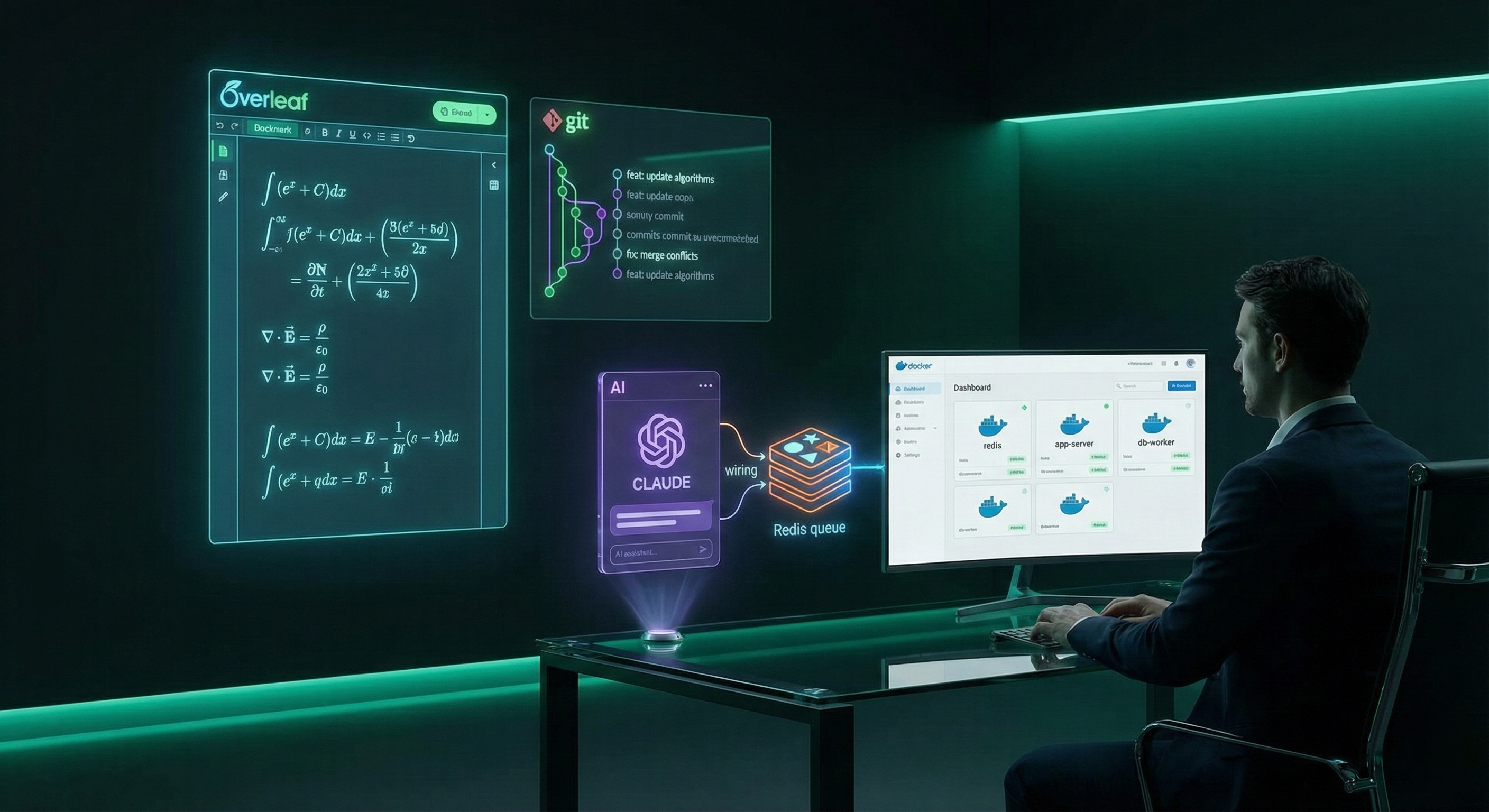 Visualizing the bridge between Overleaf and AI through MCP
"I tried to argue with Overleaf, but it said my syntax was invalid."
Overleaf MCP Server
An MCP (Model Context Protocol) server that gives Claude and other MCP clients access to Overleaf projects through Git integration. It can read LaTeX files, parse structure, and extract content , basically letting AI peek under the hood of your papers (ethically, of course). 🧠
🔗 Repo: https://github.com/GhoshSrinjoy/Overleaf-mcp
Executive Summary
This server bridges Overleaf and AI models through MCP. It lets clients list, read, and analyze LaTeX files as if Overleaf were a local workspace.
Everything’s Git-based, so you get versioned, safe access. A Redis queue manages concurrency, keeping multiple project operations from stepping on each other.
In short: It’s Overleaf → Git → Redis → MCP → Claude (or any client).
Business Problem
Overleaf is great for collaboration, but hard to integrate with tools like Claude or LLM-based assistants. You either:
copy-paste LaTeX manually, or
mess with API endpoints and tokens in ways that don’t scale.
This MCP server makes Overleaf “AI-readable.” It lets LLMs fetch content, inspect sections, and summarize papers without exposing tokens or corrupting repos. Perfect for research groups, AI note-takers, or publishing workflows.
Methodology
How it works
Uses Overleaf’s Git integration to clone and sync projects.
Reads file trees and parses
.texdocuments for sections, subsections, and content.Dispatches jobs through a Redis-backed BullMQ queue.
Each project gets its own Redis lock to prevent race conditions.
Returns clean structured data through the MCP protocol.
Key features
📄 File management (list/read Overleaf files)
📋 Document structure parsing (sections & subsections)
🔍 Content extraction (get specific section by title)
📊 Project summary (status, structure overview)
🧩 Multi-project support
🔒 Redis-backed queue for concurrency safety
🕒 Git history & diff (refs or working tree) with truncation controls
✏️ Safe edits: write files with optional commit/push, diff previews, and dry-run checks
Installation
Clone this repository
Install dependencies:
npm installSet up your projects configuration:
cp projects.example.json projects.jsonEdit
projects.jsonwith your Overleaf credentials:{ "projects": { "default": { "name": "My Paper", "projectId": "YOUR_OVERLEAF_PROJECT_ID", "gitToken": "YOUR_OVERLEAF_GIT_TOKEN" } } }Start a Redis instance (locally or remotely). For example:
docker compose up redis -dRun the MCP server:
npm start
Getting Overleaf Credentials
Git Token:
Go to Overleaf Account Settings → Git Integration
Click "Create Token"
Project ID:
Open your Overleaf project
Find it in the URL:
https://www.overleaf.com/project/[PROJECT_ID]
Configuration & Environment
The server coordinates all tool calls through a Redis-backed BullMQ queue. Heavy Git operations are serialized per project using Redis locks to avoid repository corruption while still allowing concurrent work across different projects.
Key environment variables:
PROJECTS_FILE: Path to the Overleaf project map (default:./projects.json).OVERLEAF_TEMP_DIR: Cache directory for cloned repositories (default:./temp).REDIS_URLorREDIS_HOST/REDIS_PORT/REDIS_PASSWORD/REDIS_DB: Redis connection details.REQUEST_QUEUE_NAME: Override the BullMQ queue name (default:overleaf-mcp-requests).REQUEST_CONCURRENCY: Worker concurrency for queued jobs (default:4).REQUEST_TIMEOUT_MS: Maximum time the server waits for a job to finish (default:120000).PROJECT_LOCK_TTL_MS,PROJECT_LOCK_RETRY_MS,PROJECT_LOCK_MAX_WAIT_MS: Advanced tuning for per-project Redis locks.OVERLEAF_GIT_TOKEN,OVERLEAF_PROJECT_ID: Optional environment fallbacks if they are not defined inprojects.jsonor tool arguments.HISTORY_LIMIT_DEFAULT,HISTORY_LIMIT_MAX: Defaults for thelist_historytool (defaults: 20 and 200).DIFF_CONTEXT_LINES,DIFF_MAX_OUTPUT_CHARS: Defaults forget_diff/edit_filepreviews (defaults: 3 and 120000).OVERLEAF_GIT_AUTHOR_NAME,OVERLEAF_GIT_AUTHOR_EMAIL: Git author/committer identity required for commits when usingedit_file.
Claude Desktop Setup
Add to your Claude Desktop configuration file:
Windows: %APPDATA%\Claude\claude_desktop_config.json
macOS: ~/Library/Application Support/Claude/claude_desktop_config.json
Linux: ~/.config/claude/claude_desktop_config.json
Option 1: Node.js Direct (Local Development)
Requirements: Node.js installed locally, Redis running locally, all dependencies installed via npm install.
Option 2: Docker Compose (Recommended for Production)
Requirements: Docker and Docker Compose installed, project built with docker compose build.
Benefits: Isolated environment, automatic Redis management, ephemeral containers.
Option 3: Docker Exec (Persistent Container)
Example with specific container name:
Requirements:
Containers already running via
docker compose up -dReplace
CONTAINER_NAMEwith your actual container name (find withdocker ps)Container must remain running for MCP to work
When to use each approach:
Option 1: Development and debugging
Option 2: Clean, isolated production deployments
Option 3: When you want persistent containers and direct execution control
Restart Claude Desktop after configuration.
Docker Usage
You can run the MCP server and its Redis dependency entirely in containers using the provided compose file.
Basic Docker Setup
Copy
projects.example.jsontoprojects.jsonand fill in your credentials.(Optional) Create a cache directory so clones persist across runs:
mkdir -p data/cacheBuild the containers:
docker compose buildStart both Redis and MCP containers:
docker compose up -d
Advanced Docker Usage
For ephemeral containers (Option 2 above):
For persistent containers (Option 3 above):
The compose service maps projects.json into the container at /app/projects.json, and stores cloned repos under ./data/cache on the host.
Use docker compose down when you want to stop all containers.
Container Management
View container logs:
Troubleshooting container names:
Available Tools
list_projects
List all configured projects.
list_files
List files in a project (default: .tex files).
extension: File extension filter (optional)projectName: Project identifier (optional, defaults to "default")
read_file
Read a specific file from the project.
filePath: Path to the file (required)projectName: Project identifier (optional)
get_sections
Get all sections from a LaTeX file.
filePath: Path to the LaTeX file (required)projectName: Project identifier (optional)
get_section_content
Get content of a specific section.
filePath: Path to the LaTeX file (required)sectionTitle: Title of the section (required)projectName: Project identifier (optional)
list_history
Show recent git commits.
limit: Maximum commits to return (default 20, max 200)path: Optional path filtersince/until: git log time filters (e.g.,2.weeks,2025-01-01)projectName: Project identifier (optional)
get_diff
Get a git diff between refs or the working tree.
fromRef: Base ref (omit to diff working tree vs HEAD)toRef: Target ref (omit to use working tree)path/paths: Optional path filterscontextLines: Unified diff context lines (0-10, default 3)maxOutputChars: Truncate diff to this many characters (default 120000)projectName: Project identifier (optional)
edit_file
Write a file and optionally commit/push the change.
filePath: Target file path (required)content: New file content (required)commitMessage: Commit message (default: "Update via Overleaf MCP")push: Whether to push after committing (default: true)dryRun: If true, report sizes only; do not write or commitcontextLines/maxPreviewChars: Diff preview controlsprojectName: Project identifier (optional)
status_summary
Get a comprehensive project status summary.
projectName: Project identifier (optional)
Usage Examples
Safeguards & limits
Per-project Redis locks prevent concurrent git operations from colliding.
Diff outputs are truncated by default (
maxOutputChars, default 120k). Adjust per call as needed.History queries are capped (
limit, default 20, max 200) to avoid timeouts.edit_filesupportsdryRunfor size checks and returns a truncated diff preview; commits can skip pushes viapush: false.All file writes go through path validation to stay inside the repo cache.
Multi-Project Usage
To work with multiple projects, add them to projects.json:
Then specify the project in tool calls:
File Structure
Troubleshooting
Common Issues
"Server disconnected" in Claude Desktop:
Check container names with
docker psVerify containers are running with
docker compose psCheck Redis connection with
docker compose logs redis
"Project does not exist" error:
Verify Project ID in your Overleaf URL
Check Git Token is valid and not expired
Ensure Git integration is enabled in Overleaf project settings
Redis connection errors:
Ensure Redis container is running:
docker compose up -d redisCheck Redis logs:
docker compose logs redis
Container name mismatch (Option 3 users):
Find correct container name:
docker ps --format "table {{.Names}}"Update Claude Desktop config with exact container name
Container names may include project directory prefix (e.g.,
overleaf_mcp-mcp-1)
Why Redis is Important
Redis provides several critical functions:
Queue Management: Handles multiple simultaneous requests without blocking
Project Locking: Prevents Git conflicts when multiple operations access the same project
Worker Pool Management: Distributes workload across multiple worker processes
Production Readiness: Makes the server scalable and robust for concurrent usage
Without Redis, the server would work for single-user scenarios but could face race conditions and resource exhaustion under load.
Security Notes
projects.jsonis gitignored to protect your credentialsNever commit real project IDs or Git tokens
Use the provided
projects.example.jsonas a templateContainer logs may contain sensitive information - secure appropriately
Citation
If you use this software in your research, please cite:
Skills
This project touches on: Node.js, Redis (BullMQ), Docker, Overleaf Git integration, file parsing (LaTeX), concurrent job queues, and MCP protocol design.
It also demonstrates practical engineering for AI × research integration — building bridges between human writing tools and model understanding. 🧩
Results & Business Recommendation
What it delivers
Seamless Overleaf access for Claude and other MCP clients.
Structured reading of LaTeX files and sections.
Scalable multi-project handling via Redis queues.
No need to expose Overleaf APIs publicly or store plaintext tokens.
Best for:
Research labs building paper assistants or summarizers.
AI tools integrating academic context.
Developers needing safe, concurrent Overleaf sync.
Recommendation:
Use Docker Compose (Option 2) for production : it keeps Redis and the MCP server isolated and persistent.
For local testing, Node Direct (Option 1) is enough.
Option 3 (Docker Exec) is great when you want persistent containers and direct control. 🎯
Next Steps
🧠 Add smarter section extraction using regex or tree-based parsing.
🧵 Add worker scaling for large document sets.
🔒 Add encryption for cached repositories.
🧩 Extend support for Markdown and BibTeX parsing.
📦 Publish a prebuilt Docker image to Docker Hub.
🧰 Add CI tests for Redis + lock integrity.
🤖 Add optional Claude prompts for “auto-summarize LaTeX sections.”
MIT License