# Travel agent
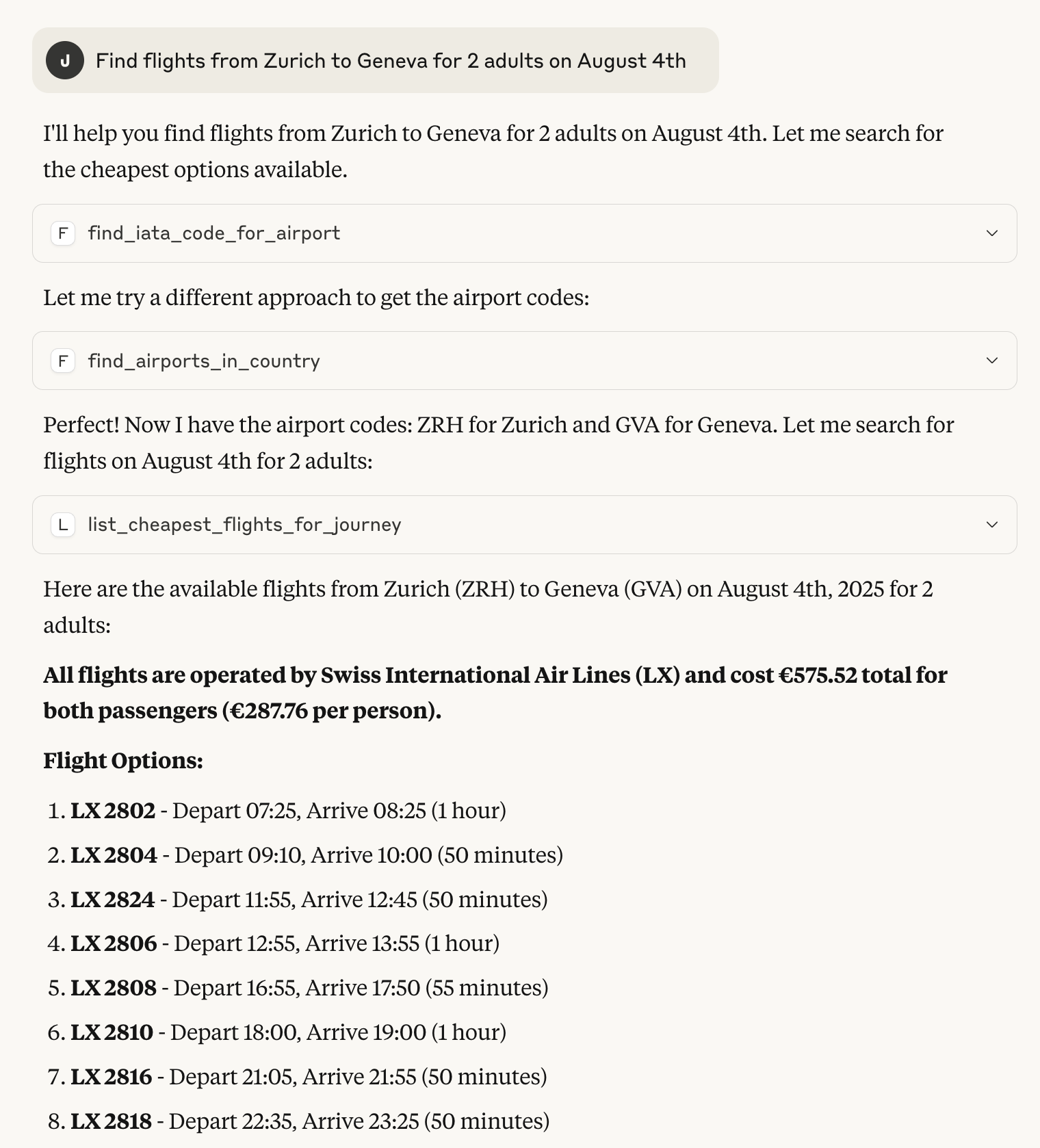
A simple proof-of-concept MCP server for Amadeus enabling LLM-based agents to use Amadeus as a tool.
The server provides tools for LLMs to directly query live flight booking information around the world,
including:
- Cheapest tickets for a particular journey.
- All destinations from a particular airport.
- All routes for an airline.
## What is MCP?
Model Context Protocol (MCP) is a client-server protocol for LLM agents interacting with tools, resources
and prompts. You can think of it as a HTTP for agents. A MCP server hosts a bunch of tools that the agent
can use to carry out tasks for the user.
## What is Amadeus?
Amadeus is a Global distribution system (GDS), essentially a booking and reservation system used by a large
amount of travel agents around the world. It allows querying flight and booking information that would only
be available directly to travel agencies and other resellers.
# Structure
```
- agent
--- resources <- static data
--- services <- service layer for tool logic
--- tools <- actual tools provided to llm
server.py <- main server endpoint
```
# Installation
This project relies on the Python `uv` project manager [uv](https://docs.astral.sh/uv/) which enables
easy dependency manage and distribution. Once you have `uv` installed you can create a virtual environment
with all of the dependencies included to run the project.
```bash
uv install
source .venv/bin/activate
```
Once installed you will need to provide Amadeus-for-develops credentials in a `.env` file in the project root.
The [Amadeus developer pages shows you how to acquire such a key](https://developers.amadeus.com/get-started/get-started-with-self-service-apis-335). Once you have the key and secret, but them in a `.env` file like so:
```bash
AMADEUS_ENV="test"
AMADEUS_KEY=<YOUR-KEY>
AMADEUS_SECRET=<YOUR-SECRET>
```
# Running
When the setup is completed you can start the [FastMCP](https://gofastmcp.com/getting-started/welcome) server
```bash
python server.py
```
It is then ready to accept requests from an LLM agent.
## Connecting to Claude Desktop
Claude Desktop comes with built-in support for interacting with MCP servers. To enable it you need to open Claude
Desktop developer panel and edit your claude_desktop_config.json to start the server.
```json
{
"mcpServers": {
"AmadeusServer": {
"command": "<PATH-TO-PROJECT>/.venv/bin/python",
"args": [
"<PATH-TO-PROJECT>/server.py"
]
}
}
}
```
Then restart Claude Desktop start a new conversation. Before writing select the AmadeusServer from the configuration panel
below the text input.
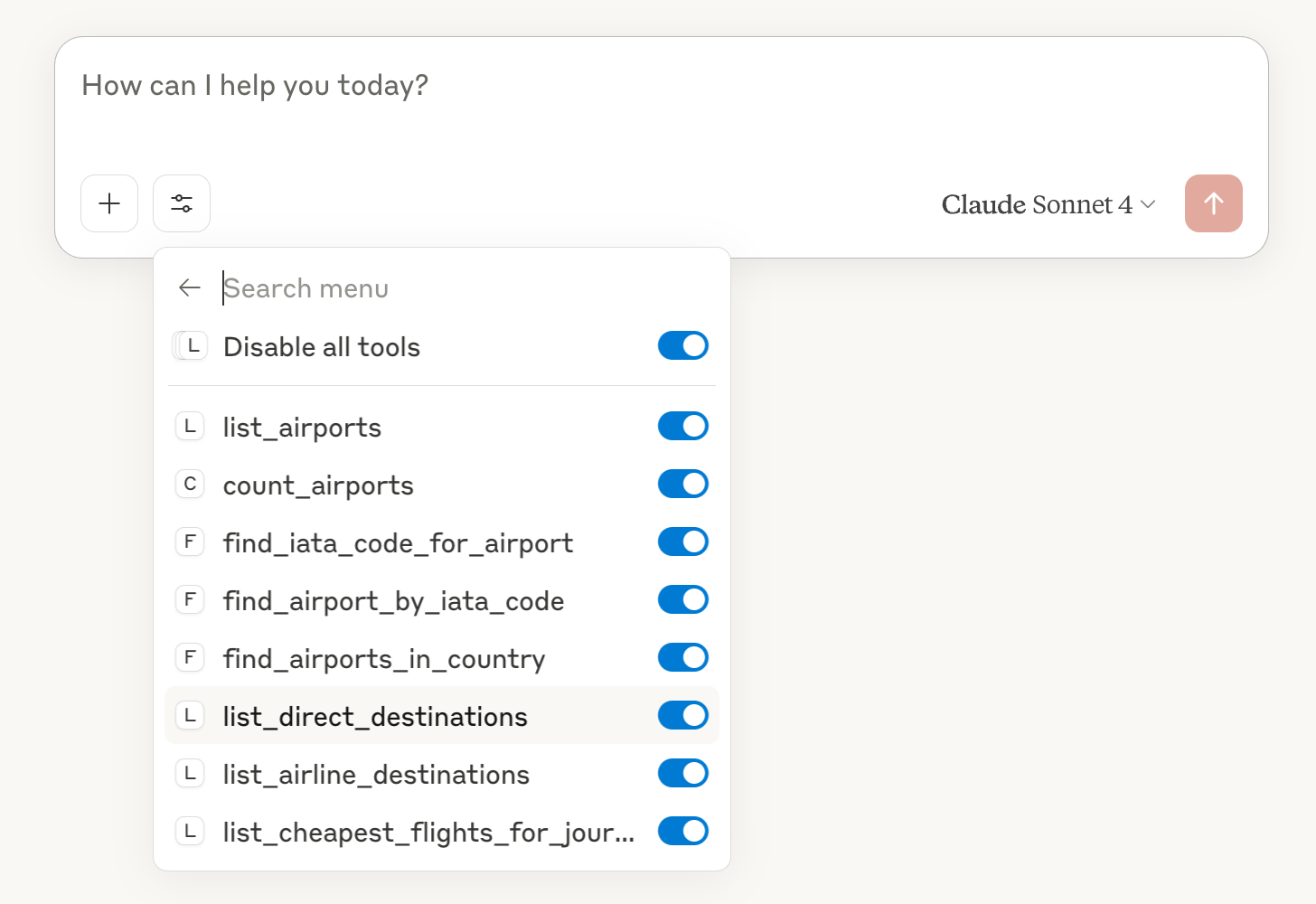
Claude should now discover your tools and use them to solve your tasks.
