
Click on "Install Server".
Wait a few minutes for the server to deploy. Once ready, it will show a "Started" state.
In the chat, type
@followed by the MCP server name and your instructions, e.g., "@Weixin MCPsummarize this WeChat article: https://mp.weixin.qq.com/s/abc123def456"
That's it! The server will respond to your query, and you can continue using it as needed.
Here is a step-by-step guide with screenshots.
Weixin MCP - 微信文章阅读器
一个极简的MCP,让大模型能够阅读微信公众号文章。
核心功能
🎭 浏览器模拟:使用 Playwright 完整模拟浏览器环境
📝 内容提取:自动提取标题、作者、发布时间、正文内容
⚡ 简洁实现:最少的代码实现核心功能
工作流程
用户发送URL和需求给大模型
大模型调用MCP工具
MCP获取文章内容发送给大模型
大模型根据文章内容输出自然语言
技术栈
Python 3.10+
fastmcp - MCP框架
Playwright - 浏览器自动化
BeautifulSoup4 - HTML解析
快速开始
1. 安装依赖
安装Python依赖
pip install -r requirements.txt
2. 配置
注意: 请将路径替换为你的实际项目路径。
使用示例
在Claude中直接使用:
Claude会自动调用read_weixin_article工具获取文章内容并进行分析。
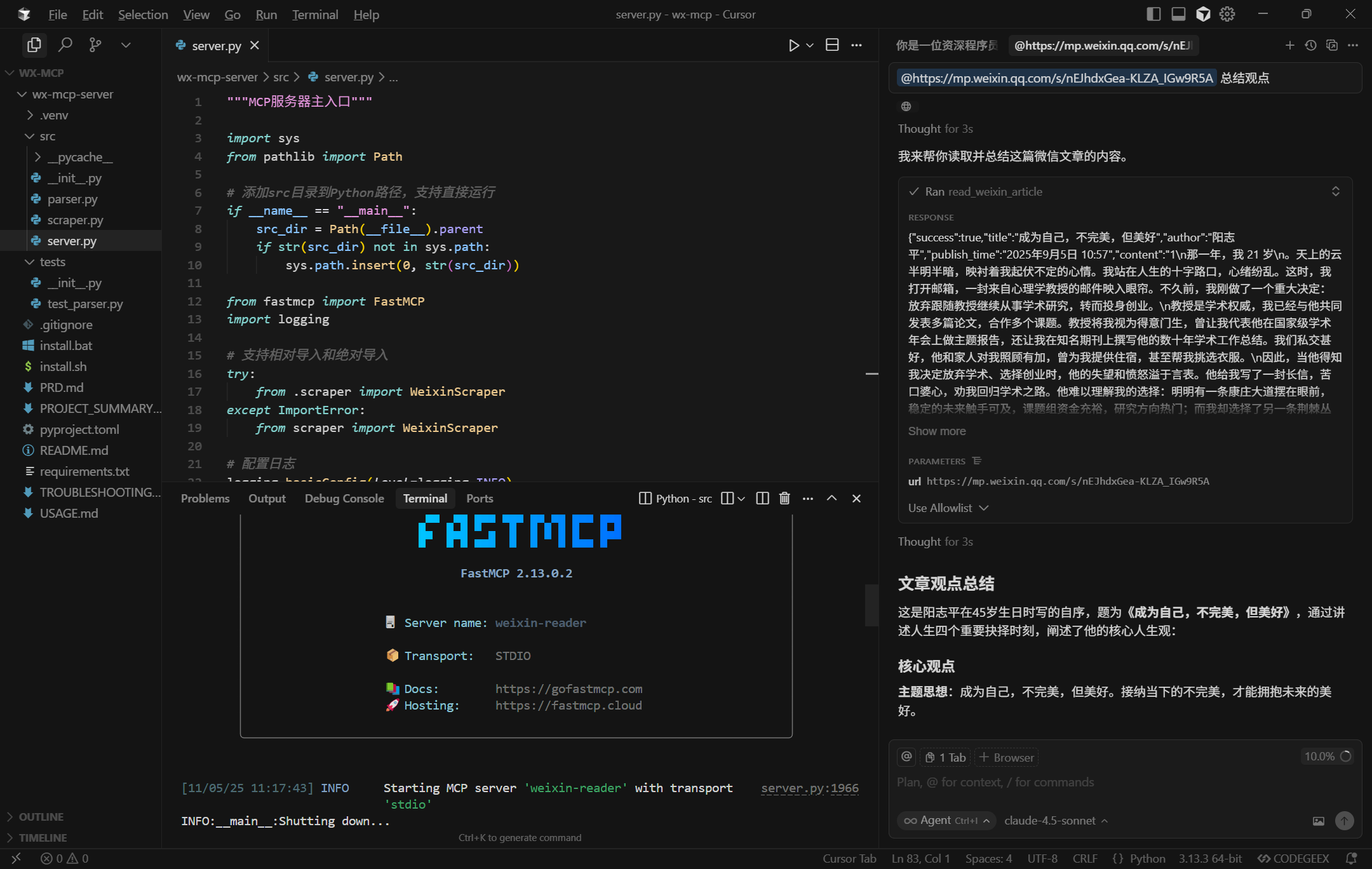
功能说明
read_weixin_article(url: str)
读取微信公众号文章内容。
参数:
url: 微信文章URL,格式:https://mp.weixin.qq.com/s/xxx
返回:
注意事项
⚠️ 仅用于个人学习和研究
⚠️ 遵守微信公众平台服务协议
⚠️ 不建议高频爬取(建议间隔 > 2秒)
⚠️ 不用于商业用途