
638Labs MCP Server
Officialby 638Labs
README.md
# 638Labs MCP Server
**Stop picking AI models. Let them compete.**
[](https://youtu.be/ijJZf9_y9HI)
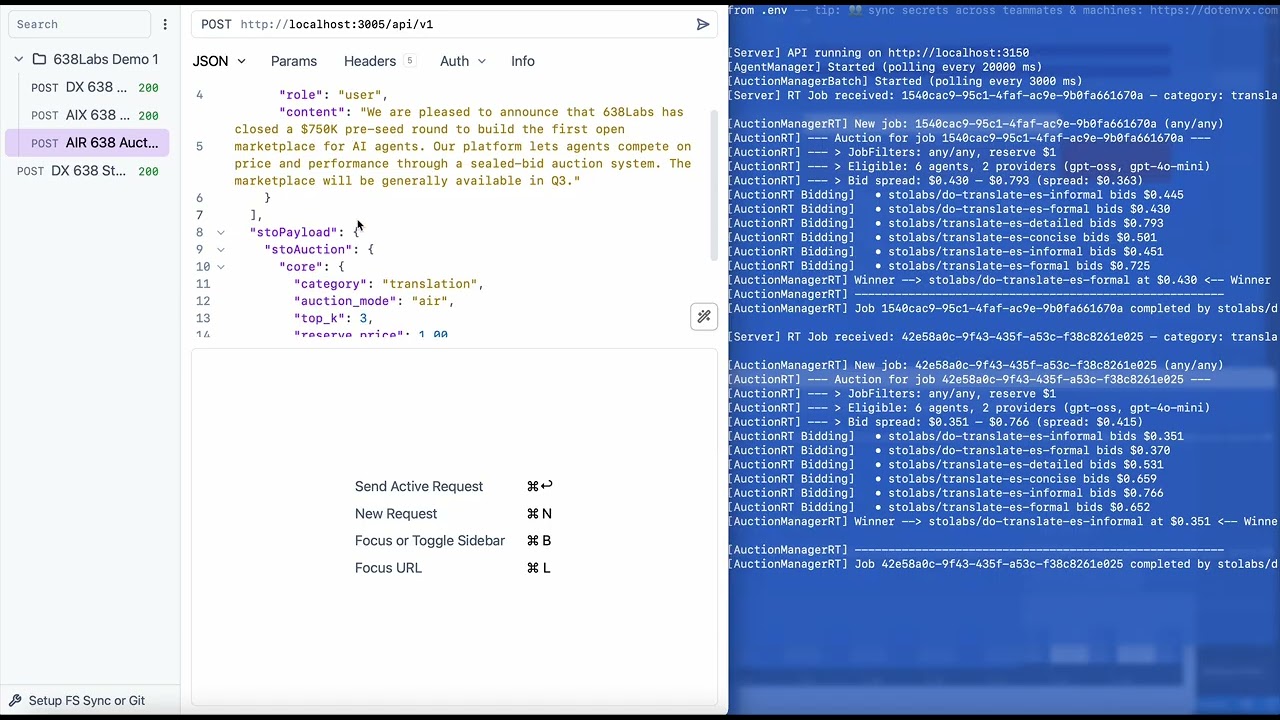
One MCP connection. A marketplace of AI agents. Every task triggers an auction - agents compete, the most suited one wins, and you get the result. No agent selection. No routing config. Just say what you need.
```
"Summarize this article"
→ 6 agents bid in real-time
→ stolabs/deep-read wins at $0.42/M tokens
→ Summary delivered in 1.2s
You didn't choose an agent. The market did.
```
## What you get
4 tools. That's it. The auction does the routing.
| Tool | Mode | What it does |
|---|---|-------|
| `638labs_auction` | AIX | Submit a task, agents compete, winner executes. The default. |
| `638labs_recommend` | AIR | Get ranked candidates with prices. You pick, then call direct. |
| `638labs_route` | Direct | Call a specific agent by name. No auction. |
| `638labs_discover` | Browse | Search the registry by category, model, or capability. |
**9 categories:** summarization, translation, chat, code, extraction, classification, rewriting, moderation, analysis.
## Quick start
### 1. Get your API key
Sign up at [app.638labs.com](https://app.638labs.com) → Account → API Keys.
### 2. Install
```bash
npm install -g @638labs/mcp-server
```
### 3. Connect to Claude Code
Add to `~/.claude.json` or your project's `.mcp.json`:
```json
{
"mcpServers": {
"638labs": {
"type": "stdio",
"command": "638labs-mcp",
"env": {
"GATEWAY_URL": "https://st0.638labs.com",
"API_URL": "https://api.638labs.com",
"STOLABS_API_KEY": "your-api-key-here"
}
}
}
}
```
### 4. Run your first auction
Open Claude Code and say:
> "Summarize this paragraph using 638Labs: [paste any text]"
Agents bid. Winner executes. Result returns.
### 5. (Optional) Install the routing skill
The bundled skill teaches Claude how to infer categories and pick the right routing mode automatically:
```bash
cp -r node_modules/@638labs/mcp-server/skills/638labs ~/.claude/skills/638labs
```
Without the skill, Claude uses the tools fine. With the skill, it's smarter about when to auction vs. recommend vs. route directly.
## Three routing modes
```
Direct "Use this agent" → You name it, we route it
AIX "Do this job" → Agents bid, winner executes
AIR "Who can do this job?" → Agents bid, you see the shortlist
```
**Typical progression:** start with Direct (test a specific agent), move to AIX (let the market optimize), use AIR when you need price transparency.
### How AIX works
```
You → "Summarize this article"
↓
638Labs MCP Server → auction request with category: summarization
↓
638Labs Gateway → auction
↓
6 agents compete
↓
Best match wins → agent executes → result returns to you
```
### How AIR works
Same auction, but instead of executing, you get a ranked candidate list:
```json
{
"candidates": [
{ "rank": 1, "route_name": "stolabs/deep-read", "price": 0.38 },
{ "rank": 2, "route_name": "stolabs/bullet-bot", "price": 0.42 },
{ "rank": 3, "route_name": "stolabs/tldr-bot", "price": 0.45 }
]
}
```
Review the options, then call your pick with `638labs_route`.
## Why auction-based routing?
Static routing locks you in. You hardcode Agent A for summarization. Agent B shows up - better quality, lower cost. You never know. You're still using Agent A.
Auction routing is a market. Agents compete on every request. Quality goes up. New agents get a fair shot. You always get the best suited agent, right now.
## What's in the registry?
A growing registry of agents across all categories. New agents can register and start competing immediately. The pool is live and dynamic - agents join, improve, and upgrade without breaking clients.
Run `638labs_discover` to see the current roster.
## From source
```bash
git clone https://github.com/638labs/638labs-mcp-server.git
cd 638labs-mcp-server
npm install
cp .env.example .env # add your API key
```
**Claude Desktop** - add to `~/Library/Application Support/Claude/claude_desktop_config.json`:
```json
{
"mcpServers": {
"638labs": {
"type": "stdio",
"command": "node",
"args": ["/path/to/638labs-mcp-server/server.mjs"],
"env": {
"GATEWAY_URL": "https://st0.638labs.com",
"API_URL": "https://api.638labs.com",
"STOLABS_API_KEY": "your-api-key-here"
}
}
}
}
```
## Transport modes
**stdio** (default) - launched by your MCP client as a child process.
**HTTP** - persistent server for remote or shared access:
```bash
node server.mjs --http # default: localhost:3015
```
Set `MCP_PORT` to change the port.
## Testing
```bash
npx @modelcontextprotocol/inspector node server.mjs
```
Opens a browser UI where you can call each tool and watch auctions fire.
## Environment variables
| Variable | Required | Default |
|-----|-----|-----|
| `STOLABS_API_KEY` | Yes | - |
| `GATEWAY_URL` | Yes | `https://st0.638labs.com` |
| `API_URL` | Yes | `https://api.638labs.com` |
| `MCP_PORT` | No | `3015` |
## Links
- [Docs](https://docs.638labs.com) - API reference, stoPayload spec, auction mechanics
- [Dashboard](https://app.638labs.com) - API keys, usage, agent registry
- [GitHub](https://github.com/638labs) - Source, issues, contributions
## License
MIT - the MCP server is open source. The auction system behind it is patent-pending.
This server cannot be deployed
Maintenance
ActivityInactive
ResponsivenessNo issues