
cisco-pt-mcp
# cisco-pt-mcp 🚀
**AI-powered Cisco Packet Tracer automation** - Let AI clients control Packet Tracer with natural language. Open source MCP server with Gemini AI integration.
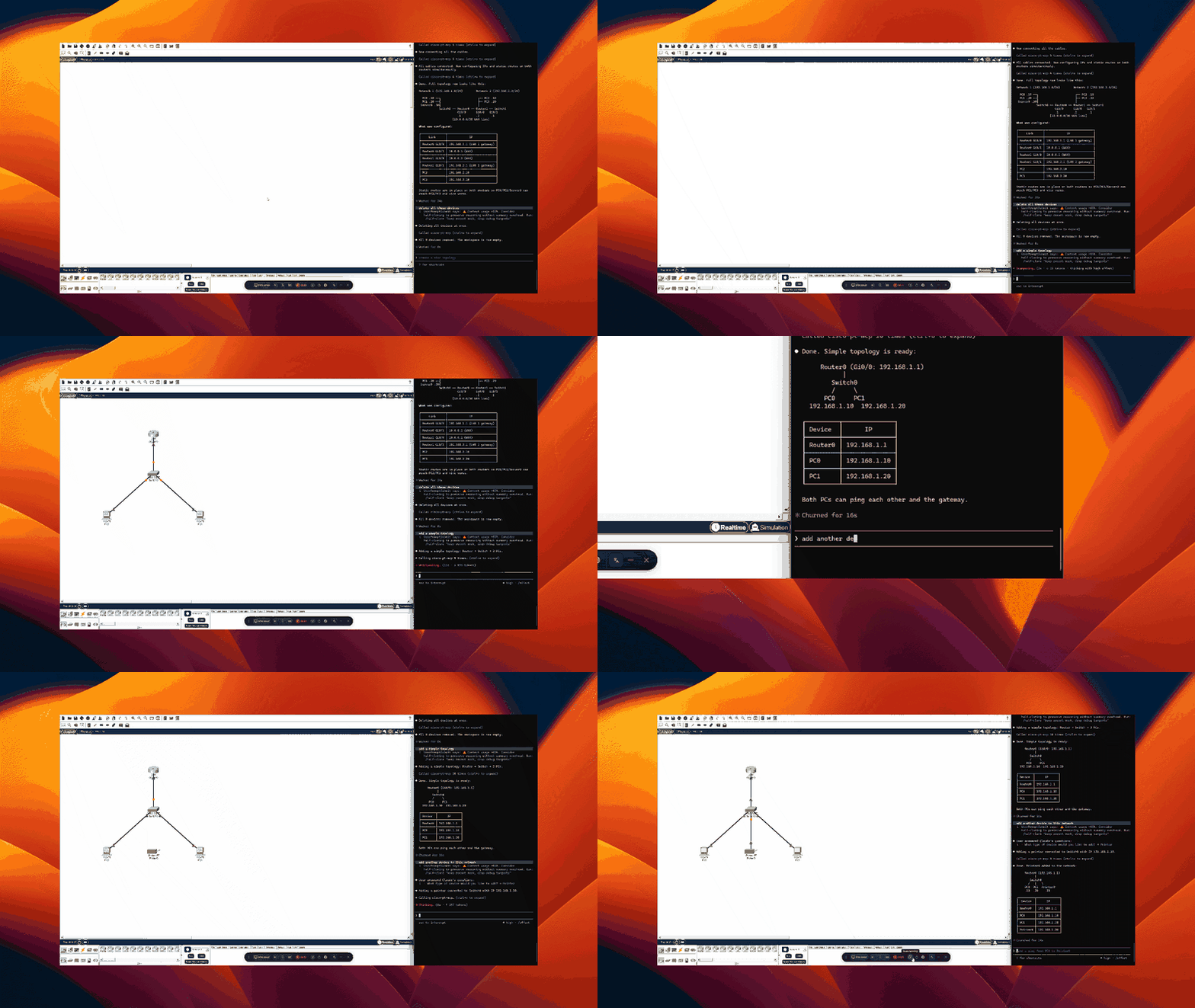
## ✨ Features
- 🤖 **AI Network Generation** - Describe networks in plain English, get working topologies
- 🎨 **Visual Builder Interface** - Web-based code editor with syntax highlighting
- 📦 **Ready-Made Templates** - Campus, branch office, VLAN, routing configurations
- 🔌 **MCP Protocol** - Works with Claude Desktop, Cursor, and other MCP clients
- ⚡ **Real-time Control** - Direct bridge to running Packet Tracer instance
- 🛠️ **Complete Toolset** - 20+ tools for device management, configuration, and testing
---
## 📥 Quick Install
### 1. Install MCP Server
```bash
# Clone or download this repository
cd cisco-pt-mcp
# Install with AI support
pip install -e ".[ai]"
# Configure Gemini API (optional, for AI features)
python setup_config.py
```
### 2. Install Packet Tracer Extension
1. Open Cisco Packet Tracer
2. **Extensions → Scripting → Configure PT Script Modules**
3. Click **Add** → Select `extension/cisco-pt-mcp.pts`
4. **Restart Packet Tracer**
### 3. Start & Connect
```bash
# Start the MCP server
python -m mcp_server
```
In Packet Tracer:
- Click **Extensions → Packet Tracer MCP**
- Status should show "MCP Connected"
**📖 See [QUICKSTART.md](QUICKSTART.md) for detailed instructions**
---
## 🎯 Usage Modes
### Mode 1: AI Generator (Natural Language)
Open the PTBuilder interface in Packet Tracer and use the **AI Generator** tab:
```
"Create a corporate network with 1 edge router, 1 core switch,
2 department switches, and 3 PCs per department. Configure VLANs."
```
Click **Generate** → Network appears in workspace!
### Mode 2: Code Editor (JavaScript)
Write PTBuilder code directly:
```javascript
addDevice("R1", "2911", 150, 150);
addDevice("S1", "2960-24TT", 350, 150);
addLink("R1", "GigabitEthernet0/0", "S1", "GigabitEthernet0/1", "straight");
configureIosDevice("R1", "interface Gi0/0\nip address 192.168.1.1 255.255.255.0");
```
### Mode 3: MCP Client (Claude/Cursor)
Configure your MCP client:
**Claude Desktop** (`~/Library/Application Support/Claude/claude_desktop_config.json`):
```json
{
"mcpServers": {
"cisco-pt-mcp": {
"command": "python",
"args": ["-m", "mcp_server"],
"cwd": "/path/to/cisco-pt-mcp",
"env": {
"GEMINI_API_KEY": "your_key_here"
}
}
}
}
```
Then chat with Claude:
> "Create a network lab for testing OSPF routing with 3 routers"
---
## 🛠️ Available Tools
### AI-Powered Tools
| Tool | Description | Example |
|---|---|---|
| `generateNetworkFromDescription` | Generate complete network from text | "Create a small office network..." |
| `generateCodeSnippet` | Generate PTBuilder JavaScript | "Code for 5 switches in a ring" |
| `executeBuilderCode` | Run PTBuilder code | Execute custom/generated code |
| `buildNetworkFromDesign` | Build from JSON specification | Import complex designs |
| `openBuilderInterface` | Open the web UI | Access code editor & templates |
### Core Network Tools
| Tool | Description |
|---|---|
| `addDevice` | Add router, switch, PC, or server |
| `addModule` | Install interface module (WIC, NIM, etc.) |
| `addLink` | Connect devices with cables |
| `removeDevice` | Delete devices |
| `removeLink` | Remove connections |
| `renameDevice` | Rename devices |
| `moveDevice` | Reposition on canvas |
| `setPower` | Power device on/off |
### Configuration Tools
| Tool | Description |
|---|---|
| `configurePcIp` | Set IP, subnet, gateway, DNS on PCs |
| `configureIosDevice` | Run IOS CLI commands on routers/switches |
### Monitoring & Simulation Tools
| Tool | Description |
|---|---|
| `getNetwork` | Snapshot of all devices and connections |
| `getDeviceInfo` | Detailed device information |
| `setSimulationMode` | Switch simulation/realtime mode |
| `getSimulationStatus` | Query simulation state |
| `stepSimulation` | Step through packet flow |
| `sendPdu` | Send ICMP ping PDU |
| `getPduResults` | Read PDU outcomes |
| `getCommandLog` | View IOS command history |
---
## 📚 Documentation
- **[QUICKSTART.md](QUICKSTART.md)** - Get running in 5 minutes
- **[SETUP_GUIDE.md](SETUP_GUIDE.md)** - Complete setup & usage guide
- **[packet-tracer-automation-build-doc.md](packet-tracer-automation-build-doc.md)** - Advanced automation techniques
---
## 🎓 Examples
### Example 1: Simple Network with AI
```
Prompt: "Create a basic network with one 2911 router, one 2960 switch,
and two PCs. Configure the router with IP 192.168.1.1 and the PCs
with static IPs in the same subnet."
Result: Complete working network in 30 seconds
```
### Example 2: Campus Network Template
Load the "Campus Network" template from the Templates tab:
- 3-tier architecture (core, distribution, access)
- 1 core switch
- 2 distribution switches
- 4 access switches
- Proper inter-switch connections
### Example 3: VLAN Configuration
```javascript
// From templates - VLAN setup
addDevice("S1", "2960-24TT", 300, 200);
addDevice("PC1", "PC-PT", 150, 300);
addDevice("PC2", "PC-PT", 450, 300);
configureIosDevice("S1", `
vlan 10
name Sales
vlan 20
name Engineering
interface FastEthernet0/1
switchport mode access
switchport access vlan 10
interface FastEthernet0/2
switchport mode access
switchport access vlan 20
`);
```
---
## 🔧 Configuration
### Gemini API Setup
**Option 1: Interactive**
```bash
python setup_config.py
```
**Option 2: Environment Variable**
```bash
export GEMINI_API_KEY="your_key_here"
```
**Option 3: Config File**
Create `~/.cisco-pt-mcp/config.json`:
```json
{
"gemini_api_key": "YOUR_KEY_HERE",
"bridge_host": "127.0.0.1",
"bridge_port": 7531,
"tool_timeout": 60
}
```
---
## 🏗️ Architecture
```
┌─────────────────┐
│ MCP Client │ (Claude Desktop, Cursor, etc.)
│ (Natural Lang) │
└────────┬────────┘
│ MCP Protocol
┌────────▼────────┐
│ MCP Server │ (Python)
│ + Gemini AI │ - Network generation
│ │ - Code generation
└────────┬────────┘
│ Socket.IO (port 7531)
┌────────▼────────┐
│ PT Extension │ (JavaScript)
│ cisco-pt-mcp │ - PTBuilder integration
│ │ - Web interface
└────────┬────────┘
│ IPC API
┌────────▼────────┐
│ Packet Tracer │ (Cisco Application)
│ Workspace │
└─────────────────┘
```
---
## 🤝 Contributing
Contributions welcome! This project integrates:
- [Model Context Protocol (MCP)](https://modelcontextprotocol.io/)
- [PTBuilder](https://github.com/kimmknight/PTBuilder) - JavaScript automation for PT
- [Gemini API](https://ai.google.dev/) - AI network generation
---
## 📄 License
MIT License - See [LICENSE](LICENSE) file
---
## 🙏 Acknowledgments
- **PTBuilder** by kimmknight - JavaScript automation framework
- **MCP Protocol** - Standard for AI-application communication
- **Google Gemini** - AI generation capabilities
- Original cisco-pt-mcp by muhammadbalawal
---
## 🆘 Support & Issues
- **Troubleshooting**: See [SETUP_GUIDE.md](SETUP_GUIDE.md#-troubleshooting)
- **Issues**: Open an issue on GitHub
- **Documentation**: Check the docs folder
**Star ⭐ this repo if you find it useful!**
TDQS
Scored across 23 tools
Most tools have clearly distinct targets: device lifecycle, link management, configuration, simulation, and automation. The main source of ambiguity is the set of network-generation tools (generateNetworkFromDescription, buildNetworkFromDesign, generateCodeSnippet, executeBuilderCode), but their descriptions do clarify whether they design, build, or execute code.
All tool names follow a consistent camelCase verb-noun style, such as addDevice, removeLink, configureIosDevice, getNetwork, and setSimulationMode. Even longer names like generateNetworkFromDescription and buildNetworkFromDesign extend the same predictable pattern.
23 tools feels somewhat heavy, but the set covers several distinct functional areas: device management, cabling, configuration, simulation, PDU traffic, command logging, and PTBuilder automation. While a few tools could be consolidated, each area is represented and none feels completely redundant.
The toolset covers the core lifecycle for devices and links, configuration, power control, simulation stepping, PDU sending/result checking, and scripted builder automation. Minor gaps exist, such as no direct tool for removing configurations or setting specific interface VLANs, but most network-building and troubleshooting workflows are reachable.