

EdgeOne Pages MCPofficial
A
licenseB
qualityD
maintenanceA service that enables rapid deployment of HTML content to EdgeOne Pages and automatically generates publicly accessible URLs for the deployed content.
2
483 npm
440
MIT

Click on "Deploy Server".
Wait a few minutes for the server to deploy. Once ready, it will show a "Started" state.
In the chat, type @ followed by the MCP server name and your instructions, e.g., "@EdgeOne Pages MCP deploy the current project folder and give me the public URL"
That's it! The server will respond to your query, and you can continue using it as needed.
Here is a step-by-step guide with screenshots.
An MCP service for deploying HTML content, folders, or full-stack projects to EdgeOne Pages and obtaining publicly accessible URLs.
基于原项目: 此项目基于 edgeone-pages-mcp 修改而来
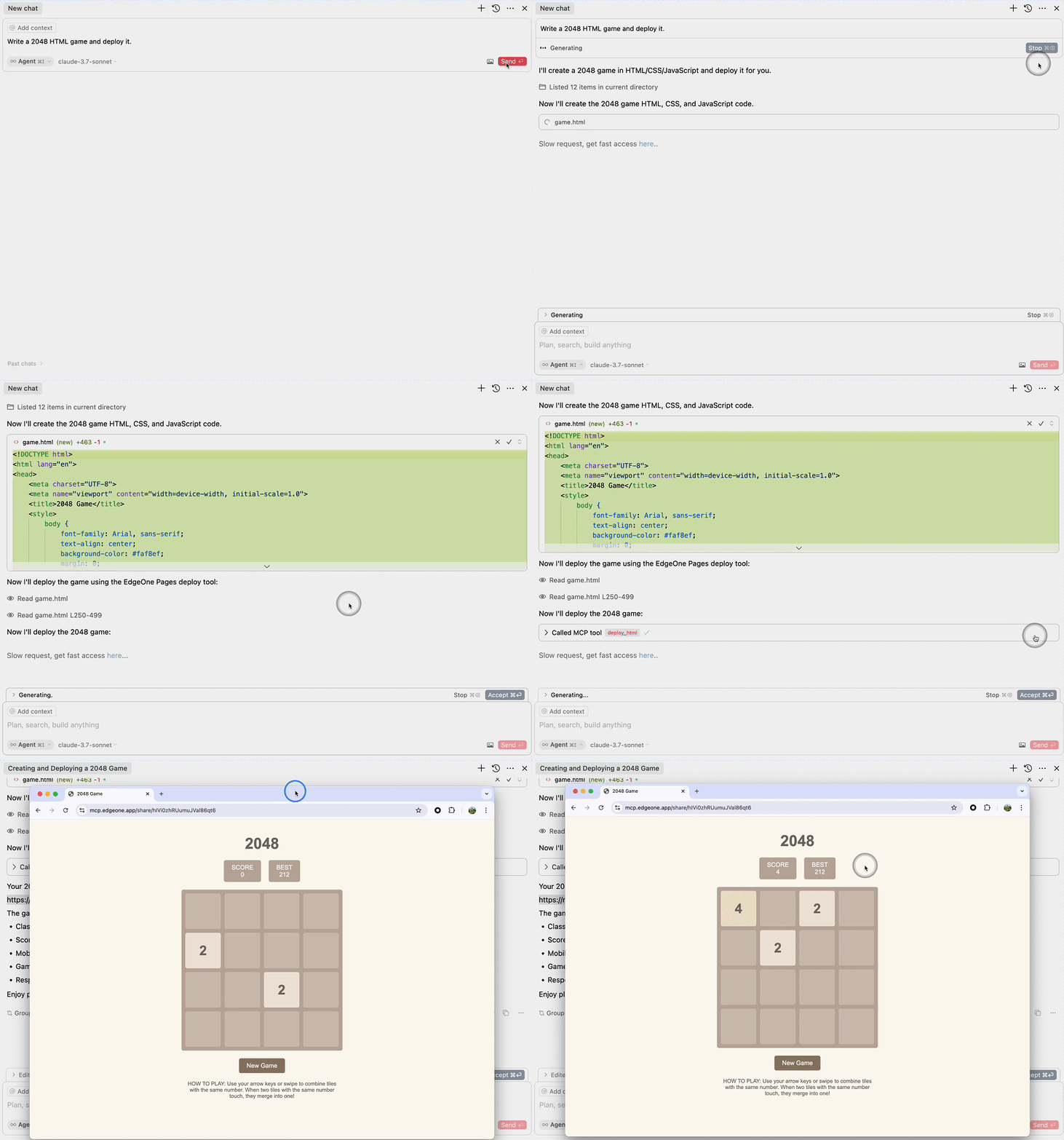
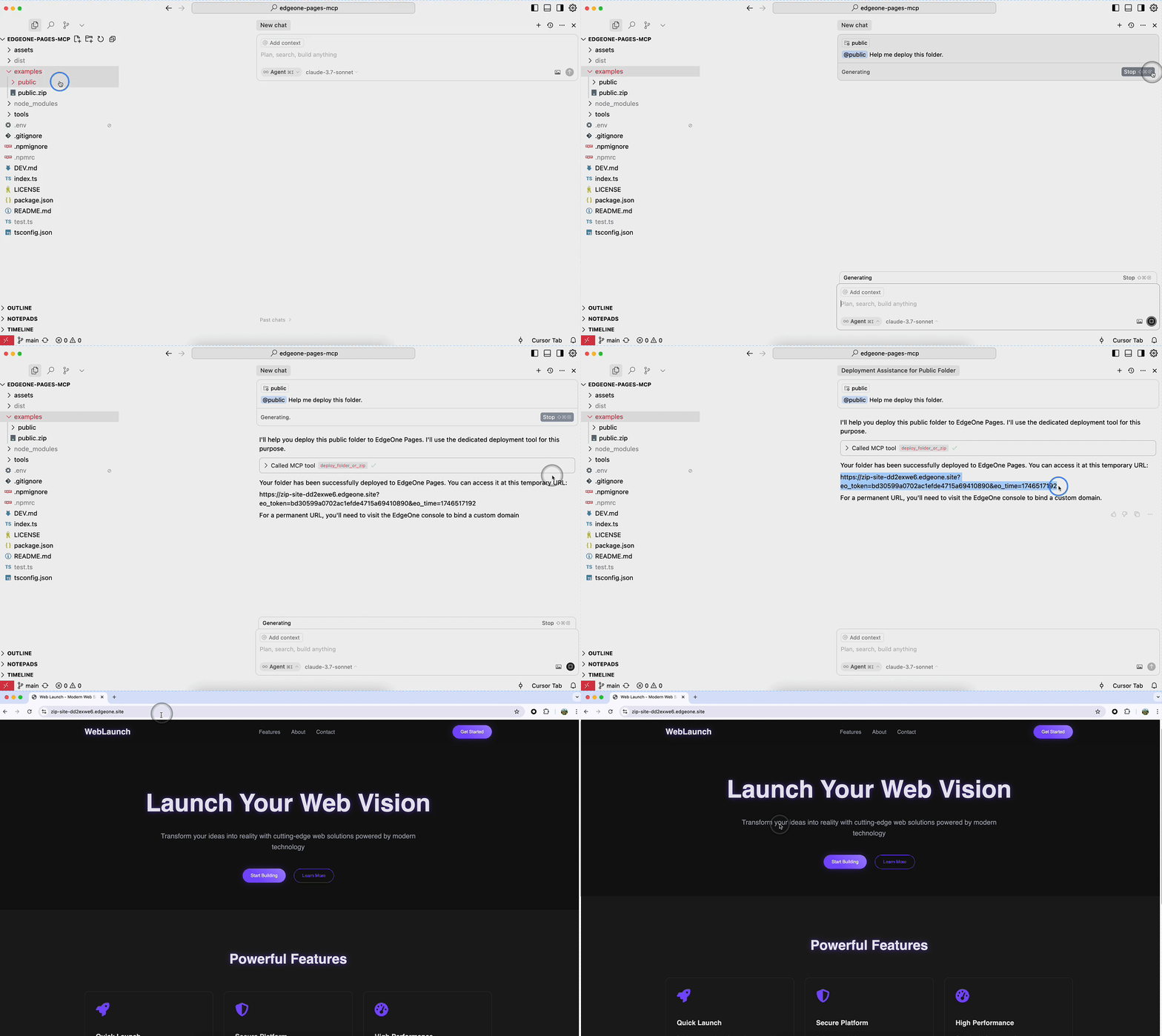
Related MCP server: Self-Hosted EdgeOne Pages MCP Server
Node.js 18 or higher
Full-featured MCP service that supports the deploy_folder tool for deploying full-stack projects.
// Tencent Cloud International (Default)
{
  "mcpServers": {
    "edgeone-pages-mcp-server": {
      "timeout": 600,
      "command": "npx",
      "args": ["@bachstudio/edgeone-pages-mcp"]
    }
  }
}

// Tencent Cloud China
{
  "mcpServers": {
    "edgeone-pages-mcp-server": {
      "timeout": 600,
      "command": "npx",
      "args": ["@bachstudio/edgeone-pages-mcp", "--region", "china"]
    }
  }
}
The following MCP Server will be deprecated soon:
Supports both deploy_html and deploy_folder_or_zip tools.
{
  "mcpServers": {
    "edgeone-pages-mcp-server": {
      "command": "npx",
      "args": ["@bachstudio/edgeone-pages-mcp"],
      "env": {
        // Optional.
        // If you need to deploy folders or zip files to
        // EdgeOne Pages projects, provide your EdgeOne Pages API token.
        // How to obtain your API token:
        // https://edgeone.ai/document/177158578324279296
        "EDGEONE_PAGES_API_TOKEN": "",
        // Optional. Leave empty to create a new EdgeOne Pages project.
        // Provide a project name to update an existing project.
        "EDGEONE_PAGES_PROJECT_NAME": ""
      }
    }
  }
}For MCP clients that support HTTP streaming, only supports the deploy_html tool.
{
  "mcpServers": {
    "edgeone-pages-mcp-server": {
      "url": "https://mcp-on-edge.edgeone.site/mcp-server"
    }
  }
}
The architecture diagram shows the complete workflow of the deploy_html tool:
Large Language Model generates HTML content
Content is sent to the EdgeOne Pages MCP Server
MCP Server deploys the content to EdgeOne Pages Edge Functions
Content is stored in EdgeOne KV Store for fast edge access
MCP Server returns a publicly accessible URL
Users can access the deployed content via browser with fast edge delivery
This tool integrates with EdgeOne Pages Functions to deploy static HTML content:
EdgeOne Pages Functions - A serverless computing platform that supports executing JavaScript/TypeScript code at the edge
Core Implementation Features:
Uses EdgeOne Pages KV storage to save and serve HTML content
Automatically generates publicly accessible URLs for each deployment
Provides comprehensive API error handling and feedback
How It Works:
MCP server receives HTML content through the deploy_html tool
Connects to EdgeOne Pages API to obtain the base URL
Deploys HTML content using the EdgeOne Pages KV API
Returns an immediately accessible public URL
For more information, refer to the EdgeOne Pages Functions documentation and EdgeOne Pages KV Storage Guide.
The source code is open source and can be self-deployed with custom domain binding: https://github.com/TencentEdgeOne/self-hosted-pages-mcp
This tool supports deploying complete projects to EdgeOne Pages:
Supports full deployment of static website projects
Supports deployment of full-stack applications
Option to update existing projects or create new ones
MIT
Deploy a built frontend directory (or zip file) to EdgeOne Pages. Returns: the deployment URL and project metadata.
Inputs: builtFolderPath (required).
Deploy HTML content to EdgeOne Pages, return the public URL
Inputs: value (required).
Recent tool additions, removals, and schema changes observed during successful MCP inspections.
Loading tool schema changelog…
Scored across 2 tools
The two tools have clearly distinct purposes: deploy_folder_or_zip handles directory or zip file deployments for built frontends, while deploy_html handles direct HTML content deployments. There is no overlap or ambiguity between them.
Both tools follow a consistent verb_noun pattern starting with 'deploy_' and clearly indicate their target (folder_or_zip vs. html). The naming is uniform and predictable throughout the set.
With only 2 tools, the server feels thin for a deployment service. It lacks essential operations like listing deployments, updating or deleting them, or managing projects, which limits agent workflows and creates dead ends.
The toolset is severely incomplete for a deployment domain. It provides create-like operations (deploy) but lacks read, update, delete, or management functions (e.g., list_deployments, get_deployment_status, delete_deployment), making it difficult for agents to handle full lifecycle tasks.
Deploy HTML pages and built web apps (React, Vue, Vite) to a live HTTPS link from your AI agent.
Deploy static websites, landing pages, and prototypes instantly. Free, no account needed.
Deploy AI-generated HTML/CSS/JS to instant public HTTPS URLs from any MCP-compatible agent.
Publish a single HTML file as a live HTTPS site in seconds. Versioned deploys, no delete tool.