
ChatGPT Apps EdgeOne Pages Starter
Exposes MCP server tools to ChatGPT and renders dynamic widgets with structured content, enabling ChatGPT to invoke tools like hello_stat and display interactive stat widgets within conversations.
Click on "Deploy Server".
Wait a few minutes for the server to deploy. Once ready, it will show a "Started" state.
In the chat, type
@followed by the MCP server name and your instructions, e.g., "@ChatGPT Apps EdgeOne Pages Starterhello_stat with my name John"
That's it! The server will respond to your query, and you can continue using it as needed.
Here is a step-by-step guide with screenshots.
ChatGPT Apps SDK EdgeOne Pages Starter
This repository is a minimal EdgeOne Pages project that shows how to build an MCP server compatible with the OpenAI Apps SDK using Next.js and edge functions.
Deploy

Live Demo: https://chatgpt-apps-edgeone-pages.edgeone.run
Overview
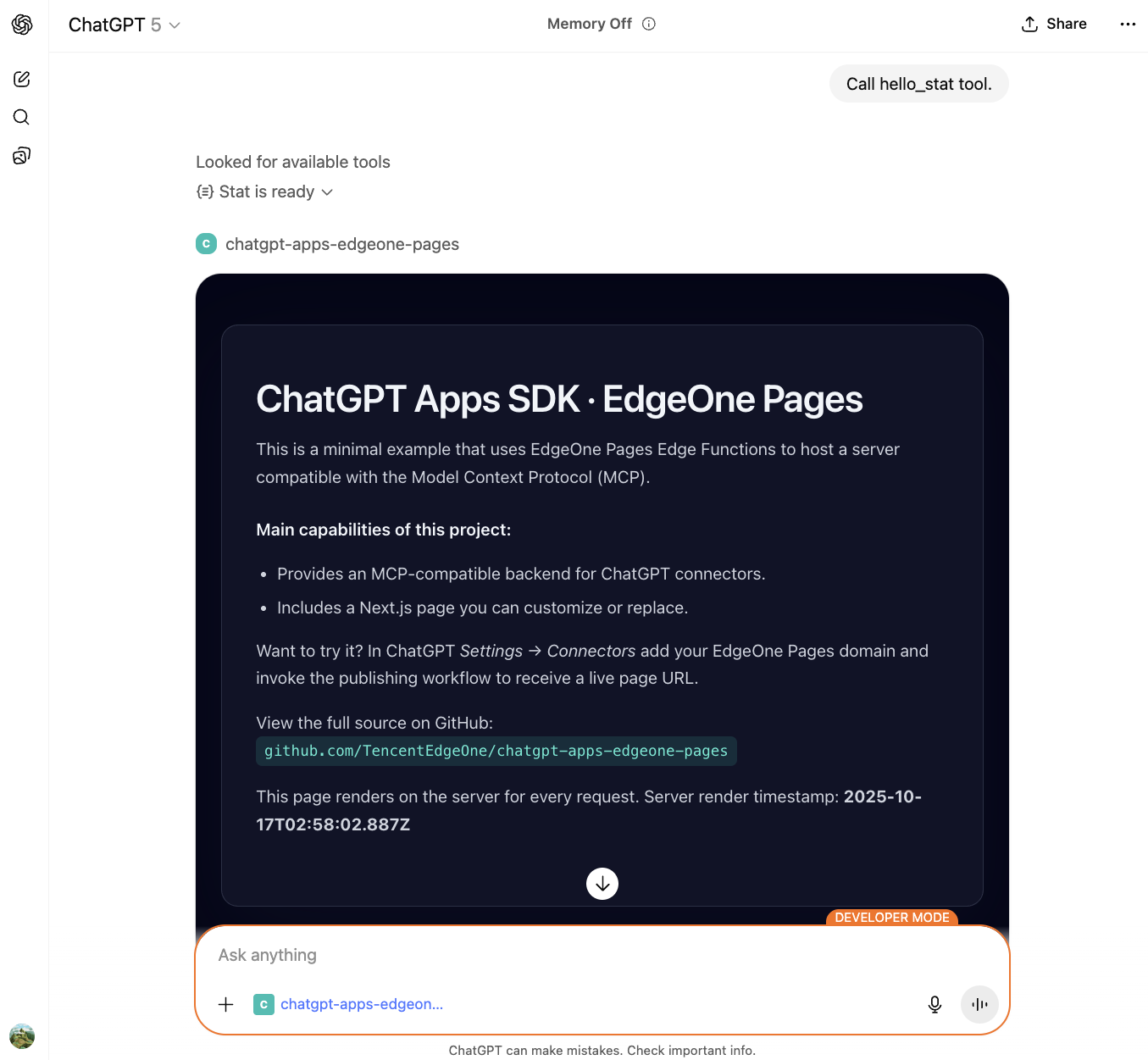
The project demonstrates how to host an MCP server with Tencent Cloud EdgeOne Pages + Functions using Next.js. The MCP server exposes tools to ChatGPT and renders widgets with structured content.
Tech Stack
Next.js 15: React framework with App Router
Hono: Fast, lightweight web framework for EdgeOne Functions
MCP SDK: Model Context Protocol implementation
Tailwind CSS: Utility-first CSS framework
TypeScript: Type-safe development
Capabilities
MCP server: A serverless
onRequesthandler built on EdgeOne Functions using HonoWidget support: The
hello_stattool renders dynamic widgets with structured contentCORS support: Built-in logic keeps the server compatible with ChatGPT iframes and browser debugging
Next.js frontend: Modern React-based UI with Tailwind CSS styling
Key files
functions/mcp/index.ts: Implements MCP JSON-RPC, registers thehello_stattool, and handles widget renderingfunctions/httpTransport.ts: Custom HTTP transport for MCP serverapp/page.tsx: Next.js landing page that explains the projectapp/layout.tsx: Root layout with global stylesapp/globals.css: Tailwind CSS configuration and global stylesedgeone.json: EdgeOne Pages configuration with CORS headers
Quick start
1. Deploy to EdgeOne Pages
Click the button above for one-click deployment.
After provisioning, the EdgeOne console assigns a domain that hosts both the Next.js app and the MCP endpoint.
Once deployment finishes, the Next.js app is served from the root path and functions/mcp/index.ts is automatically mapped to /mcp.
Connect from ChatGPT
Ensure your account has ChatGPT Apps developer access.
In ChatGPT, open Settings → Connectors → Create.
Add the EdgeOne Pages deployment URL as the MCP server, for example:
https://<your-project-url>/mcpSave the configuration, then call the
hello_stattool in a conversation to render a stat widget with your name.
MCP request flow
ChatGPT calls
/mcpvia the MCP protocol, triggering theinitializeandtools/listhandshake.When a user invokes
hello_stat, the server returns structured content with title/value/description.The widget template is fetched from the Next.js app root and rendered in ChatGPT with the structured data.
Errors are returned in a structured format so ChatGPT and developers can debug quickly.
Project structure
examples/chatgpt-apps-edgeone-pages/
├── app/
│   ├── layout.tsx        # Next.js root layout
│   ├── page.tsx          # Landing page
│   └── globals.css       # Global styles with Tailwind
├── functions/
│   ├── mcp/
│   │   ├── index.ts      # MCP server with hello_stat tool
│   │   └── [[default]].ts # Dynamic route handler
│   └── httpTransport.ts  # Custom HTTP transport for MCP
├── edgeone.json          # EdgeOne configuration
├── next.config.js        # Next.js configuration
└── tailwind.config.js    # Tailwind CSS configuration
Further reading
To extend the setup, continue evolving the MCP logic in functions/mcp/index.ts. EdgeOne Pages scales compute as needed.
This server cannot be deployed
Related MCP Connectors
Cloudflare Workers MCP server: ai-provider-status
MCP server for AI agents to plan, verify, and deploy Cloudflare-native apps.
MCP server for InsForge BaaS — database, storage, edge functions, and deployments

