A
licenseA
qualityD
maintenanceAllows AI assistants to generate and transform high-quality images from text prompts using Google's Gemini model via the MCP protocol.
3
34
MIT

Enables image generation and multimodal tasks using Google Gemini 2 API, allowing AI agents to create images from text prompts with configurable output formats and aspect ratios.
Click on "Deploy Server".
Wait a few minutes for the server to deploy. Once ready, it will show a "Started" state.
In the chat, type @ followed by the MCP server name and your instructions, e.g., "@GeminiMcpServer generate a photorealistic image of a sunset over mountains"
That's it! The server will respond to your query, and you can continue using it as needed.
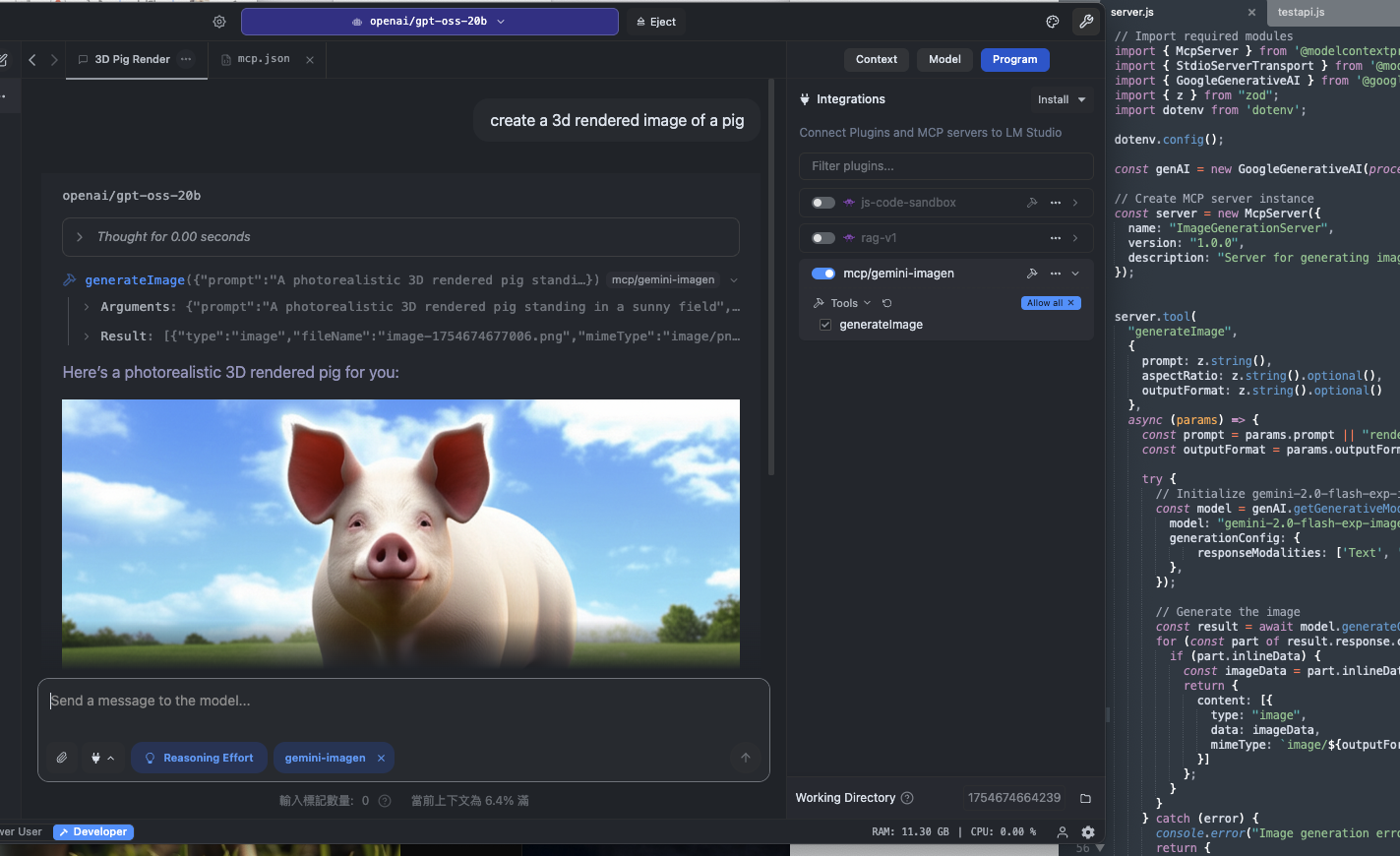
Here is a step-by-step guide with screenshots.
GeminiMcpServer 是一個 Model Context Protocol (MCP) 伺服器,可將 LM Studio(或其他支援 MCP 的客戶端)與 Google Gemini API 無縫連接,用於影像生成與多模態任務處理。
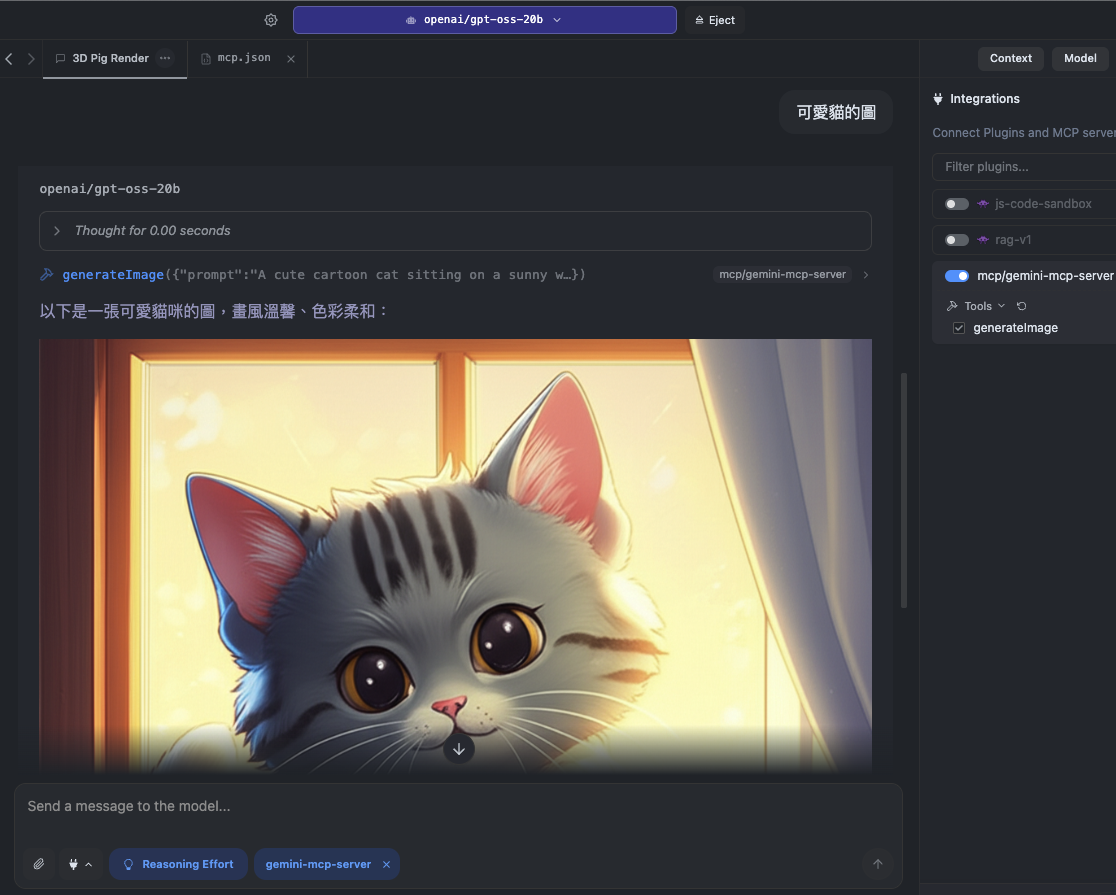
🔗 完整 MCP 支援 – 與 LM Studio 等 MCP 客戶端即時整合。
🎨 影像生成 – 使用 Google Gemini 2 模型產生圖片。
🖼 多模態輸入 – (選用)同時處理文字與圖片輸入。
⚡ 本地與雲端混合流程 – 本地執行 LM Studio,同時利用 Gemini API 提供的雲端運算能力。
Related MCP server: Nano Banana MCP
Node.js v20
Google Gemini API Key(可於 Google AI Studio 申請)
MCP 相容客戶端(如 LM Studio)
git clone git@github.com:bowwowxx/GeminiMcpServer.git
cd GeminiMcpServer
npm install
建立 Google API Key:
建立新的 API 金鑰
設定環境變數:
在專案根目錄建立 .env 檔,並加入:
GEMINI_API_KEY="your_api_key_here"啟動伺服器:
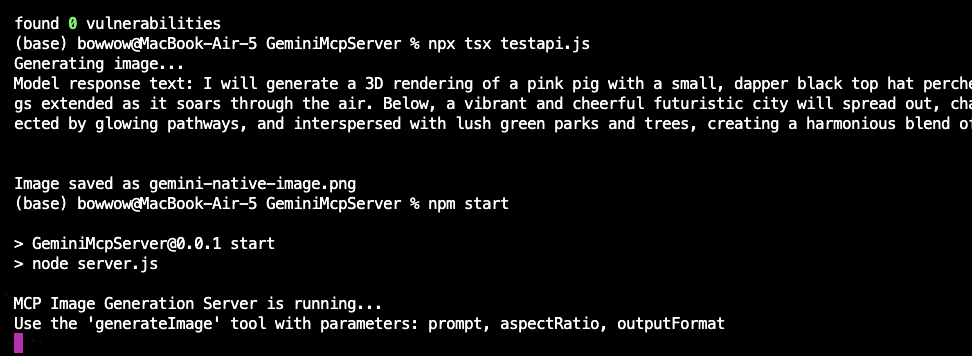
npm start執行測試:
npx tsx testapi.js此測試會使用 Gemini 2 的實驗性影像生成 API 建立圖片。
{
  "tool": "generateImage",
  "params": {
    "prompt": "A photorealistic 3D rendered pig standing in a sunny field",
    "outputFormat": "png",
    "aspectRatio": "16:9"
  }
}{
"mcpServers": {
"GeminiMcpServer": {
"command": "npm",
"args": [
"run",
"start"
],
"cwd": "/Users/bowwow/github/GeminiMcpServer"
}
}
}
| Name | Required | Description | Default |
|---|---|---|---|
| prompt | Yes | ||
| aspectRatio | No | ||
| outputFormat | No |
Does the description disclose side effects, auth requirements, rate limits, or destructive behavior?
Tool has no description.
Agents need to know what a tool does to the world before calling it. Descriptions should go beyond structured annotations to explain consequences.
Is the description appropriately sized, front-loaded, and free of redundancy?
Tool has no description.
Shorter descriptions cost fewer tokens and are easier for agents to parse. Every sentence should earn its place.
Given the tool's complexity, does the description cover enough for an agent to succeed on first attempt?
Tool has no description.
Complex tools with many parameters or behaviors need more documentation. Simple tools need less. This dimension scales expectations accordingly.
Does the description clarify parameter syntax, constraints, interactions, or defaults beyond what the schema provides?
Tool has no description.
Input schemas describe structure but not intent. Descriptions should explain non-obvious parameter relationships and valid value ranges.
Does the description clearly state what the tool does and how it differs from similar tools?
Tool has no description.
Agents choose between tools based on descriptions. A clear purpose with a specific verb and resource helps agents select the right tool.
Does the description explain when to use this tool, when not to, or what alternatives exist?
Tool has no description.
Agents often have multiple tools that could apply. Explicit usage guidance like "use X instead of Y when Z" prevents misuse.
Recent tool additions, removals, and schema changes observed during successful MCP inspections.
generateImageScored across 1 tool
With only one tool, there is no possibility of ambiguity or overlap between tools. The single tool stands alone with a distinct purpose by default.
A single tool inherently has perfect naming consistency, as there are no other tools to compare it against. The name 'generateImage' follows a clear verb_noun pattern.
One tool is too few for most server purposes, as it limits functionality and suggests an incomplete or trivial implementation. For an image generation server, more tools (e.g., for editing, listing, or managing images) would typically be expected.
The server is severely incomplete for image generation, lacking any tools for operations like editing images, retrieving generated images, managing parameters, or handling errors. A single generation tool leaves significant gaps in the workflow.
Focused MCP server for OpenAI image/audio generation (v2.0.0). Wraps endpoints via HAPI CLI.
Generate images from Claude, ChatGPT, Cursor and Codex with 12 top AI image models. Up to 4 images per call, SVG vectorization, background removal, upscaling and image-to-video. Remote MCP with OAuth, no API keys.
OCR, transcription, file extraction, and image generation for AI agents via MCP.
Generate AI images and videos from any compatible MCP client.