A
licenseA
qualityD
maintenanceMCP server for Binance USDT-M Futures trading — exposes tools for market data, account state, order management, and position/margin control.
23
7
Apache 2.0

Provides historical market data from Binance Futures for backtesting strategies, enabling retrieval of OHLCV data for specified crypto tickers and timeframes.
Executes Pine Script strategy backtests, accepting strategy code and inputs programmatically and returning structured results including trade lists, win rate, profit, and drawdown metrics.
Provides TradingView-compatible backtesting engine tuned to match TradingView backtest results 1:1, enabling validation of Pine Script strategies against historical Binance Futures data.
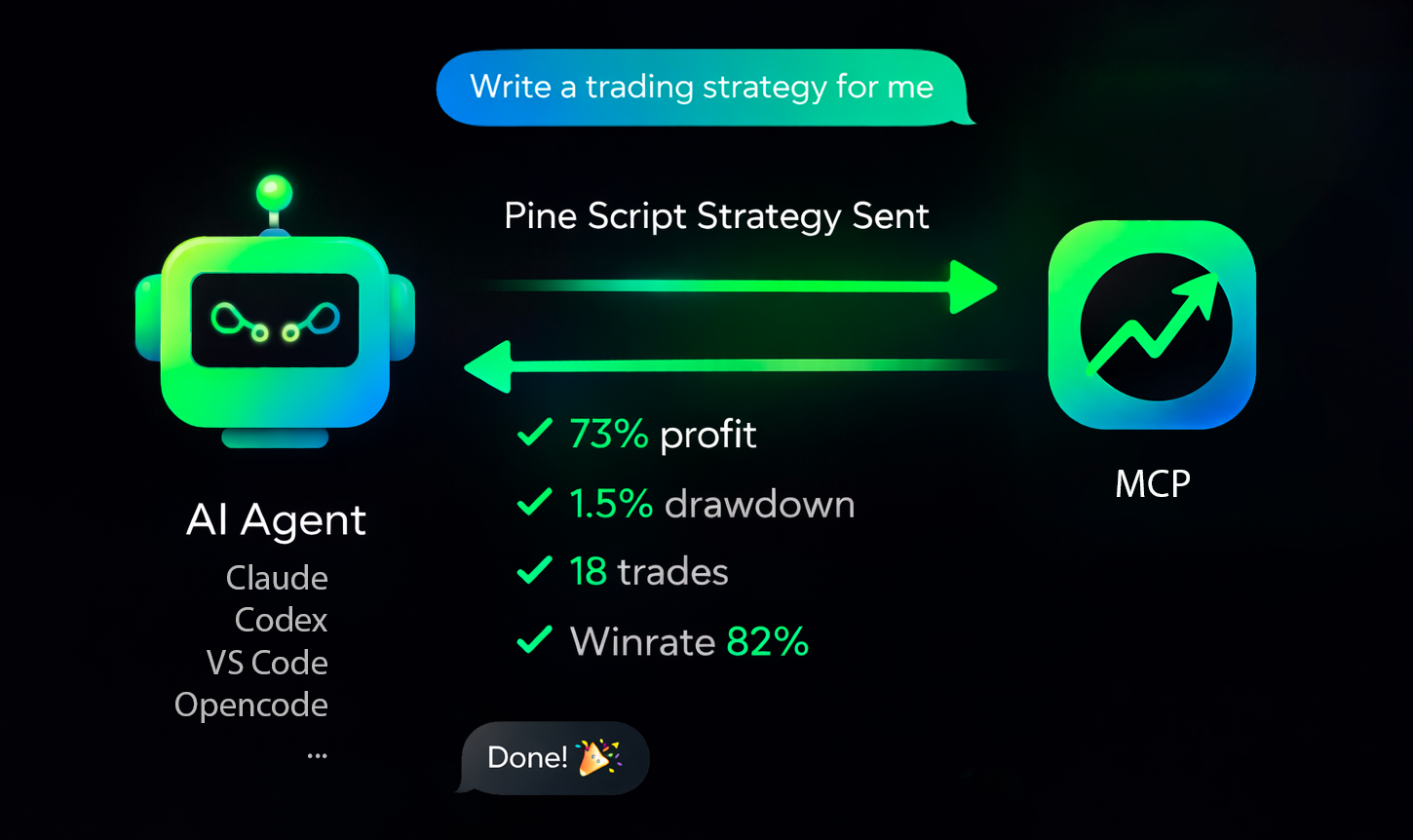
Production-ready MCP server for running TradingView Pine Script strategy backtests (Binance data) from AI agents.
tv-pinescript-backtest-mcp exposes a remote MCP endpoint so agents can:
run strategy backtests by symbol/timeframe/date range,
pass strategy inputs programmatically,
receive structured backtest results (trades, win rate, profit, drawdown),
keep long-running runs observable via progress notifications,
support Binance Futures tickers only,
enforce a maximum of 1440 candles per backtest,
apply a rate limit of 3 backtests per minute per user,
ask your agent to write a strategy and backtest it.
Related MCP server: backtester-mcp
Get API key: https://backtest-engine-mcp.click/dashboard
You need:
Your MCP server URL (https://backtest-engine-mcp.click/mcp/backtest)
Your API key (Bearer token)
Use HTTP transport and pass the API key in Authorization: Bearer <API_KEY>.
CLI:
claude mcp add --transport http tvmcp https://backtest-engine-mcp.click/mcp/backtest --header "Authorization: Bearer <API_KEY>"Project file (.mcp.json):
{
  "mcpServers": {
    "tvmcp": {
      "type": "http",
      "url": "https://backtest-engine-mcp.click/mcp/backtest",
      "headers": {
        "Authorization": "Bearer <API_KEY>"
      }
    }
  }
}opencode.json:
{
  "$schema": "https://opencode.ai/config.json",
  "mcp": {
    "tvmcp": {
      "type": "remote",
      "url": "https://backtest-engine-mcp.click/mcp/backtest",
      "oauth": false,
      "headers": {
        "Authorization": "Bearer <API_KEY>"
      }
    }
  }
}Add to .cursor/mcp.json (or ~/.cursor/mcp.json globally):
{
  "mcpServers": {
    "tvmcp": {
      "url": "https://backtest-engine-mcp.click/mcp/backtest",
      "headers": {
        "Authorization": "Bearer <API_KEY>"
      }
    }
  }
}
Note: the same MCP configuration is used by cursor-agent CLI.
Add to ~/.codex/config.toml (or .codex/config.toml in a trusted project):
[mcp_servers.tvmcp]
url = "https://backtest-engine-mcp.click/mcp/backtest"
http_headers = { Authorization = "Bearer <API_KEY>" }
Note: Codex CLI and IDE extension share the same config.toml.
Open MCP configuration (.vscode/mcp.json or user mcp.json) and add:
{
  "servers": {
    "tvmcp": {
      "type": "http",
      "url": "https://backtest-engine-mcp.click/mcp/backtest",
      "headers": {
        "Authorization": "Bearer <API_KEY>"
      }
    }
  }
}
If needed, use Command Palette: MCP: Open User Configuration.
Try these prompts with your agent:
Optimize my strategy: <pinescript code>Optimize my strategy from file: sma20.pineFind a strategy on the internet and backtest it using the tvmcp backtest tool.Backtest my strategy on BTCUSDT 1h from 2026-03-01 to 2026-03-10, Pine code:
//@version...The backtest-engine server has been tested on 30 strategies and tuned to match TradingView backtests 1:1 as closely as possible. Some operators may still be unsupported.
If you hit this case, please create a minimal strategy that reproduces the issue and submit it in Issues. We will do our best to add support quickly.
This server cannot be deployed
MCP server exposing the Backtest360 engine API as tools for AI agents.
Create and manage trading strategies, bots, webhooks and signals from any MCP client.
Run crypto trading strategy backtests through EmidLabs's Backtesting API.
MCP server for OpenMM — exposes market data, account, trading, and strategy tools to AI agents