
A
licenseNot graded
qualityB
maintenanceLets MCP clients browse and search your Plex media libraries.
47 npm
1
MIT

Integrates with Plex Media Server API, allowing searching for movies, viewing detailed movie information, managing playlists, retrieving genres, and accessing recently added content from Plex libraries.
Click on "Deploy Server".
Wait a few minutes for the server to deploy. Once ready, it will show a "Started" state.
In the chat, type @ followed by the MCP server name and your instructions, e.g., "@Plex MCP Server search for movies directed by Christopher Nolan"
That's it! The server will respond to your query, and you can continue using it as needed.
Here is a step-by-step guide with screenshots.
This is a Python-based MCP server that integrates with the Plex Media Server API to search for movies and manage playlists. It uses the PlexAPI library for seamless interaction with your Plex server.
Here are some examples of how the Plex MCP server works:
Search for movies in your Plex library by specifying a director's name. For example, searching for "Alfred Hitchcock" returns a list of his movies in your library.

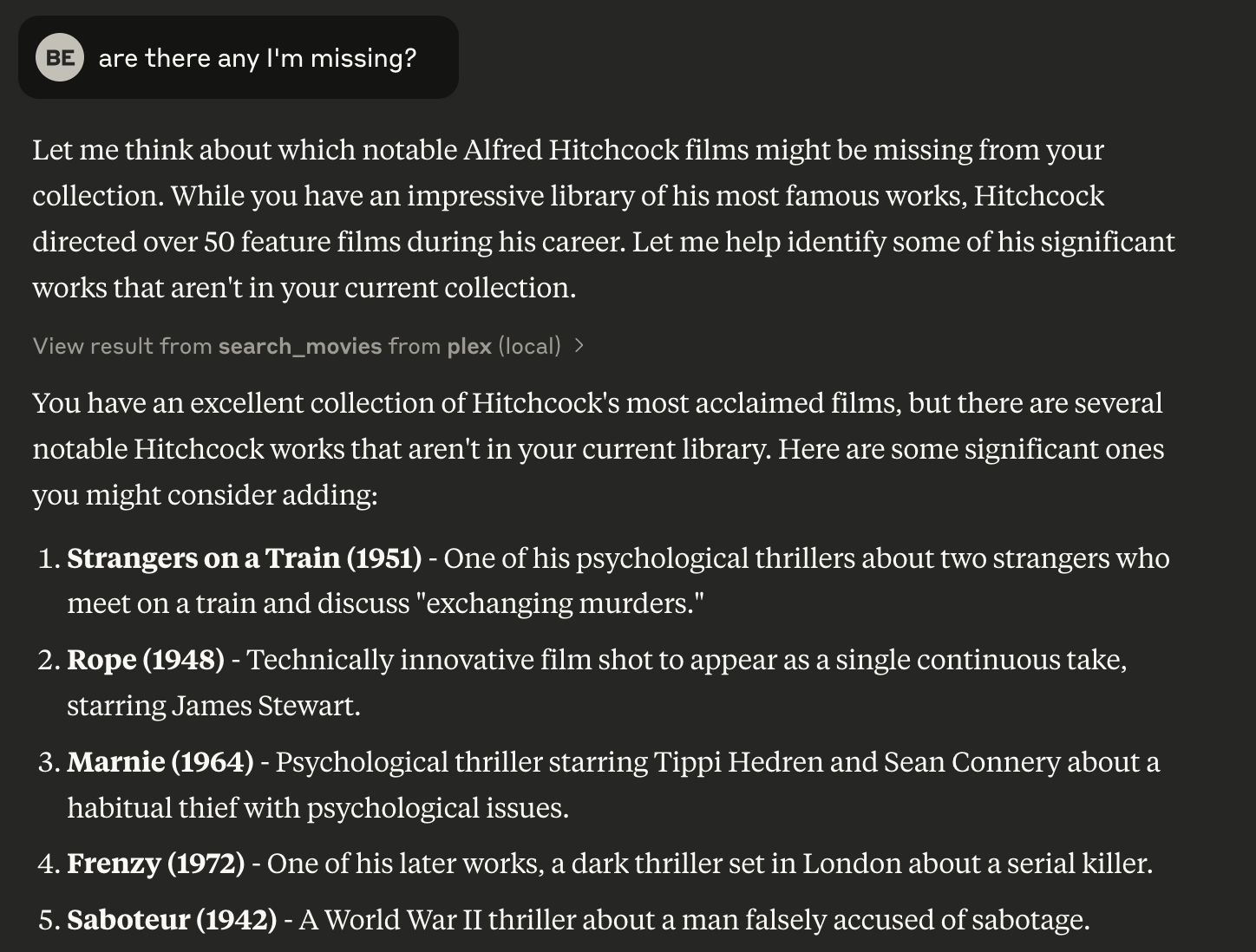
Identify movies by a specific director that are missing from your Plex library. This helps you discover gaps in your collection.
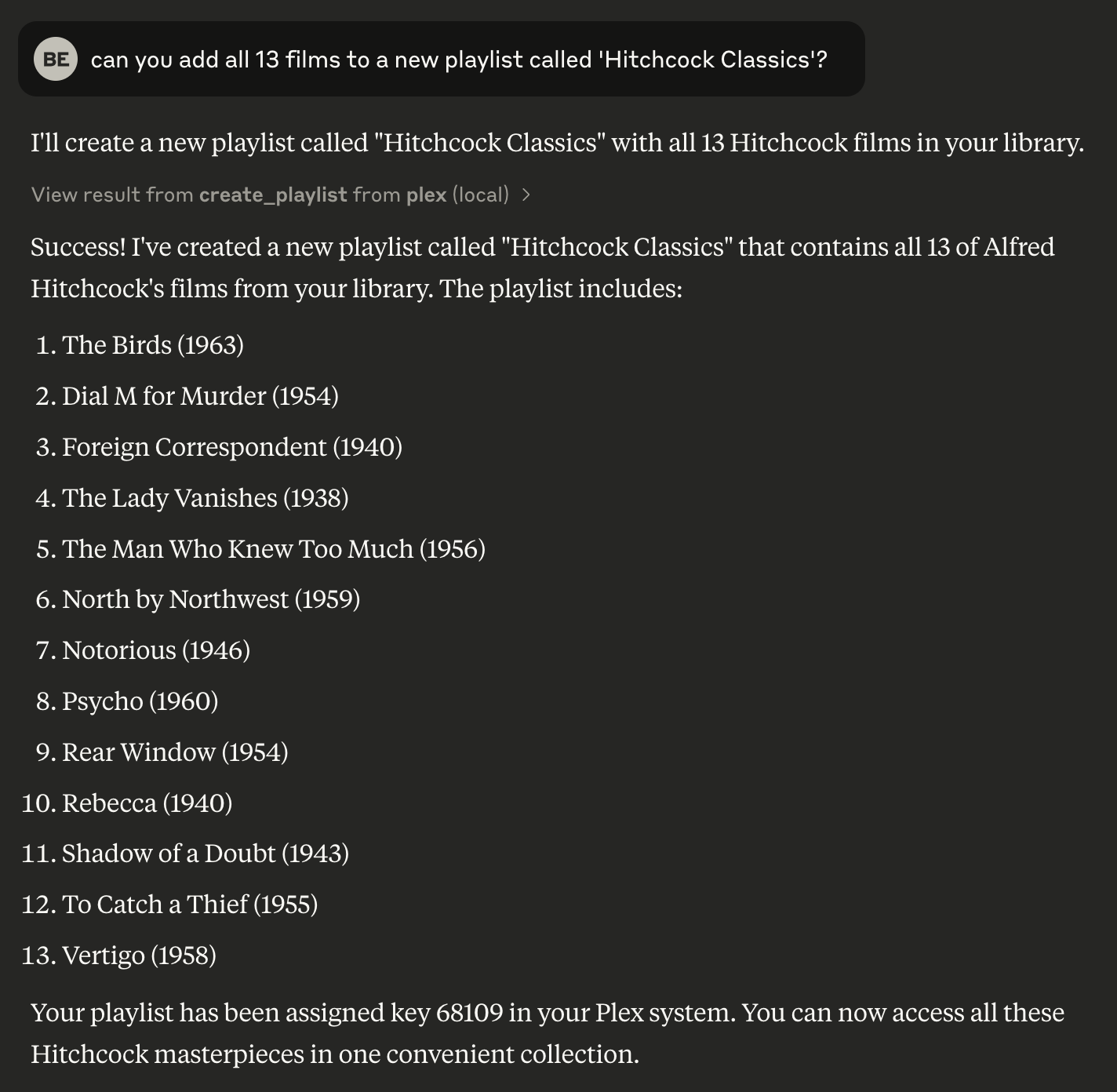
Create a new playlist in your Plex library using the movies found in a search. This allows you to organize your library efficiently.
Related MCP server: moviefinder-mcp
Python 3.8 or higher
uv package manager
A Plex Media Server with API access
To install Plex Media Server Integration for Claude Desktop automatically via Smithery:
npx -y @smithery/cli install @djbriane/plex-mcp --client claudeClone this repository:
git clone <repository-url>
cd plex-mcp
Install dependencies with uv:
uv venv
source .venv/bin/activate
uv sync
Configure environment variables for your Plex server:
PLEX_TOKEN: Your Plex authentication token
PLEX_SERVER_URL: Your Plex server URL (e.g., http://192.168.1.100:32400)
You can find your Plex token in this way:
Sign in to Plex Web App
Open Developer Tools
In Console tab, paste and run:
window.localStorage.getItem('myPlexAccessToken')Add the following configuration to your Claude app:
{
    "mcpServers": {
        "plex": {
            "command": "uv",
            "args": [
                "--directory",
                "FULL_PATH_TO_PROJECT",
                "run",
                "src/plex_mcp/plex_mcp.py"
            ],
            "env": {
                "PLEX_TOKEN": "YOUR_PLEX_TOKEN",
                "PLEX_SERVER_URL": "YOUR_PLEX_SERVER_URL"
            }
        }
    }
}The Plex MCP server exposes these commands:
Command | Description | OpenAPI Reference |
| Search for movies in your library by various filters (e.g., title, director, genre) with support for a |
|
| Get detailed information about a specific movie. |
|
| Get the genres for a specific movie. |
|
| List all playlists on your Plex server. |
|
| Get the items in a specific playlist. |
|
| Create a new playlist with specified movies. |
|
| Delete a playlist from your Plex server. |
|
| Add a movie to an existing playlist. |
|
| Get recently added movies from your library. |
|
This project includes both unit tests and integration tests. Use the following instructions to run each type of test:
Unit tests use dummy data to verify the functionality of each module without requiring a live Plex server.
To run all unit tests:
uv run pytestIntegration tests run against a live Plex server using environment variables defined in a .env file. First, create a .env file in your project root with your Plex configuration:
PLEX_SERVER_URL=https://your-plex-server-url:32400
PLEX_TOKEN=yourPlexTokenHere
Integration tests are marked with the integration marker. To run only the integration tests:
uv run pytest -m integrationIf you are experiencing connection issues to your Plex server try running the integration tests to help troubleshoot.
Module Structure:
Use clear section headers for imports, logging setup, utility functions, class definitions, global helpers, tool methods, and main execution (guarded by if __name__ == "__main__":).
Naming:
Use CamelCase for classes and lower_snake_case for functions, variables, and fixtures. In tests, list built-in fixtures (e.g. monkeypatch) before custom ones.
Documentation & Comments:
Include a concise docstring for every module, class, and function, with in-line comments for complex logic.
Error Handling & Logging:
Use Python’s logging module with consistent error messages (prefix “ERROR:”) and explicit exception handling.
Asynchronous Patterns:
Define I/O-bound functions as async and use asyncio.to_thread() to handle blocking operations.
Add a movie to an existing playlist.
Parameters: playlist_key: The key of the playlist. movie_key: The key of the movie to add.
Returns: A success message if the movie is added, or an error message.
Inputs: playlist_key (required), movie_key (required).
Create a new playlist with specified movies.
Parameters: name: The desired name for the new playlist. movie_keys: A comma-separated string of movie keys to include.
Returns: A success message with playlist details or an error message.
Inputs: name (required), movie_keys (required).
Delete a playlist from the Plex server.
Parameters: playlist_key: The key of the playlist to delete.
Returns: A success message if deletion is successful, or an error message.
Inputs: playlist_key (required).
Get detailed information about a specific movie.
Parameters: movie_key: The key identifying the movie.
Returns: A formatted string with movie details or an error message.
Inputs: movie_key (required).
Get genres for a specific movie.
Parameters: movie_key: The key of the movie.
Returns: A formatted string of movie genres or an error message.
Inputs: movie_key (required).
Get the items in a specific playlist.
Parameters: playlist_key: The key of the playlist to retrieve items from.
Returns: A formatted string of playlist items or an error message.
Inputs: playlist_key (required).
List all playlists in the Plex server.
Returns: A formatted string of playlists or an error message.
Inputs: no named parameters.
Get recently added movies from the Plex library.
Parameters: count: The maximum number of recent movies to return.
Returns: A formatted string of recent movies or an error message.
Inputs: count.
Search for movies in your Plex library using optional filters.
Parameters: title: Optional title or substring to match. year: Optional release year to filter by. director: Optional director name to filter by. studio: Optional studio name to filter by. genre: Optional genre tag to filter by. actor: Optional actor name to filter by. rating: Optional rating (e.g., "PG-13") to filter by. country: Optional country of origin to filter by. language: Optional audio or subtitle language to filter by. watched: Optional boolean; True returns only watched movies, False only unwatched. min_duration: Optional minimum duration in minutes. max_duration: Optional maximum duration in minutes.
Returns: A formatted string of up to 5 matching movies (with a count of any additional results), or an error message if the search fails or no movies are found.
Inputs: title, year, director, studio, +9 more.
Recent tool additions, removals, and schema changes observed during successful MCP inspections.
Loading tool schema changelog…
Scored across 9 tools
Every tool has a clearly distinct purpose with no ambiguity. Tools are organized around specific resources (playlists, movies) and actions (create, get, list, search), making it easy for an agent to select the right tool without confusion.
Tool names follow a consistent verb_noun pattern throughout, such as 'create_playlist', 'get_movie_details', and 'list_playlists'. This predictability enhances readability and usability for agents.
With 9 tools, the server is well-scoped for managing Plex playlists and movies. Each tool serves a clear, necessary function, covering core operations without being overwhelming or insufficient.
The tool set provides comprehensive coverage for playlist and movie management, including CRUD operations for playlists and detailed movie queries. A minor gap exists in missing update operations for playlists (e.g., rename or modify movies), but agents can work around this by deleting and recreating.
Unlock a world of television with the TV Maze MCP server. Effortlessly search for shows by name or
Movies MCP — wraps iTunes Search API (movies, free, no auth) and TVmaze API (TV shows, free, no…
The official MCP Server for the Mux API
Your IMAP mailbox as an MCP server: read, search and (if you allow it) organize mail. Open source.