Up Bank MCP Server
MCP wrapper of the Python Up Bank API Wrapper up-bank-api (credit to @jcwillox) (it's wrappers all the way down)
Made for Claude, by Claude (lol)
This is a Model Context Protocol (MCP) server that provides tools for interacting with the Up Bank API. It allows you to manage accounts, transactions, categories, tags, and webhooks through MCP-enabled clients like Claude for Desktop.
Feel free to contribute if you want to better optimise it for LLM, etc. However it's fine as is. I just wanted to learn how to make an MCP server.
Now Claude can roast me for my transaction history, what else is it good for?
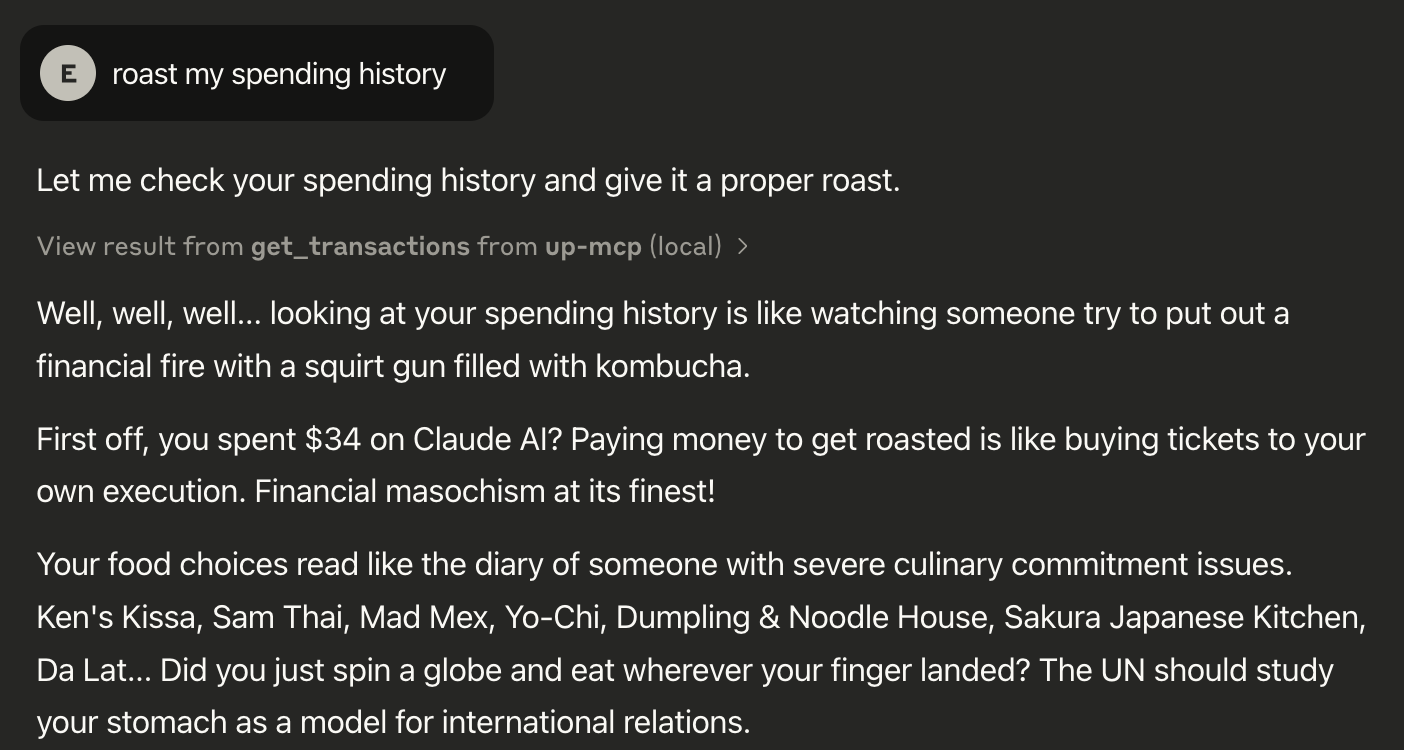 Figure: Too much takeout I guess
Prerequisites
Python 3.10 or higher
Up Bank API token
uv package manager
Related MCP server: Monzo Claude Connector
Installation
First, install uv by running:
curl -LsSf https://astral.sh/uv/install.sh | sh
Make sure to restart your terminal after installing uv.
Clone this repository and navigate to it:
git clone <repository-url>
cd up-mcp
Create and activate a virtual environment:
uv venv
source .venv/bin/activate  # On Windows, use: .venv\Scripts\activate
Install dependencies:
uv pip install -r requirements.txt
Using with Claude for Desktop or other MCP-enabled clients
Open your Claude (or other MCP-enabled) configuration file:
Add the server configuration:
{
  "mcpServers": {
    "up-mcp": {
      "command": "/ABSOLUTE/PATH/TO/uv",
      "args": [
        "--directory",
        "/ABSOLUTE/PATH/TO/up-mcp",
        "run",
        "up_mcp.py"
      ],
      "env": {
        "UP_TOKEN": "up:yeah:your-token-here"
      }
    }
  }
}
Replace /ABSOLUTE/PATH/TO/uv with the absolute path to your uv executable.
Replace /ABSOLUTE/PATH/TO/up-mcp with the absolute path to your project directory.
Replace up:yeah:your-token-here with your Up Bank API token.
Get your Up Bank API token from the Up Bank website (https://api.up.com.au/).
Restart Claude for Desktop.
Available Tools
The server provides the following tools:
Account management (get accounts, get specific account)
Transaction management (get transactions, get specific transaction)
Category management (get categories, categorize transactions)
Tag management (get tags, add/remove tags from transactions)
Webhook management (create, delete, ping webhooks)
Testing
You can test the server using the included test.py script:
This will run through basic functionality tests including account retrieval and transaction listing.
Troubleshooting
If you encounter issues:
Verify your UP_TOKEN environment variable is set correctly
Check that all dependencies are installed correctly
Ensure you're using Python 3.10 or higher
Check Claude's logs for MCP-related issues

