Meta MCP 代理
一个灵活的模型上下文协议 (MCP) 代理,支持跨多个 MCP 服务器和 JavaScript 函数发现和执行工具。如果您拥有大量工具,则可以减少上下文事件。此 MCP 充当其他 MCP(或库)的包装器,执行某种本地 RAG(检索增强生成)操作以缩减上下文大小,为 LLM 提供两种方法(发现和执行),并要求 LLM 简洁地进行发现。执行方法是一个简单的代理
我们极力建议添加配置discoverDescriptionExtras来扩展有关工具用途的详细信息以及 llm 应该将其用于哪些类型的主题。
特征
Related MCP server: mcptool
用法
🧱 安装
编辑文件~/Library/Application Support/Claude/claude_desktop_config.json
并添加以下内容
{
  "mcpServers": {
    "mcp-openapi-proxy": {
      "command": "npx",
      "args": ["@nullplatform/meta-mcp-proxy","-f","config.json"]
    }
  }
}
配置文件格式
您的config.json应该遵循以下结构:
{
  "discoverDescriptionExtras": "Additional description for discovery",
  "discoverLimit": 10,
  "mcpServers": {
    "server-name": {
      "command": "command-to-execute",
      "args": ["arg1", "arg2"],
      "env": {
        "ENV_VAR1": "value1",
        "ENV_VAR2": "value2"
      },
      "transport": "stdio"
    }
  }
}
例如
{
  "discoverDescriptionExtras": "Api used to manage a pet store with access to pets, pet types, users, orders and store",
  "mcpServers": {
    "mcp-petstore": {
        "command": "uvx",
        "args": ["mcp-openapi-proxy"],
        "env": {
            "OPENAPI_SPEC_URL": "https://petstore.swagger.io/v2/swagger.json",
            "API_KEY": "xxxxx"
       }
    }
  }
}
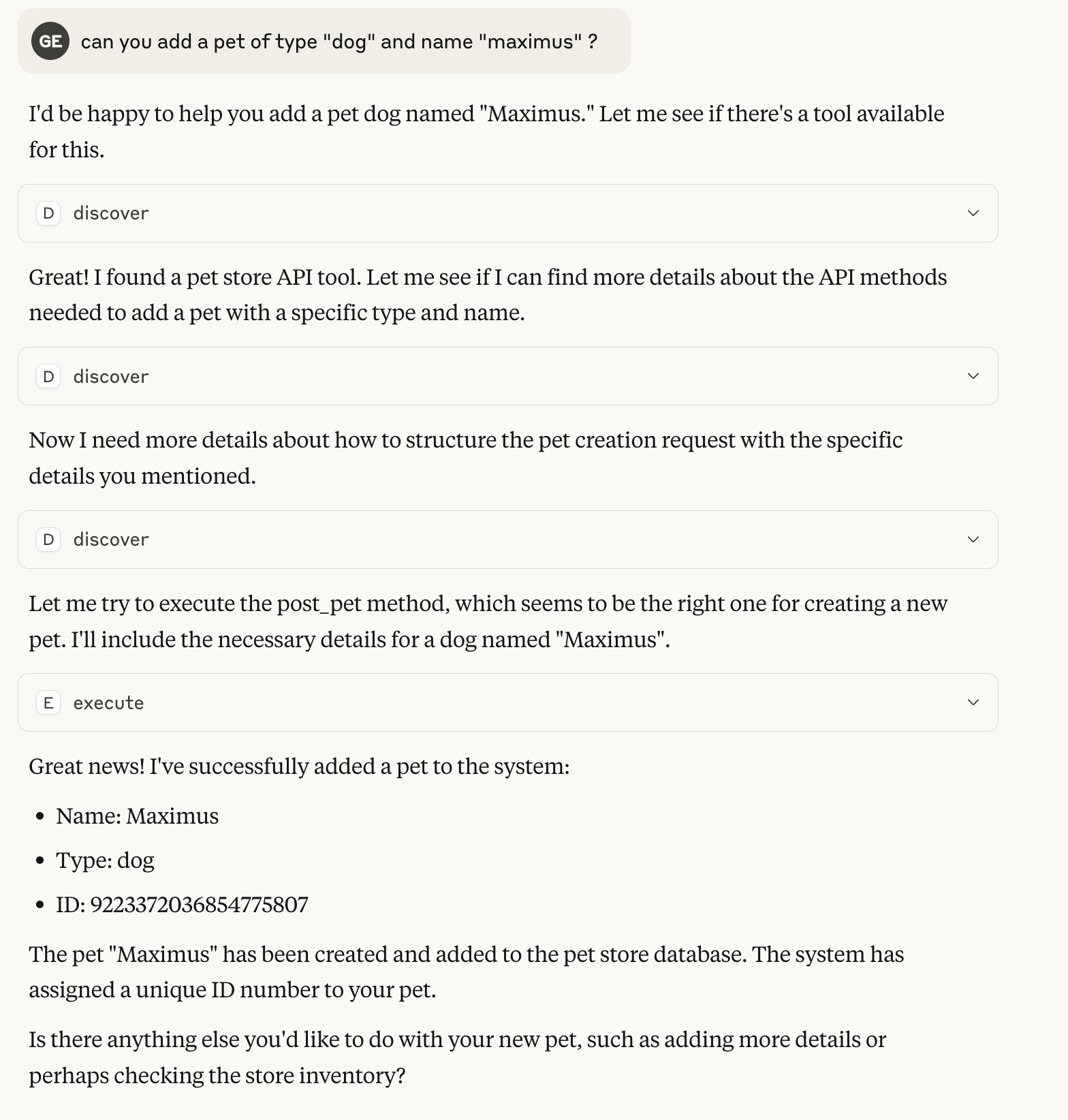
与 Claude 的 0-Shot 对话示例
该示例使用宠物商店的演示配置,几乎没有对 API 的描述
作为图书馆
您还可以在自己的 JavaScript 应用程序中将 Meta MCP Proxy 用作库:
import { MCPProxy } from '@nullplatform/meta-mcp-proxy';

// Create a new proxy instance
const mcpProxy = new MCPProxy({
  mcpServers: {
    "my-server": {
      "command": "path/to/server",
      "args": [],
      "env": {}
    }
  },
  discoverLimit: 10
});

// Register a custom JavaScript function
mcpProxy.registerJsFunction(
  "myFunction",
  "Description of my function",
  {
    properties: {
      param1: {
        type: "string",
        description: "First parameter"
      },
      param2: {
        type: "number",
        description: "Second parameter"
      }
    },
    required: ["param1"]
  },
  async ({ param1, param2 }) => {
    // Implementation goes here
    return {
      content: [
        {
          type: "text",
          text: JSON.stringify({ result: `Processed ${param1}` })
        }
      ]
    };
  }
);

// Start the MCP server
await mcpProxy.startMCP();
使用 meta-mcp-proxy 作为库创建 mcp 的示例
执照
麻省理工学院