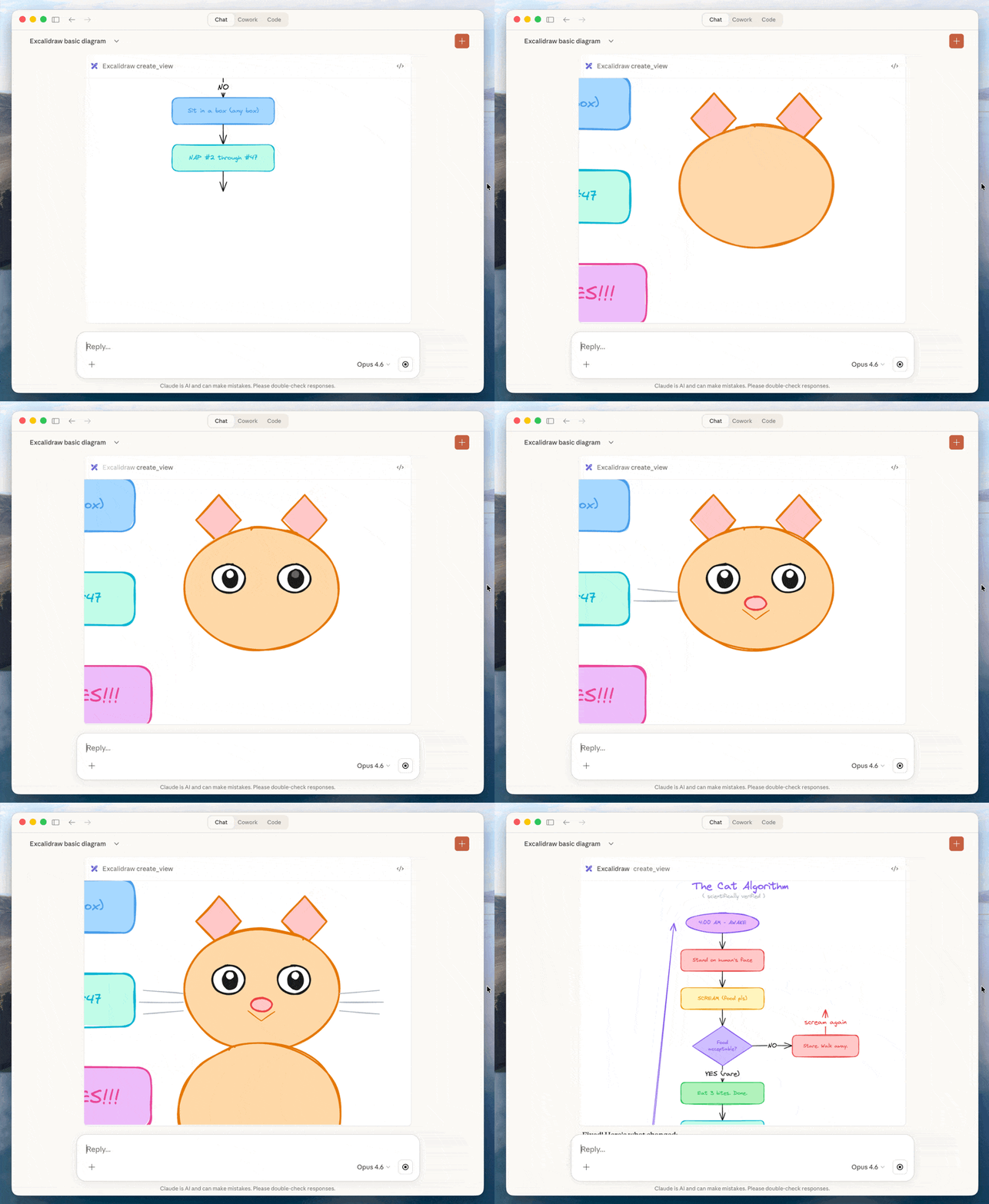
Enables the creation and editing of hand-drawn diagrams, sketches, and architecture visualizations directly within the chat through an interactive virtual whiteboard.
Click on "Install Server".
Wait a few minutes for the server to deploy. Once ready, it will show a "Started" state.
In the chat, type
@followed by the MCP server name and your instructions, e.g., "@Excalidraw MCP App Servercreate a system architecture diagram for a web app"
That's it! The server will respond to your query, and you can continue using it as needed.
Here is a step-by-step guide with screenshots.
Excalidraw MCP App Server
MCP server that streams hand-drawn Excalidraw diagrams with smooth viewport camera control and interactive fullscreen editing.

Install
In claude.ai:
Go to Settings → Connectors → Add custom connector
Server URL:
https://excalidraw-mcp-app.vercel.app/mcpDone — start using Excalidraw in your conversations
Alternative: Local Server
Option A: Download Extension
Download
excalidraw-mcp-app.mcpbfrom ReleasesDouble-click to install in Claude Desktop
Option B: Build from Source
git clone https://github.com/antonpk1/excalidraw-mcp-app.git
cd excalidraw-mcp-app
npm install && npm run buildAdd to ~/Library/Application Support/Claude/claude_desktop_config.json:
{
"mcpServers": {
"excalidraw": {
"command": "node",
"args": ["/path/to/excalidraw-mcp-app/dist/index.js", "--stdio"]
}
}
}Restart Claude Desktop.
Usage
Example prompts:
"Draw a cute cat using excalidraw"
"Draw an architecture diagram showing a user connecting to an API server which talks to a database"
Releasing a New Version
# 1. Make changes, commit, push
git add -A && git commit -m "..." && git push
# 2. Bump version in manifest.json and package.json
# 3. Rebuild
npm run build
# 4. Pack the .mcpb bundle
mcpb pack .
# 5. Create GitHub release with bundle attached
gh release create v0.2.0 excalidraw-mcp-app.mcpb --title "v0.2.0" --notes "What changed"What are MCP Apps and how can I build one?
Text responses can only go so far. Sometimes users need to interact with data, not just read about it. MCP Apps is an official Model Context Protocol extension that lets servers return interactive HTML interfaces (data visualizations, forms, dashboards) that render directly in the chat.
Getting started for humans: documentation
Getting started for AIs: skill
Credits
Built with Excalidraw — a virtual whiteboard for sketching hand-drawn like diagrams.
License
MIT
This server cannot be installed
Resources
Unclaimed servers have limited discoverability.
Looking for Admin?
If you are the server author, to access and configure the admin panel.