Click on "Install Server".
Wait a few minutes for the server to deploy. Once ready, it will show a "Started" state.
In the chat, type
@followed by the MCP server name and your instructions, e.g., "@Paint MCPPaint a sunset over the mountains using the oil paint mode."
That's it! The server will respond to your query, and you can continue using it as needed.
Here is a step-by-step guide with screenshots.
Paint MCP
A drawing canvas exposed as an MCP server. An LLM connects over stdio and paints on a pygame window using tool calls.
Setup
pip install -r requirements.txtUsage
python server.pyThis opens an 800x600 pygame canvas and starts the MCP server on stdio. Connect any MCP-compatible client (e.g. Claude Desktop) to the process.
MCP Tools
Tool | Description |
| Get canvas dimensions, current color, brush size, and mode |
| Set drawing color (RGB 0-255) |
| Set brush size (1-50 px) |
| Set brush shape: round, flat, filbert, fan, or palette_knife |
| Draw a single dot |
| Draw a line between two points |
| Draw a rectangle (blocked in oil paint mode) |
| Draw an ellipse (blocked in oil paint mode) |
| Draw a freehand path through coordinate pairs |
| Execute many strokes in one call with per-stroke color/size/shape overrides |
| Smudge/blend existing colors along a path |
| Bucket fill an area (blocked in oil paint mode) |
| Clear to white |
| Undo last operation |
| Read pixel data from a region |
| Save canvas to a temp PNG and return the path for visual inspection |
| Save canvas to a PNG file |
Oil Paint Mode
Tool | Description |
| Toggle oil paint simulation on/off |
| Get a technique guide for realistic oil painting |
When oil paint mode is enabled:
Color mixing — the brush picks up existing canvas color as it moves, so overlapping strokes blend naturally.
Paint depletion — strokes start opaque and gradually thin out as the brush runs dry. Each new stroke reloads the brush.
Soft edges — dabs use concentric rings with cubic falloff for painterly texture.
Brush shapes — five brush types (round, flat, filbert, fan, palette_knife) create distinct stroke characteristics. Flat for broad washes, filbert for general work, fan for blending, palette knife for bold impasto.
Shapes disabled — rectangles, ellipses, and flood fill are blocked. Only points, lines, and paths are available.
batch_strokesis the recommended way to paint — send many short strokes per call, each with its own color, brush size, and brush shape.
Examples
Regular mode
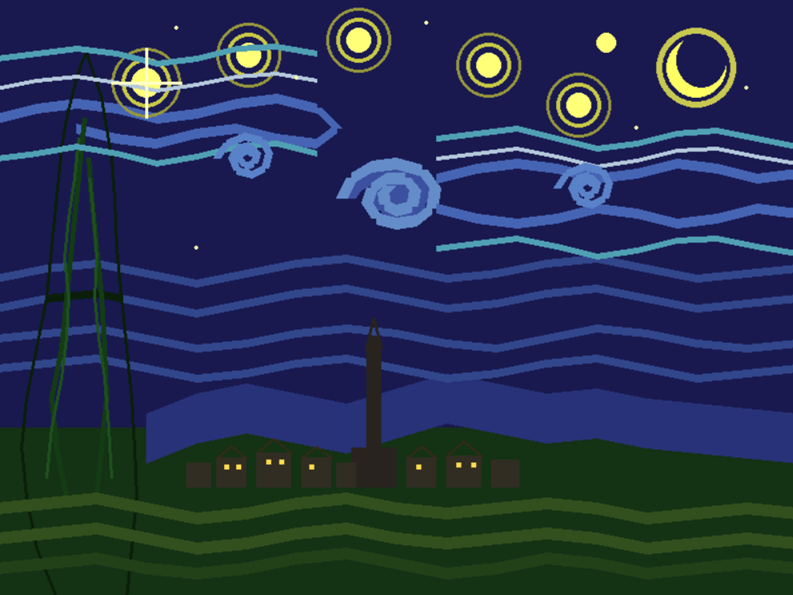
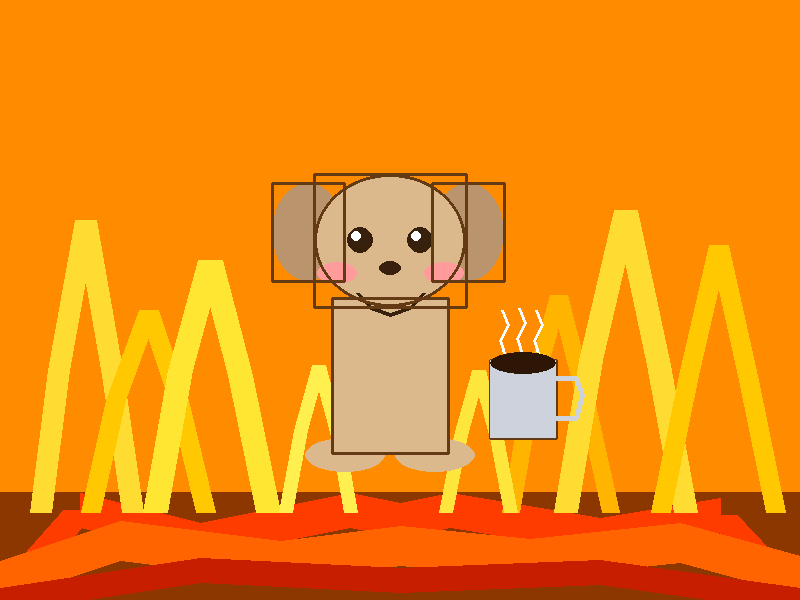
Starry Night | Meme |
|
|
Oil paint mode
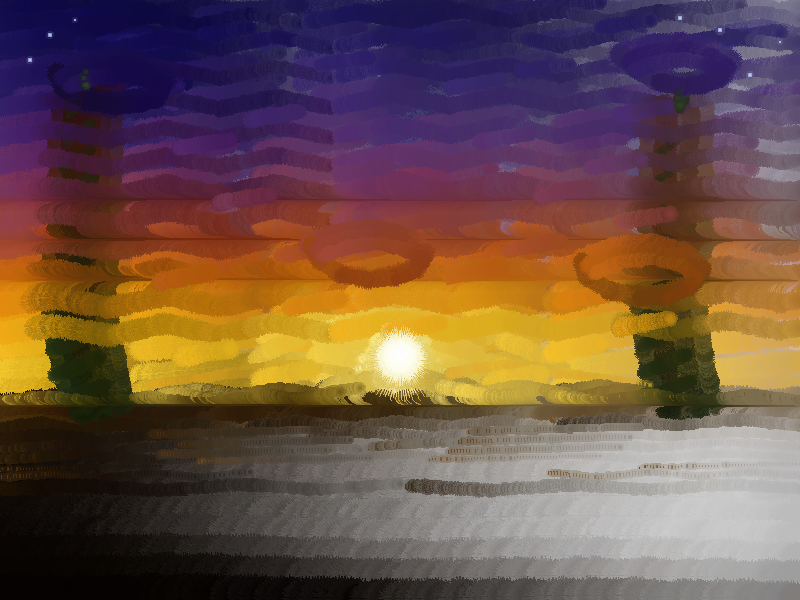
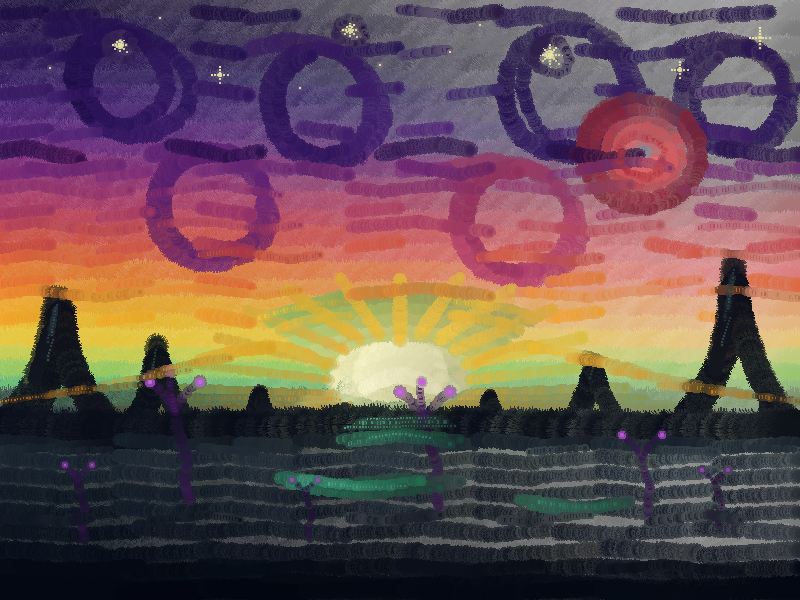
Sunset | Alien Sunset |
|
|
Architecture
server.py— Entry point. Runs the pygame main loop and drains commands from a thread-safe queue.tools.py— MCP tool definitions. Pushes drawing commands onto the queue.canvas.py— Drawing engine. Wraps a pygame surface with draw ops, oil paint simulation, and an undo stack.
This server cannot be installed
Resources
Unclaimed servers have limited discoverability.
Looking for Admin?
If you are the server author, to access and configure the admin panel.


