MCP-Server-Azure-Impact-Reporting
Overview
The Azure Impact Reporting MCP (Model Context Protocol) server enables large language models (LLMs) to report impacts to Azure resources. This tool allows LLMs to automatically parse user requests, understand the required parameters, and submit reports to Azure when customers are facing issues with Azure infrastructure.
Related MCP server: Azure Omni-Tool MCP Server
Functionality
The impact-reporter.py script provides a Model Context Protocol server that:
Exposes a tool to report resource impacts to Azure
Automatically authenticates with Azure using DefaultAzureCredential
Creates workload impact reports via the Azure Management API
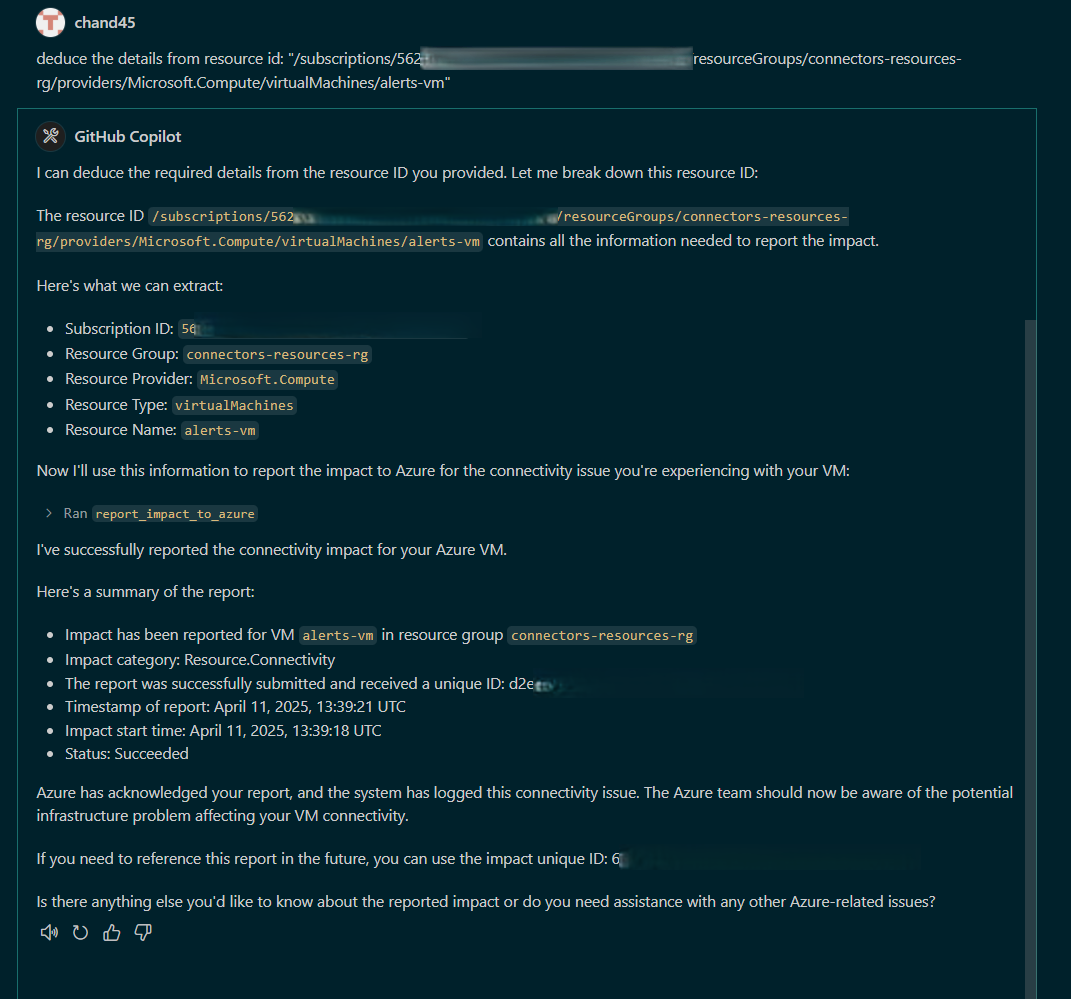
Handles parameter extraction from natural language requests
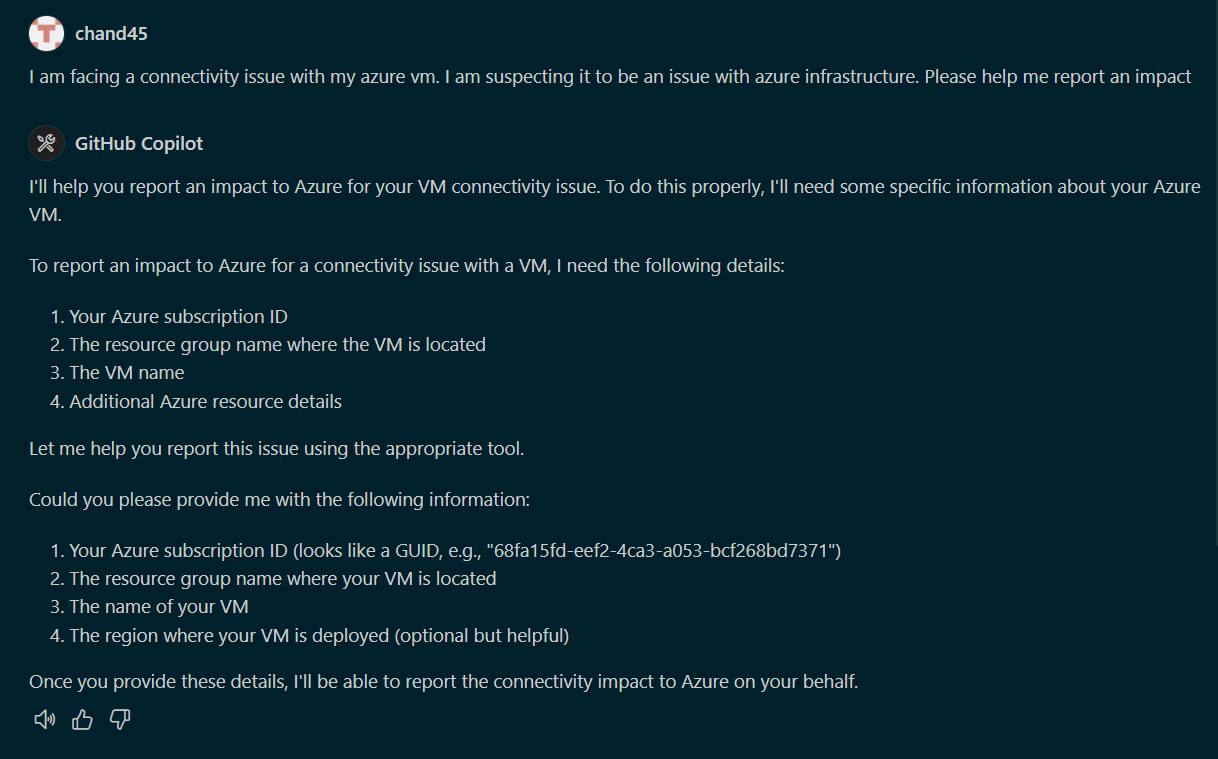
Can ask for additional details if the request is missing required information
Impact Categories
The tool supports the following impact categories:
Resource.Connectivity - For connectivity issues with Azure resources
Resource.Performance - For performance degradation issues
Resource.Availability - For availability or downtime issues
Resource.Unknown - When the specific issue type is not known
Requirements
Python 3.8+
mcp[cli] - Model Context Protocol package with CLI support
azure-identity - For Azure authentication
httpx - For making HTTP requests to Azure API
Setup Instructions
1. Clone the repository
git clone https://github.com/yourusername/MCP-Server-Azure-Impact-Reporting.git
cd MCP-Server-Azure-Impact-Reporting
2. Install dependencies
pip install -r requirements.txt
Or install them manually:
pip install mcp[cli] azure-identity httpx
3. Azure Authentication Setup
The tool uses DefaultAzureCredential for authentication. Ensure you're logged in to Azure with one of the following methods:
Azure CLI (az login)
Visual Studio Code Azure Account extension
Azure PowerShell (Connect-AzAccount)
Environment variables for service principal authentication
4. Configure your MCP client
Add the following configuration to your MCP client configuration file (e.g., claude_desktop_config.json):
"impactreporter": {
    "command": "uv",
    "args": [
        "--directory",
        "ABSOLUTE_PATH_TO_ROOT_FOLDER",
        "run",
        "impact-reporter.py"
    ]
}
Replace ABSOLUTE_PATH_TO_ROOT_FOLDER with the absolute path to where you cloned this repository.
For example:
"impactreporter": {
    "command": "uv",
    "args": [
        "--directory",
        "C:\\Users\\username\\source\\repos\\MCP-Server-Azure-Impact-Reporting",
        "run",
        "impact-reporter.py"
    ]
}
Understanding the uv Command
The uv command in the configuration uses pyproject.toml to manage dependencies:
Virtual Environment: uv creates and manages its own internal virtual environment separate from any .venv you may have created
Dependency Management: Dependencies are automatically installed based on pyproject.toml specifications
Isolation: The uv cache system ensures no interference with your local Python environment
Alternative: Direct Python Execution
If you prefer not to use uv, you can run the MCP server directly:
Create and activate a virtual environment:
python -m venv .venv
# On Windows
.venv\Scripts\activate
# On macOS/Linux
source .venv/bin/activate
Install dependencies:
pip install -r requirements.txt
Run the server directly:
python impact-reporter.py
5. Running the MCP Server
If you're using Claude with Desktop or another MCP-enabled client, the server will start automatically when needed.
Usage Examples
Once configured, your LLM can report impacts with natural language requests like:
"Report connectivity issues with my VM named 'web-server' in resource group 'production-rg'"
"Let Azure know my SQL database 'customer-db' in 'data-rg' is experiencing performance issues"
"Report that my App Service 'api-service' is down"
The MCP server will automatically parse these requests and ask for any missing parameters before submitting the report to Azure.
Example Converstations:
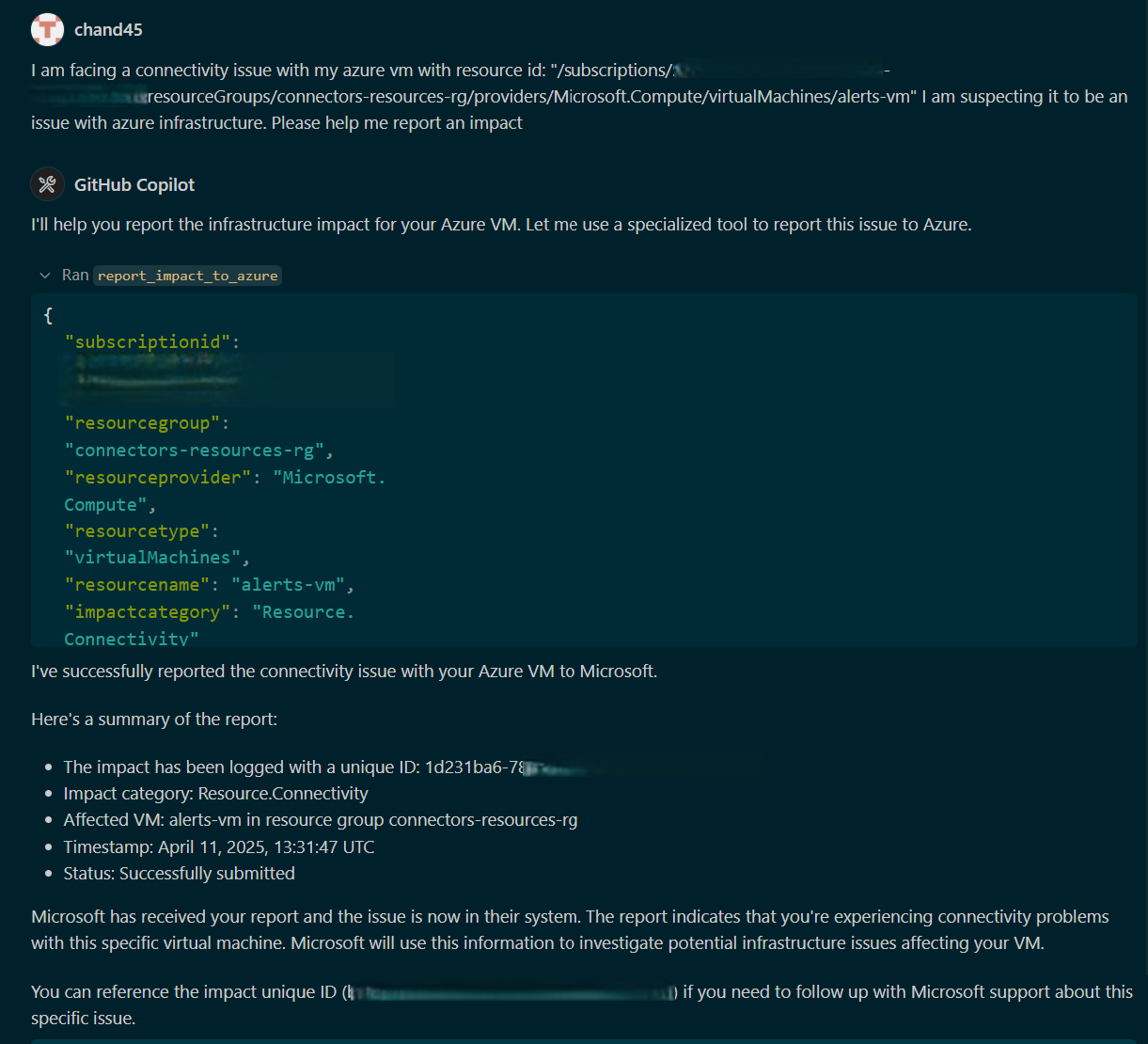
When additional information is required
Request for additional details
Infer the details and report impact
API Details
The impact reporting tool uses the Azure Management API (2023-12-01-preview) to create workload impact reports.
Troubleshooting
Authentication issues: Ensure you're logged into Azure and have proper permissions
Missing parameters: The tool will ask for additional details if needed
API errors: Check Azure portal to ensure your subscription and resources exist
License
MIT License
