OpenStreetMap (OSM) MCP サーバー
位置情報サービスと地理空間データを使用して LLM 機能を強化する OpenStreetMap MCP サーバー実装。
デモ
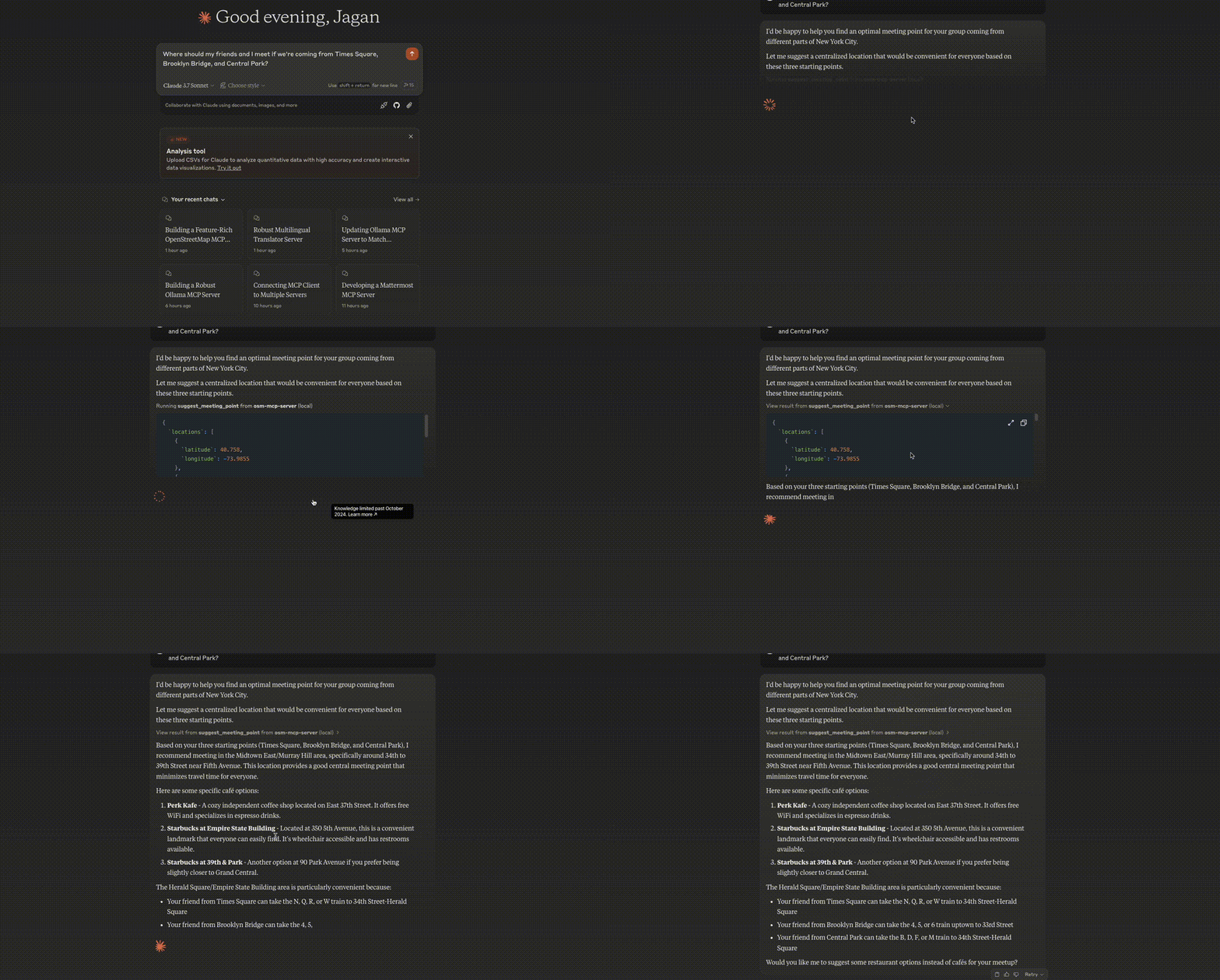
ミーティングポイントの最適化
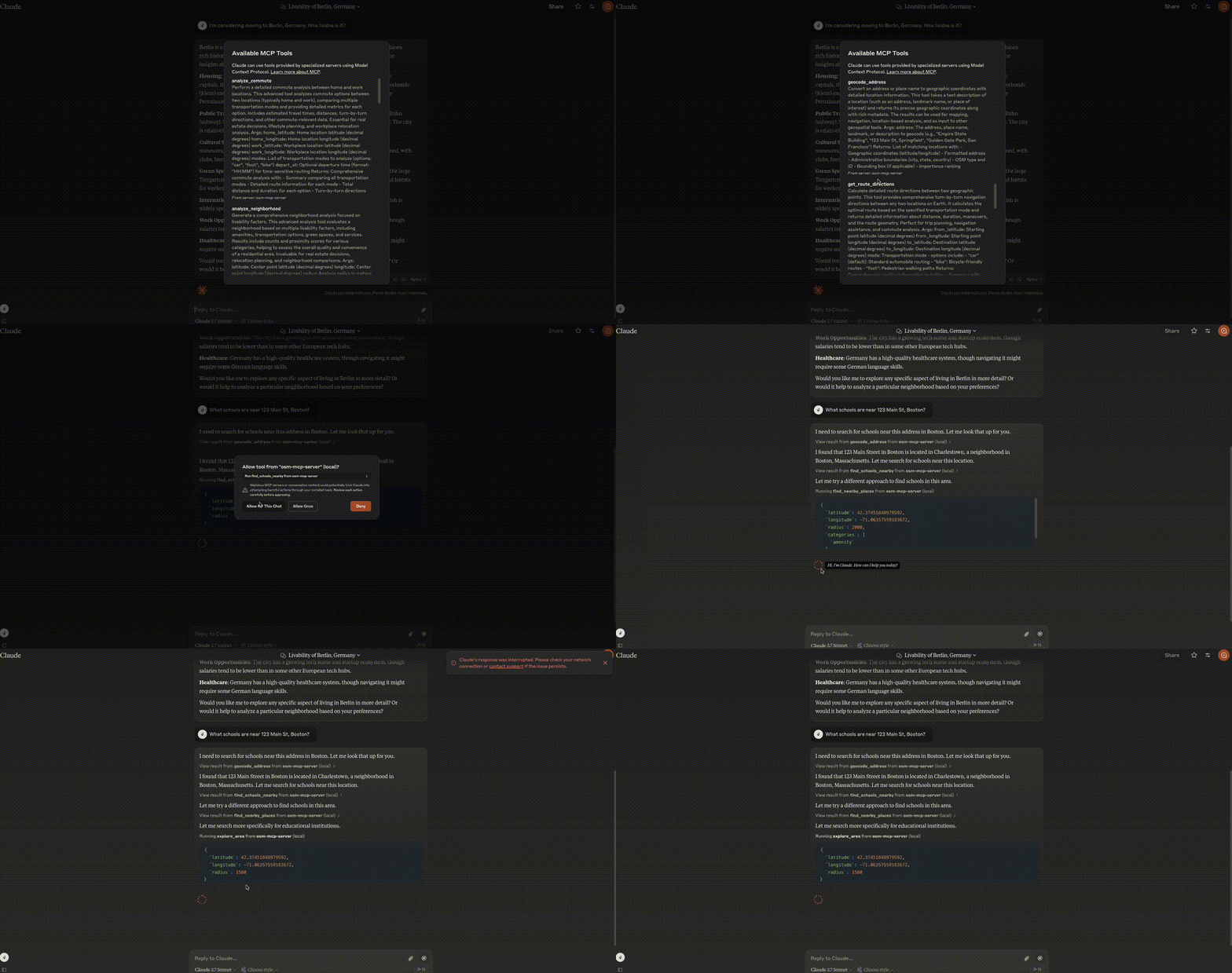
近隣分析
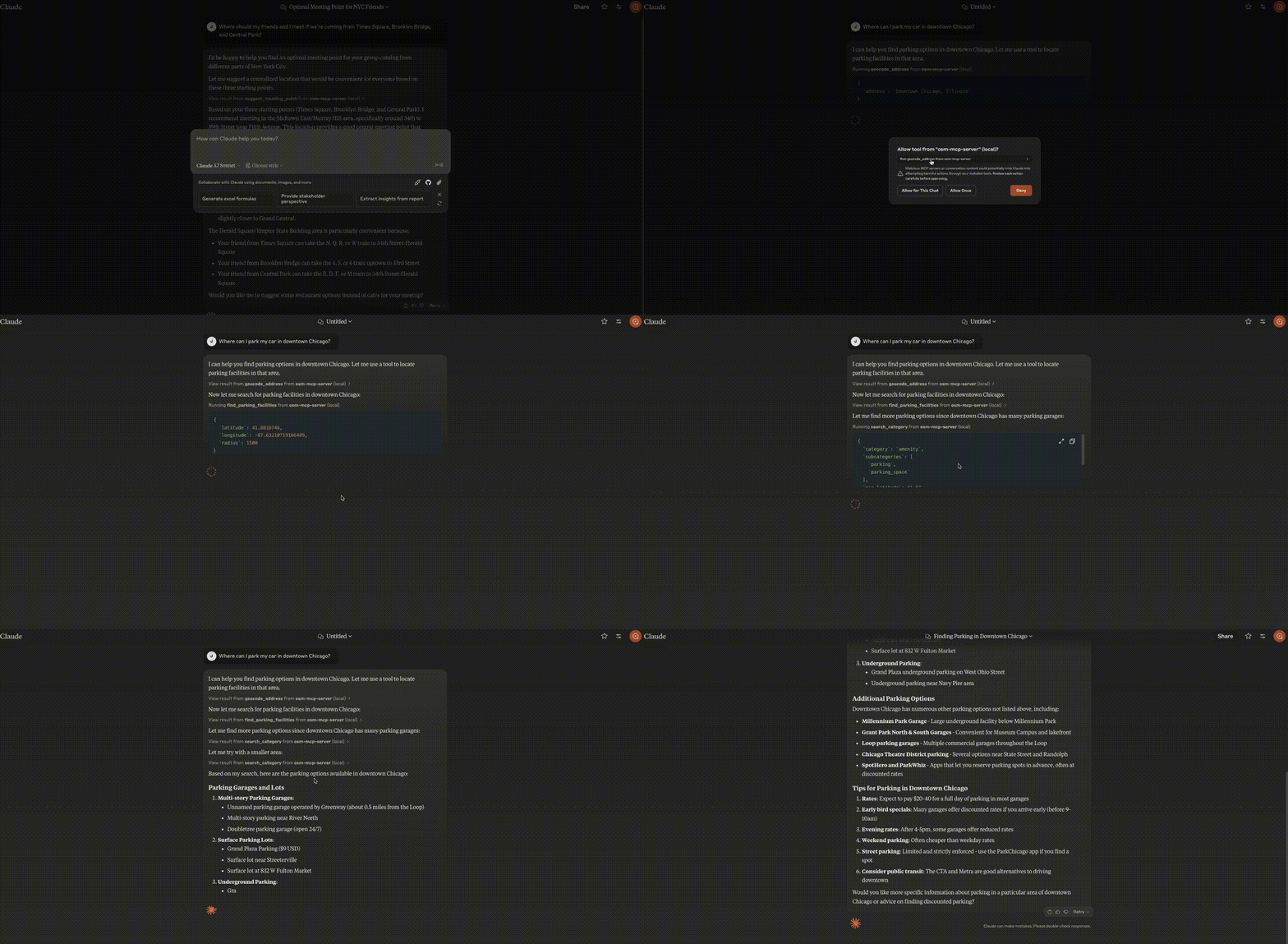
駐車場検索
Related MCP server: Google Maps MCP Server
特徴
このサーバーは、LLM に OpenStreetMap データと対話するためのツールを提供し、位置情報ベースのアプリケーションで次のことが可能になります。
コンポーネント
リソース
サーバーは位置情報に基づくリソースを実装します。
ツール
サーバーはいくつかの地理空間ツールを実装しています。
geocode_address : テキストを地理座標に変換する
reverse_geocode : 座標を人間が読める住所に変換する
find_nearby_places : 場所の近くの興味のある場所を見つける
get_route_directions : 場所間のターンバイターンの道順を取得します
search_category : 地域内の特定のカテゴリの場所を検索します
suggest_meeting_point : 複数人での最適な待ち合わせ場所を見つける
explore_area : 近隣地域に関する包括的なデータを取得する
find_schools_nearby : 特定の場所の近くにある教育機関を検索する
analyze_commute : 自宅と職場間の交通手段を比較する
find_ev_charging_stations : フィルタリング機能を使ってEV充電インフラを探す
analyze_neighborhood : 不動産の近隣居住性を評価する
find_parking_facilities : 目的地近くの駐車場を検索
ユースケース
不動産に関する意思決定
LLM は、ユーザーが住宅購入の可能性のある地域を評価するのに役立ちます。
ローカルテスト
サーバーの実行
サーバーをローカルで実行するには:
開発モードでパッケージをインストールします。
サーバーを起動します。
サーバーが起動し、標準入出力で MCP 要求をリッスンします。
サンプルクライアントによるテスト
リポジトリには、 examples/ディレクトリに 2 つのサンプル クライアントが含まれています。
基本的なクライアントの例
client.py OSM MCP サーバーの基本的な使用方法を示しています。
python examples/client.py
これにより、次のようになります。
LLM統合の例
llm_client.py 、LLM 統合用に設計されたヘルパー クラスを提供します。
python examples/llm_client.py
この例では、LLM がロケーション アシスタントを使用して次のことを行う方法を示します。
テキストクエリから位置情報を取得する
近くの観光スポットを探す
場所間の道順を取得する
最適な待ち合わせ場所を見つける
近所を探索する
独自のクライアントを作成する
独自のクライアントを作成するには:
MCP クライアントをインポートします。
from mcp.client import Client
サーバーの URL を使用してクライアントを初期化します。
client = Client("http://localhost:8000")
ツールを呼び出すか、リソースにアクセスします。
# Example: Geocode an address
results = await client.invoke_tool("geocode_address", {"address": "New York City"})
構成
インストール
クロードデスクトップ
MacOS の場合: ~/Library/Application\ Support/Claude/claude_desktop_config.json Windows の場合: %APPDATA%/Claude/claude_desktop_config.json
"mcpServers": {
  "osm-mcp-server": {
    "command": "uv",
    "args": [
      "--directory",
      "/path/to/osm-mcp-server",
      "run",
      "osm-mcp-server"
    ]
  }
}
"mcpServers": {
  "osm-mcp-server": {
    "command": "uvx",
    "args": [
      "osm-mcp-server"
    ]
  }
}
発達
建築と出版
配布用のパッケージを準備するには:
依存関係を同期し、ロックファイルを更新します。
パッケージディストリビューションをビルドします。
これにより、 dist/ディレクトリにソースとホイールのディストリビューションが作成されます。
PyPI に公開:
注: 環境変数またはコマンド フラグを使用して PyPI 資格情報を設定する必要があります。
デバッグ
MCPサーバーはstdio経由で実行されるため、デバッグが困難になる場合があります。最適なデバッグ環境を実現するには、 MCP Inspectorの使用を強くお勧めします。
次のコマンドを使用して、 npm経由で MCP Inspector を起動できます。
npx @modelcontextprotocol/inspector uv --directory /path/to/osm-mcp-server run osm-mcp-server
起動すると、ブラウザでアクセスしてデバッグを開始できる URL がインスペクタに表示されます。
APIの使用例
Python コードから主要な API エンドポイントを使用する方法の簡単な例を次に示します。
import asyncio
from mcp.client import Client

async def main():
    client = Client("http://localhost:8000")

    # Geocode an address
    results = await client.invoke_tool("geocode_address", {"address": "Empire State Building"})
    print(f"Found location: {results[0]['display_name']}")

    # Get coordinates
    lat = float(results[0]['lat'])
    lon = float(results[0]['lon'])

    # Find nearby coffee shops
    nearby = await client.invoke_tool(
        "find_nearby_places",
        {
            "latitude": lat,
            "longitude": lon,
            "radius": 500,
            "categories": ["amenity"],
            "limit": 5
        }
    )

    # Print results
    print(f"Found {nearby['total_count']} nearby places")
    for category, subcategories in nearby["categories"].items():
        for subcategory, places in subcategories.items():
            print(f"  - {subcategory}: {len(places)} places")

if __name__ == "__main__":
    asyncio.run(main())