IVR Flow Linter


Deterministic IVR Flow Linter via MCP + ChatGPT Skybridge Widget
A Model Context Protocol (MCP) server that validates IVR flows (JSON) providing a score, error detection (unreachable nodes, dead ends), and suggested fixes. Includes a Skybridge-pattern HTML widget for visualizing results directly in ChatGPT.
Demo Video
Features
Strict Validations: Unreachable nodes, dead ends, missing fallbacks, undefined variables.
Best Practices: Warning on long prompts, multiple questions, and irreversible actions without confirmation.
Idempotency: Consistent results via flow hashing.
Skybridge Widget: Interactive HTML/JS visualization with zero external dependencies.
MCP Compatible: Works with both ChatGPT Actions and Claude Desktop.
Related MCP server: FlowZap MCP Server
Architecture
Server: FastAPI with JSON-RPC 2.0 (/mcp)
Linter: Pure Python deterministic engine
Widget: Inline HTML injection (text/html+skybridge)
Local Development
Prerequisites
Setup
# Clone
git clone https://github.com/arebury/ivr-flow-linter.git
cd ivr-flow-linter

# Virtual Environment
python -m venv venv
source venv/bin/activate

# Install
pip install -r requirements.txt

# Run Server
uvicorn src.main:app --host 0.0.0.0 --port 8000 --reload
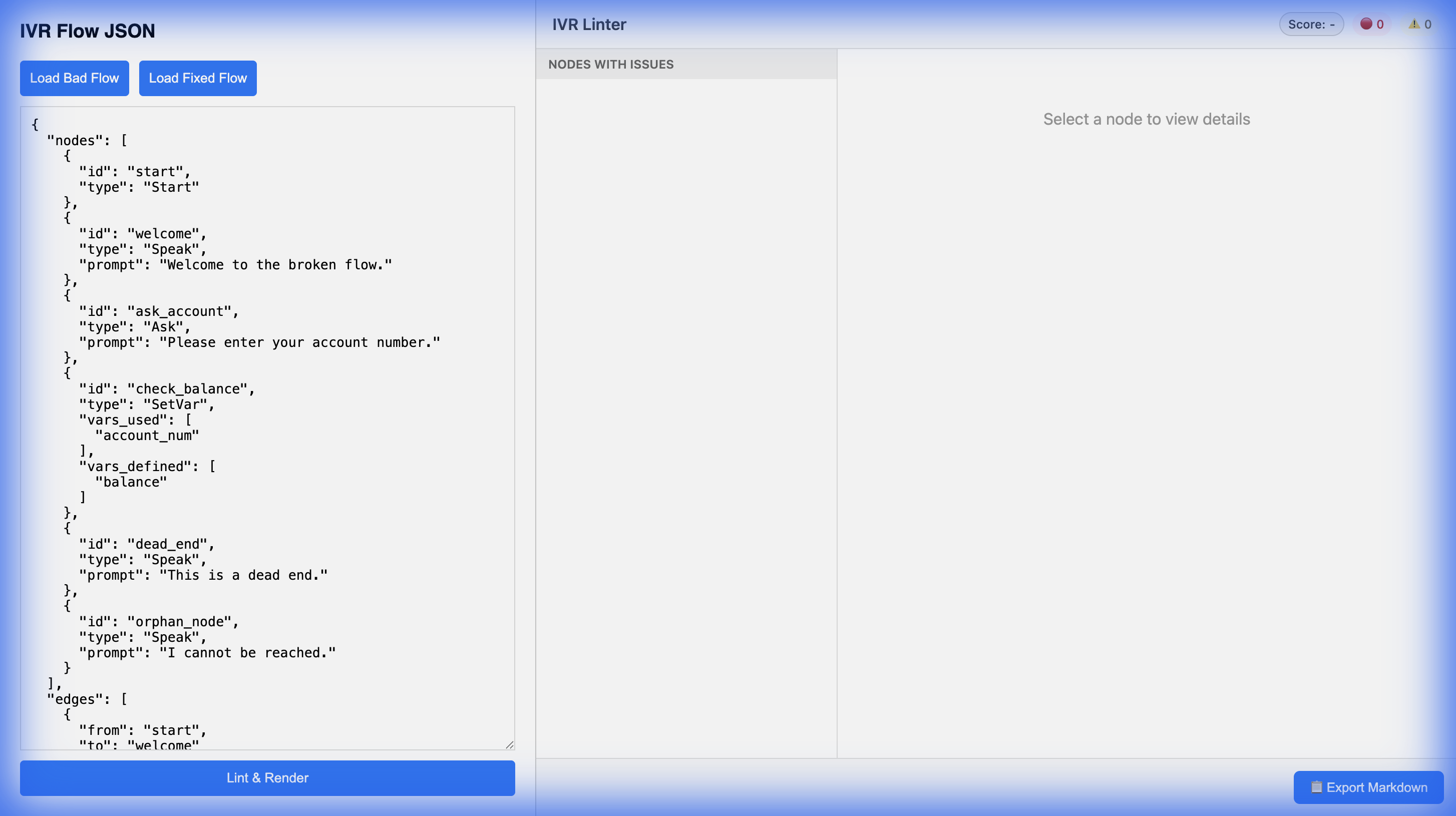
Visit http://localhost:8000/demo for an interactive simulator.
Validating the Demo
Run server: uvicorn src.main:app --host 0.0.0.0 --port 8000 --reload
Open http://localhost:8000/demo
Select "Invalid: Dead End" from the dropdown.
Click Lint & Render.
Verify:
Deployment (Render)
This project includes a render.yaml for 1-click deployment on Render.
Create a new Web Service on Render.
Connect your GitHub repository: https://github.com/arebury/ivr-flow-linter.
Select "Python 3" runtime.
Build Command: pip install -r requirements.txt
Start Command: uvicorn src.main:app --host 0.0.0.0 --port $PORT
Connecting to ChatGPT (Apps SDK / MCP)
This server acts as an MCP Server that exposes the lint_flow tool. The tool returns a Skybridge-compatible widget (text/html+skybridge) for rich visualization.
Deploy the service to a public URL (e.g., https://your-app.onrender.com).
Register the app in the OpenAI Developer Portal (for Apps SDK) using the manifest at /.well-known/ai-plugin.json.
Alternatively, for Custom Actions (GPTs):
Connecting to Claude (Desktop)
Add the server to your Claude Desktop configuration (claude_desktop_config.json):
Local:
{
  "mcpServers": {
    "ivr-linter": {
      "command": "uvicorn",
      "args": ["src.main:app", "--port", "8000"],
      "cwd": "/absolute/path/to/ivr-flow-linter"
    }
  }
}
Remote (via Stdio Wrapper - Advanced):
(Typically Claude Desktop connects to local processes. For remote MCP, use a local bridge or simple local-proxy).
Examples
See /examples directory for 10 sample flows (5 valid, 5 invalid) including:
valid_basic.json: Simple greeting
valid_payment.json: Transaction flow
invalid_unreachable.json: Disconnected nodes
invalid_dead_end.json: Stuck user path