
Weather MCP Server
Click on "Deploy Server".
Wait a few minutes for the server to deploy. Once ready, it will show a "Started" state.
In the chat, type
@followed by the MCP server name and your instructions, e.g., "@Weather MCP Serverwhat's the forecast for New York City?"
That's it! The server will respond to your query, and you can continue using it as needed.
Here is a step-by-step guide with screenshots.
How the LLM Uses These Tools
Example 1: Weather Alerts
You: "Are there any weather alerts in California?"
Claude's process:
Recognizes it needs weather alert info
Calls
get_alerts(state="CA")Gets the formatted response
Presents it to you in natural language
Example 2: Weather Forecast
You: "What's the weather forecast for San Francisco?"
Claude's process:
Knows SF coordinates (or looks them up)
Calls
get_forecast(latitude=37.7749, longitude=-122.4194)Gets 5-period forecast
Summarizes it for you
Run the mcp server
uv run weather.py
Update the claude config file claude_desktop_config.json to below content
{ "mcpServers": { "weather": { "command": "/Users/santhosh.sharma/.local/bin/uv", "args": [ "--directory", "/Users/santhosh.sharma/Repositories/mcp-weather", "run", "weather.py" ] } } }
Reference : https://modelcontextprotocol.io/docs/develop/build-server#python
Analyze logs in ~/Library/Logs/Claude/mcp.log
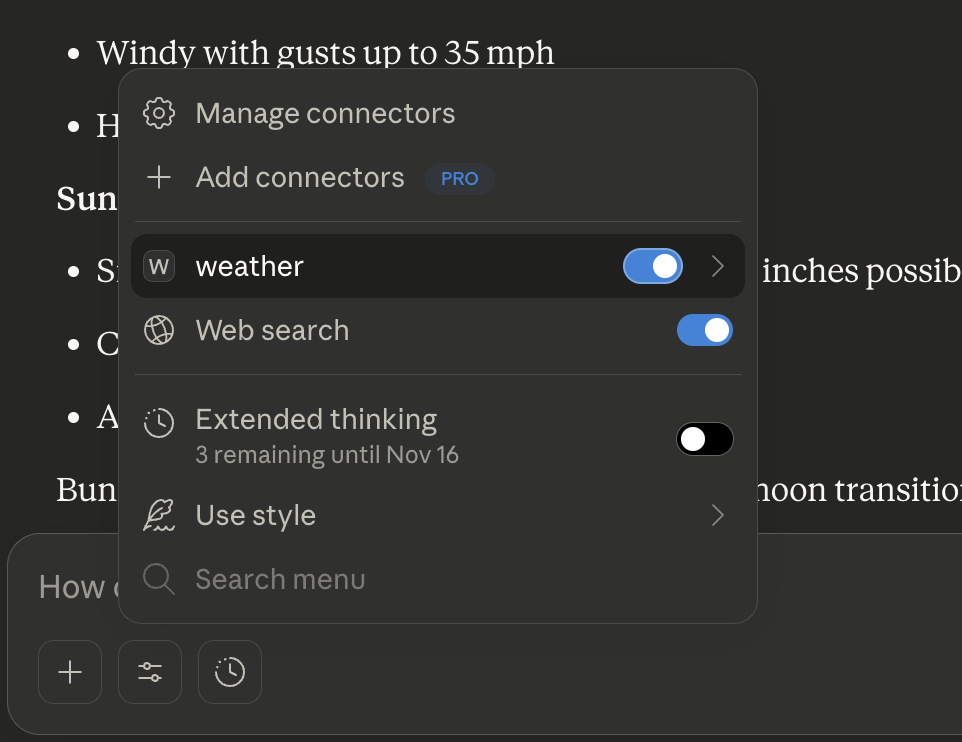
When you ask Claude (with this MCP server connected):
Docstring best practises:
First line = One-line summary (imperative mood: "Get", "Format", "Calculate")
Use present tense ("Returns the sum" not "Will return")
Be specific about parameter types and expected values
Include examples for complex functions
Keep it updated when code changes
Available Tools
2 toolsget_alertsB
Get weather alerts for a US state.
Args:
    state: Two-letter US state code (e.g. CA, NY)
| Name | Required | Description | Default |
|---|---|---|---|
| state | Yes |
Output Schema
| Name | Required | Description |
|---|---|---|
| result | Yes |
TDQS
Does the description disclose side effects, auth requirements, rate limits, or destructive behavior?
No annotations are provided, so the description carries the full burden of behavioral disclosure. It doesn't mention return format, pagination, whether alerts are current or historical, severity levels, or any rate limits or auth requirements. For a read-type tool the lack of annotations leaves significant gaps.
Agents need to know what a tool does to the world before calling it. Descriptions should go beyond structured annotations to explain consequences.
Is the description appropriately sized, front-loaded, and free of redundancy?
Extremely concise and well-scoped. The description is two lines with an args docstring for the single parameter. Every word is functional with zero waste.
Shorter descriptions cost fewer tokens and are easier for agents to parse. Every sentence should earn its place.
Given the tool's complexity, does the description cover enough for an agent to succeed on first attempt?
An output schema exists, which reduces the burden for explaining return values. However, with 0% schema description coverage, 1 single param (already covered in the args), no annotations, and no behavioral details (alert types, severity, expiration, update frequency), the description is minimal. For a weather alert tool, agents would benefit from knowing what constitutes an alert return vs. a no-alert return.
Complex tools with many parameters or behaviors need more documentation. Simple tools need less. This dimension scales expectations accordingly.
Does the description clarify parameter syntax, constraints, interactions, or defaults beyond what the schema provides?
The single parameter 'state' is described in the argument docstring as a two-letter US state code with examples (CA, NY), which adds meaning beyond the bare schema. However, it doesn't specify case sensitivity, whether territories are included (e.g., DC, PR), or what happens for invalid state codes. The examples help but full semantics aren't covered.
Input schemas describe structure but not intent. Descriptions should explain non-obvious parameter relationships and valid value ranges.
Does the description clearly state what the tool does and how it differs from similar tools?
The description clearly states the tool gets weather alerts for a US state, with a specific verb ('get') and resource ('weather alerts') and a geographic scope ('US state'). It distinguishes from the sibling tool 'get_forecast' by the resource type, though it doesn't explicitly name the sibling.
Agents choose between tools based on descriptions. A clear purpose with a specific verb and resource helps agents select the right tool.
Does the description explain when to use this tool, when not to, or what alternatives exist?
The description implies usage context ('for a US state') but provides no when-to-use guidance, no exclusions, and no comparison to the sibling get_forecast tool. The intent is reasonably clear but the agent doesn't know when alerts vs forecast is more appropriate.
Agents often have multiple tools that could apply. Explicit usage guidance like "use X instead of Y when Z" prevents misuse.
get_forecastC
Get weather forecast for a location.
Args:
    latitude: Latitude of the location
    longitude: Longitude of the location
| Name | Required | Description | Default |
|---|---|---|---|
| latitude | Yes | ||
| longitude | Yes |
Output Schema
| Name | Required | Description |
|---|---|---|
| result | Yes |
TDQS
Does the description disclose side effects, auth requirements, rate limits, or destructive behavior?
With no annotations provided, the description carries the full burden of behavioral disclosure. It doesn't disclose how many days of forecast are returned, data freshness, caching behavior, rate limits, or what units (Celsius/Fahrenheit) are used. The description only restates the parameters without adding behavioral context.
Agents need to know what a tool does to the world before calling it. Descriptions should go beyond structured annotations to explain consequences.
Is the description appropriately sized, front-loaded, and free of redundancy?
The description is brief but under-specified rather than appropriately concise. The Args section is mostly unnecessary given the input schema repeats the same parameter names and types. The single opening sentence is useful, but the parameter documentation is redundant with the schema.
Shorter descriptions cost fewer tokens and are easier for agents to parse. Every sentence should earn its place.
Given the tool's complexity, does the description cover enough for an agent to succeed on first attempt?
There is an output schema present, which helps, but the description still fails to communicate what the forecast contains or how comprehensive it is. For a tool that returns weather data, the agent has no sense of forecast length, granularity, or data fields without inspecting the output schema. The description is minimally sufficient for a basic 2-param lookup tool but leaves key context undocumented.
Complex tools with many parameters or behaviors need more documentation. Simple tools need less. This dimension scales expectations accordingly.
Does the description clarify parameter syntax, constraints, interactions, or defaults beyond what the schema provides?
Schema description coverage is 0%, meaning the description must compensate. The description merely restates that latitude/longitude are coordinates of the location, which adds marginal value over the schema. It doesn't explain valid ranges (e.g., -90 to 90, -180 to 180), precision requirements, or format expectations. Minimal semantic addition.
Input schemas describe structure but not intent. Descriptions should explain non-obvious parameter relationships and valid value ranges.
Does the description clearly state what the tool does and how it differs from similar tools?
The description states 'Get weather forecast for a location' with a clear verb+resource. It doesn't distinguish from its sibling tool get_alerts, and 'forecast' vs 'alerts' distinction is implied but not explicit. The purpose is clear but missing scope details (time range, units).
Agents choose between tools based on descriptions. A clear purpose with a specific verb and resource helps agents select the right tool.
Does the description explain when to use this tool, when not to, or what alternatives exist?
No guidance on when to use this tool vs get_alerts. The description doesn't explain the distinction between getting a forecast and getting alerts, nor does it mention any special circumstances (e.g., use get_alerts for severe weather warnings). No when/when-not guidance is provided.
Agents often have multiple tools that could apply. Explicit usage guidance like "use X instead of Y when Z" prevents misuse.
Tool Schema Changelog
Recent tool additions, removals, and schema changes observed during successful MCP inspections.
2 tool updates
v1.0.0- Changed
get_alerts1 field changed- added
Input schema / titleAdded value: +"get_alertsArguments"
- Changed
get_forecast1 field changed- added
Input schema / titleAdded value: +"get_forecastArguments"
2 tool updates
- First observed
get_alerts - First observed
get_forecast
TDQS
Scored across 2 tools
The two tools have clearly distinct purposes: get_alerts retrieves alerts for US states, while get_forecast provides forecasts for geographic coordinates. There is no overlap in functionality or ambiguity between them.
Both tools follow a consistent verb_noun pattern (get_alerts, get_forecast) with identical verb usage and snake_case formatting. The naming is perfectly predictable across the tool set.
With only 2 tools, the server feels thin for a weather domain. While alerts and forecasts are core features, obvious gaps like current conditions, historical data, or radar imagery suggest the tool count is too low for comprehensive weather coverage.
The tool surface is severely incomplete for weather services. It lacks essential operations such as getting current conditions, historical weather data, radar maps, or air quality information. Agents will face significant limitations when trying to perform common weather-related tasks.
Related MCP Connectors
US weather for AI agents: active NWS alerts by state, 5-period forecasts by lat/lon. Paid per call.
Get US weather forecasts, active alerts, and current observations.
US weather & geo for AI agents: forecasts, alerts, earthquakes, elevation, geocoding. No keys.
US weather & geo for AI agents: forecasts, alerts, earthquakes, elevation, geocoding. No keys.