A
licenseA
qualityA
maintenanceAn MCP server that lets AI assistants add papers and books to your Zotero library by DOI, arXiv ID, or ISBN, and manage your collections, tags, and items.
50
111 PyPI
2
MIT

zoty is a lightweight MCP server that connects AI agents to a local Zotero library, enabling search, browsing, metadata retrieval, and paper ingestion.
Search the library (search_library): BM25-ranked keyword searches over titles, abstracts, and indexed full-text content, with optional filtering by collection or item type (e.g., journalArticle, preprint, conferencePaper).
List all collections (list_collections): Retrieve all Zotero collections with their keys, names, parent collections, and item counts.
Browse collection contents (list_collection_items): List items within a specific collection by its key.
Retrieve item metadata (get_item): Fetch full metadata for a single item — title, creators, abstract, date, DOI, URL, tags, and collections.
View recent additions (get_recent_items): Get the most recently added items, sorted by date.
Add new papers (add_paper): Ingest a paper by arXiv ID or DOI — automatically fetches metadata, downloads the PDF, and optionally assigns it to a collection (requires Zotero desktop and the zoty-bridge plugin).
Allows for the ingestion of academic papers by arXiv ID, including automatic metadata retrieval and PDF downloads.
Supports adding research papers to a library using Digital Object Identifiers (DOIs) to automate metadata lookup and file attachment.
Connects AI agents to a local Zotero library to search items, browse collections, retrieve metadata, and manage academic papers.
Click on "Deploy Server".
Wait a few minutes for the server to deploy. Once ready, it will show a "Started" state.
In the chat, type @ followed by the MCP server name and your instructions, e.g., "@zoty search my library for papers about reinforcement learning"
That's it! The server will respond to your query, and you can continue using it as needed.
Here is a step-by-step guide with screenshots.
Lightweight Zotero MCP server for AI agents.
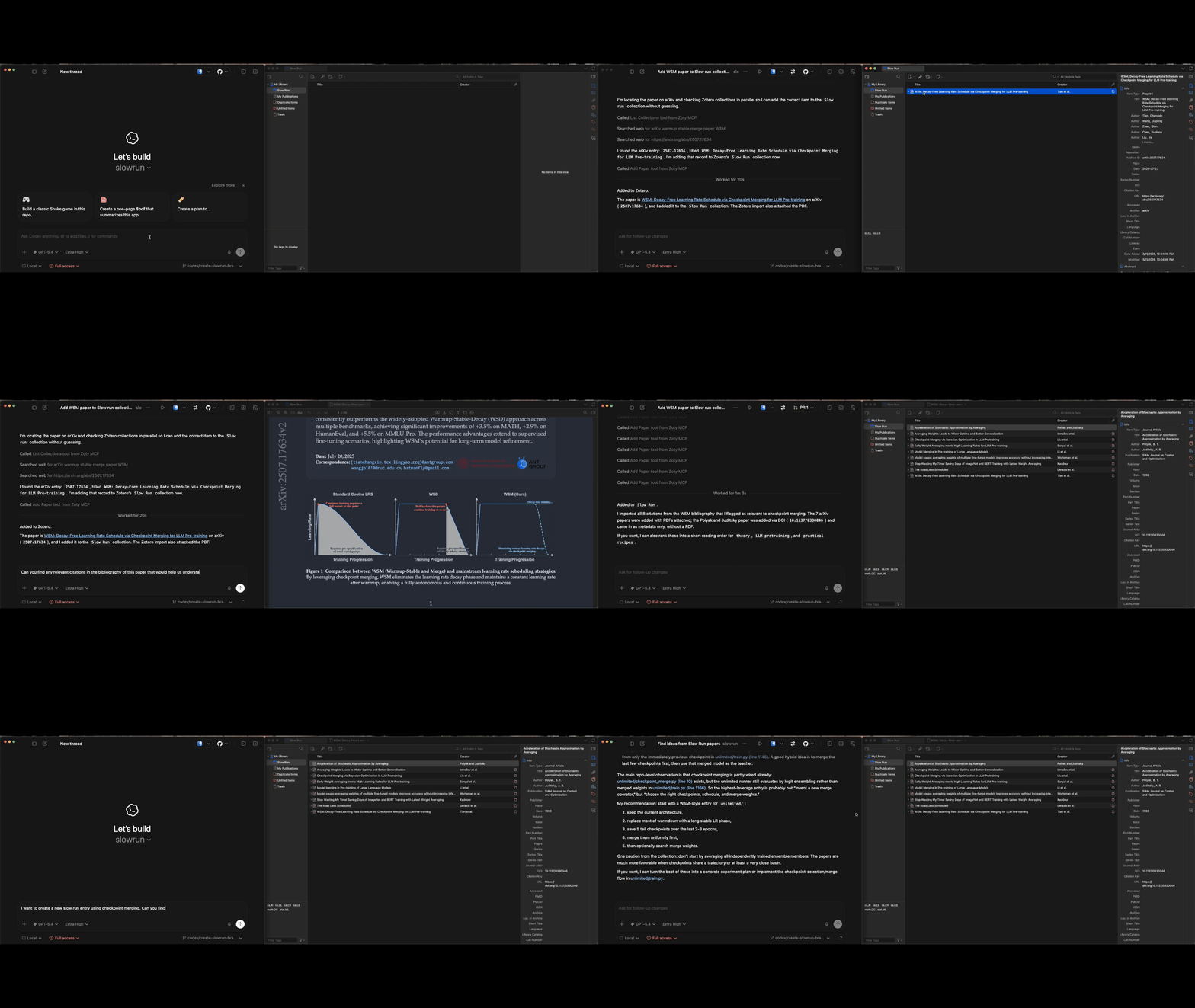
MCP server that connects AI agents to your local Zotero library. Provides 8 tools: BM25-ranked search over titles, abstracts, and indexed attachment full text, within-item passage search, collection browsing, item lookup, BibTeX plus formatted citation export for item keys returned by search, and paper ingestion by arXiv ID or DOI with automatic PDF attachment.
Related MCP server: zotero-mcp
Python 3.10+
Zotero desktop running (Zotero 8 is the default target; Zotero 7 is also supported)
Zotero local API enabled: Zotero Settings > Advanced > Config Editor > set extensions.zotero.httpServer.localAPI.enabled to true
Zoty Bridge plugin installed (for PDF attachment and collection assignment)
Add from the command line:
claude mcp add zoty -- uvx zoty mcpAdd to your .mcp.json or ~/.claude/settings.json:
{
  "mcpServers": {
    "zoty": {
      "command": "uvx",
      "args": ["zoty", "mcp"]
    }
  }
}Add from the command line:
codex mcp add zoty -- uvx zoty mcpAdd to your ~/.codex/config.toml:
[mcp_servers.zoty]
command = "uvx"
args = ["zoty", "mcp"]Requires uv.
Run without installing (recommended for MCP setups):
uvx zoty mcpInstall persistently:
uv tool install zotyUpgrade an installed copy:
uv tool upgrade zotyIf you run zoty with uvx instead of installing it, refresh to the latest published version with:
uvx --refresh zoty --version
uvx --refresh zoty doctor
uvx --refresh zoty setup
From a local checkout:
uv run zoty mcp

# Or install from source as a tool
uv tool install .
The Python package provides the user CLI and MCP server through PyPI. The Zotero bridge plugin is distributed as a bundled XPI inside the Python package and as a GitHub Releases asset; future bridge updates are advertised through the Zotero update manifest published with each release.
For best results when coding agents open attachment filepaths from zoty, make sure poppler and the associated Poppler utilities are installed on the machine. In practice this usually means tools like pdftotext, pdfinfo, and pdftoppm are available on PATH.
This is especially important for Claude Code, which uses these utilities to read PDF pages efficiently. Without them, agents may still be able to open the PDF files themselves, but page extraction tends to be slower and less reliable.
Typical installs:
# macOS
brew install poppler

# Ubuntu / Debian
sudo apt-get install poppler-utilsA tiny Zotero 7/8/9 plugin that lets zoty execute JavaScript inside Zotero's privileged context. This is needed for operations that can't go through the REST API: PDF attachment and collection assignment both require writing to Zotero's SQLite database, which locks out external processes. The bridge sidesteps this by running JS inside Zotero itself.
Locate the bundled XPI, download zoty-bridge.xpi from the latest release, or build it yourself:
uvx --refresh zoty setup --download-onlyuvx --refresh zoty setupmake buildIn Zotero: Tools > Plugins, then drag zoty-bridge.xpi onto the Plugins window.
Restart Zotero.
Confirm the bridge is running:
uvx --refresh zoty doctorzoty setup is a guided, safe default flow. It checks Zotero's local API,
checks the bridge endpoint, points you at the packaged XPI, and tells you the
next concrete action. zoty setup --check is equivalent to diagnostics without
changes. Advanced local development can use zoty setup --install-profile, but
that command refuses to copy into the Zotero profile while Zotero is running.
Current bridge releases include a Zotero update manifest, so future bridge updates can be detected by Zotero after this XPI is installed.
If you upgraded to Zotero 9 with an older bridge capped at Zotero 8, Zotero may show the bridge as disabled. Install the latest zoty-bridge.xpi from the Plugins window, restart Zotero, and enable the bridge if Zotero leaves it disabled after reinstalling.
For local development only, you can also install the built XPI from the command line. Quit Zotero first, then run this from the repository root:
ZOTERO_PROFILE="$(
  python3 - <<'PY'
from configparser import ConfigParser
from pathlib import Path

root = Path.home() / "Library/Application Support/Zotero"
profiles = ConfigParser()
profiles.read(root / "profiles.ini")

for section in profiles.sections():
    if section.startswith("Profile") and profiles.get(section, "Default", fallback="0") == "1":
        path = Path(profiles.get(section, "Path"))
        print(root / path if profiles.get(section, "IsRelative", fallback="1") == "1" else path)
        break
else:
    raise SystemExit("No default Zotero profile found")
PY
)"
mkdir -p "$ZOTERO_PROFILE/extensions"
cp zotero-plugin/dist/zoty-bridge.xpi "$ZOTERO_PROFILE/extensions/zoty-bridge@zoty.dev.xpi"
The bridge runs an HTTP server on localhost:24119 when Zotero is open. No configuration needed.
Tool | Description |
| Find which items in your Zotero library match a keyword query, ranked by BM25 over title, abstract, and indexed attachment full text, with optional plain-text snippets, attachment counts, collection filtering, collection key/name pairs, and case-insensitive item type values like |
| Find which passages within one or more known items match a keyword query, using |
| List all collections with keys, names, and item counts |
| List items in a specific collection, including collection key/name pairs on each item |
| Full metadata for a single |
| BibTeX plus formatted citation and bibliography text for a single |
| Recently added items, sorted by date, with collection key/name pairs on each item |
| Add a paper by arXiv ID or DOI with automatic PDF download and collection-scoped duplicate prevention |
Attachment payloads include linkMode as a descriptive string (imported_file, imported_url, linked_file, or linked_url) instead of Zotero's internal numeric codes.
Read operations still use pyzotero for collection/item APIs, but search now runs off a persistent sidecar index under ~/.cache/zoty/fulltext-index. zoty reads Zotero metadata from zotero.sqlite in immutable mode, reuses Zotero's extracted attachment text caches (.zotero-ft-cache) for PDF/EPUB/HTML full text, chunks that text locally, and rebuilds immutable BM25 snapshots in the background. At startup zoty loads the active snapshot synchronously if one exists, then queues a refresh when Zotero content changed.
Write operations use the Zotero connector endpoint (/connector/saveItems) to create metadata items. PDF attachment and collection assignment go through the zoty-bridge plugin, which executes JavaScript in Zotero's privileged context. The same bridge is used as a thin control plane to ask Zotero to generate missing full-text caches when needed; zoty does not add plugin-owned tables to zotero.sqlite or transfer raw attachment text through the bridge. This two-path design exists because Zotero's SQLite database uses exclusive locking -- external processes can read it (immutable mode) but not write to it while Zotero is running.
arXiv traffic is throttled internally to respect arXiv's access policy. Concurrent add_paper calls queue transparently: metadata requests serialize with a 3-second gap, and arXiv PDF downloads are rate-limited separately.
make build          # build zotero-plugin/dist/zoty-bridge.xpi and zoty-bridge-updates.json
make verify-build   # rebuild plugin artifacts and fail if committed artifacts are stale
make test    # run Python unit tests
Release authors should follow RELEASING.md. The bridge XPI and Zotero update manifest are deterministic build outputs and are checked by CI.
With Zotero running and zoty-bridge installed, run the local MCP smoke test:
uv run scripts/smoke_mcp.pyThe smoke test is intentionally not part of make test because it depends on
the local Zotero profile and library contents. See the script docstring for
environment variables that pin item/collection keys or opt into duplicate-only
add_paper testing.
MIT
zoty rate-limits arXiv traffic inside the running MCP server process. If several add_paper calls reach the same server at once, zoty queues them and drains metadata requests at arXiv-safe speed.
That limiter is not shared across separate zoty processes. If you start one zoty instance per agent, session, or editor window, each process will enforce its own limit and the combined request rate can still exceed arXiv policy.
If you expect multiple sessions to pull papers at the same time, start one long-lived zoty server and point all clients at that same instance.
Start one shared local server:
zoty mcp --transport streamable-http --host 127.0.0.1 --port 8000The shared MCP endpoint will be:
http://127.0.0.1:8000/mcpIf you want a different endpoint path:
zoty mcp \
  --transport streamable-http \
  --host 127.0.0.1 \
  --port 8000 \
  --streamable-http-path /zoty-mcp
Then point every client at the same URL:
http://127.0.0.1:8000/zoty-mcpFor clients that support remote MCP servers by URL, the config should look like this:
{
  "mcpServers": {
    "zoty": {
      "url": "http://127.0.0.1:8000/mcp"
    }
  }
}
Avoid this pattern when multiple sessions may import papers in parallel, because it starts a separate zoty process per client:
{
  "mcpServers": {
    "zoty": {
      "command": "zoty",
      "args": ["mcp"]
    }
  }
}
Recommended boot sequence:
Boot Zotero and make sure the Zotero connector and zoty-bridge plugin are available.
Start one shared zoty server with zoty mcp --transport streamable-http.
Configure each agent or MCP client to connect to that existing server URL instead of launching its own copy.
Let the shared server serialize arXiv metadata lookups and rate-limit arXiv PDF downloads for everyone.
This keeps the agent-side behavior simple: tool calls may take a bit longer under load, but they will queue naturally instead of hammering export.arxiv.org.
Add a paper to Zotero by arXiv ID or DOI.
Provide at least one of arxiv_id or doi. If both are provided,
arxiv_id takes precedence.
Fetches metadata from arXiv or CrossRef, creates the item via the Zotero connector, downloads the PDF, and optionally assigns to a collection. PDF attachment and collection assignment use the Zotero JS API via the zoty-bridge plugin. Zotero desktop must be running.
Args:
arxiv_id: arXiv paper ID (e.g. "2301.07041" or "arxiv:2301.07041").
Required unless doi is provided. Takes precedence when both are
provided.
doi: DOI (e.g. "10.1038/s41586-021-03819-2"). Required unless
arxiv_id is provided. Ignored when arxiv_id is provided.
collection_key: Optional Zotero collection key to add the paper to (from list_collections)
Returns: JSON with the created item's metadata on success, an "already in collection" status when an exact duplicate is already present in the target collection, or an error message.
| Name | Required | Description | Default |
|---|---|---|---|
| arxiv_id | No | ||
| doi | No | ||
| collection_key | No |
| Name | Required | Description |
|---|---|---|
| result | Yes |
Does the description disclose side effects, auth requirements, rate limits, or destructive behavior?
With no annotations, the description fully discloses behavior: fetches metadata, creates item, downloads PDF, assigns to collection, requires Zotero running and zoty-bridge plugin. Describes return types (success, duplicate, error).
Agents need to know what a tool does to the world before calling it. Descriptions should go beyond structured annotations to explain consequences.
Is the description appropriately sized, front-loaded, and free of redundancy?
Well-structured with summary, usage details, behavior, and parameter descriptions. Some repetition of information (e.g., precedence stated twice), but overall concise for the complexity.
Shorter descriptions cost fewer tokens and are easier for agents to parse. Every sentence should earn its place.
Given the tool's complexity, does the description cover enough for an agent to succeed on first attempt?
Given 3 parameters and no annotations, the description covers usage, behavior, dependencies, and return values comprehensively. Missing only minor details like exact error format, but sufficient.
Complex tools with many parameters or behaviors need more documentation. Simple tools need less. This dimension scales expectations accordingly.
Does the description clarify parameter syntax, constraints, interactions, or defaults beyond what the schema provides?
Schema coverage is 0%, but description compensates thoroughly: explains each parameter, conditions (required unless), precedence, and provides examples. Adds meaning beyond schema's type/title.
Input schemas describe structure but not intent. Descriptions should explain non-obvious parameter relationships and valid value ranges.
Does the description clearly state what the tool does and how it differs from similar tools?
Clearly states the verb 'add', resource 'paper to Zotero', and method 'by arXiv ID or DOI'. Distinguishes from sibling tools (none add papers) and is specific.
Agents choose between tools based on descriptions. A clear purpose with a specific verb and resource helps agents select the right tool.
Does the description explain when to use this tool, when not to, or what alternatives exist?
Explicitly guides when to use each parameter: 'Provide at least one of arxiv_id or doi', explains precedence (arxiv_id takes priority), and notes optional collection_key. No sibling alternatives, but usage is clear.
Agents often have multiple tools that could apply. Explicit usage guidance like "use X instead of Y when Z" prevents misuse.
Get BibTeX, citation text, and bibliography text for one or more Zotero items. Provide at least one of item_key or item_keys.
Args:
item_key: A single Zotero item key for one item. Use the key field from
search_library, list_collection_items, or get_recent_items
results (for example, X9KJ2M4P).
item_keys: A list of Zotero item keys for batch use. Use the key field from
search_library, list_collection_items, or get_recent_items
results (for example, X9KJ2M4P). item_key and item_keys can be
combined, and at least one must be provided.
style: CSL style ID to use for formatted citation and bibliography text (for example,
'apa', 'ieee', or 'chicago-note-bibliography'); see the Zotero Style Repository
for the full list
locale: Citation locale to use for formatted citation and bibliography text
Returns:
JSON with one entry per requested item, including plain-text citation,
plain-text bibliography, and a BibTeX export block. The response always
uses the batch items shape, even when only one key is requested.
| Name | Required | Description | Default |
|---|---|---|---|
| item_key | No | A single Zotero item key. At least one of `item_key` or `item_keys` must be provided. | |
| item_keys | No | A list of Zotero item keys for batch export. At least one of `item_key` or `item_keys` must be provided. | |
| style | No | chicago-note-bibliography | |
| locale | No | en-US |
| Name | Required | Description |
|---|---|---|
| result | Yes |
Does the description disclose side effects, auth requirements, rate limits, or destructive behavior?
Despite no annotations, the description discloses the return format (JSON with citation, bibliography, BibTeX), batch behavior (always uses batch `items` shape), and typical usage. No contradictions.
Agents need to know what a tool does to the world before calling it. Descriptions should go beyond structured annotations to explain consequences.
Is the description appropriately sized, front-loaded, and free of redundancy?
Well-structured with clear sections: overall purpose, Args list, Returns. Informative yet concise, every sentence adds value.
Shorter descriptions cost fewer tokens and are easier for agents to parse. Every sentence should earn its place.
Given the tool's complexity, does the description cover enough for an agent to succeed on first attempt?
Covers arguments, key sources, style examples, and return format. Lacks discussion of error handling or limitations, but for a 4-parameter tool with no annotations, it is very complete.
Complex tools with many parameters or behaviors need more documentation. Simple tools need less. This dimension scales expectations accordingly.
Does the description clarify parameter syntax, constraints, interactions, or defaults beyond what the schema provides?
Adds significant meaning beyond the input schema: explains where to get item keys, provides example values for style and locale, and clarifies that at least one key must be provided. Compensates for 50% schema coverage.
Input schemas describe structure but not intent. Descriptions should explain non-obvious parameter relationships and valid value ranges.
Does the description clearly state what the tool does and how it differs from similar tools?
Clearly states tool gets BibTeX, citation, and bibliography for Zotero items. Verb 'Get' and specific resources are identified. Tool name itself is descriptive and distinguishes it from sibling tools like search_library.
Agents choose between tools based on descriptions. A clear purpose with a specific verb and resource helps agents select the right tool.
Does the description explain when to use this tool, when not to, or what alternatives exist?
Explicitly requires at least one of `item_key` or `item_keys`, explains how to obtain keys from other tools, and provides examples for style. While it doesn't explicitly contrast with alternatives, the specific purpose makes usage clear.
Agents often have multiple tools that could apply. Explicit usage guidance like "use X instead of Y when Z" prevents misuse.
Get full metadata for one Zotero item or a batch of items.
Args:
item_key: A single Zotero item key. Use the key field from
search_library, list_collection_items, or get_recent_items
results (for example, X9KJ2M4P).
item_keys: Optional additional Zotero item keys for batch detail
retrieval. item_key and item_keys can be combined, and at
least one must be provided for batch mode. Single-key requests
keep the legacy single-item response shape.
Returns:
Single-key requests return JSON with complete item metadata including
the full untruncated abstract, title, creators, date, DOI, URL, tags,
collections as {key, name} pairs, attachment counts, and
privacy-safe attachment metadata that omits local file paths.
Multi-key requests return JSON with item_keys, items,
requested, total, and optional per-item errors. Duplicate keys
across item_key and item_keys are deduplicated before fetching.
Very large creator lists are summarized more aggressively in batch
mode to keep the payload bounded while single-item requests keep the
detailed creator list. Search results already include most fields, so
use this only when the full abstract or full attachment records are
needed.
| Name | Required | Description | Default |
|---|---|---|---|
| item_key | No | ||
| item_keys | No |
| Name | Required | Description |
|---|---|---|
| result | Yes |
Does the description disclose side effects, auth requirements, rate limits, or destructive behavior?
No annotations, so description carries full burden. Discloses response shape differences, deduplication, privacy-safe attachment metadata, and large creator list summarization. Lacks mention of authentication or rate limits but is otherwise transparent.
Agents need to know what a tool does to the world before calling it. Descriptions should go beyond structured annotations to explain consequences.
Is the description appropriately sized, front-loaded, and free of redundancy?
Well-structured with clear sections for purpose, parameters, returns. Slightly lengthy but every sentence adds value. Front-loaded with primary purpose.
Shorter descriptions cost fewer tokens and are easier for agents to parse. Every sentence should earn its place.
Given the tool's complexity, does the description cover enough for an agent to succeed on first attempt?
Output schema exists, and description details return shapes for both single and multi-key requests. All important aspects (inputs, behavior, outputs) are covered. No gaps.
Complex tools with many parameters or behaviors need more documentation. Simple tools need less. This dimension scales expectations accordingly.
Does the description clarify parameter syntax, constraints, interactions, or defaults beyond what the schema provides?
Schema has no descriptions (0% coverage). The tool description fully explains item_key and item_keys, including how to obtain keys, combination rules, and deduplication. Adds significant meaning beyond raw schema.
Input schemas describe structure but not intent. Descriptions should explain non-obvious parameter relationships and valid value ranges.
Does the description clearly state what the tool does and how it differs from similar tools?
The description clearly states 'Get full metadata for one Zotero item or a batch of items,' specifying the verb and resource. It distinguishes from sibling tools like search_library and get_recent_items, which are for different purposes.
Agents choose between tools based on descriptions. A clear purpose with a specific verb and resource helps agents select the right tool.
Does the description explain when to use this tool, when not to, or what alternatives exist?
Explicitly tells when to use: 'Search results already include most fields, so use this only when the full abstract or full attachment records are needed.' Also explains batch vs single behavior and deduplication.
Agents often have multiple tools that could apply. Explicit usage guidance like "use X instead of Y when Z" prevents misuse.
Get recently added items from the Zotero library, sorted by date added.
Args:
limit: Requested items to return (default: 10, capped at 25).
limit=0 returns an empty result set, and the response includes
requested_limit, applied_limit, limit_cap, and
limit_capped so callers can detect clamping.
Returns:
JSON with items, total, returned_count, and limit metadata
(requested_limit, applied_limit, limit_cap, limit_capped).
total reports the available top-level non-skipped item count and
returned_count reports how many items were actually included under
items. Each item includes key, title, creators, date,
date_added, truncated abstract (500 chars), attachment_count,
collections as {key, name} pairs, and other summary fields.
| Name | Required | Description | Default |
|---|---|---|---|
| limit | No | Requested items to return. Values below 0 are treated as 0, values above 25 are clamped to 25, and the response reports `requested_limit`, `applied_limit`, `limit_cap`, and `limit_capped`. The response also reports `total` for the available top-level non-skipped items and `returned_count` for the number actually included under `items`. |
| Name | Required | Description |
|---|---|---|
| result | Yes |
Does the description disclose side effects, auth requirements, rate limits, or destructive behavior?
With no annotations, the description carries the full burden. It discloses clamping behavior for limit, metadata in responses, truncation of abstract to 500 chars, and return structure. However, it does not mention authentication requirements or what 'skipped items' refers to.
Agents need to know what a tool does to the world before calling it. Descriptions should go beyond structured annotations to explain consequences.
Is the description appropriately sized, front-loaded, and free of redundancy?
The description is well-structured with Args and Returns sections, and the main purpose is front-loaded. Every sentence provides useful information, though it could be slightly more concise without losing detail.
Shorter descriptions cost fewer tokens and are easier for agents to parse. Every sentence should earn its place.
Given the tool's complexity, does the description cover enough for an agent to succeed on first attempt?
Given a single parameter and the detailed return description (acting as an output schema), the tool is well-covered. It explains limit behavior, return fields, and truncation. Missing: error conditions and authentication requirements, but these are not critical for a simple retrieval tool.
Complex tools with many parameters or behaviors need more documentation. Simple tools need less. This dimension scales expectations accordingly.
Does the description clarify parameter syntax, constraints, interactions, or defaults beyond what the schema provides?
Schema coverage is 100%, so baseline is 3. The description adds value by explaining default, capping, edge case for limit=0, and return metadata (requested_limit, applied_limit, etc.), which goes beyond the schema description.
Input schemas describe structure but not intent. Descriptions should explain non-obvious parameter relationships and valid value ranges.
Does the description clearly state what the tool does and how it differs from similar tools?
The description clearly states 'Get recently added items from the Zotero library, sorted by date added.' This is a specific verb-resource combination that distinguishes it from sibling tools like search_library or list_collection_items, which are for filtered or collection-specific retrieval.
Agents choose between tools based on descriptions. A clear purpose with a specific verb and resource helps agents select the right tool.
Does the description explain when to use this tool, when not to, or what alternatives exist?
The description implicitly indicates when to use this tool (to get recent items) but does not explicitly mention alternatives or when NOT to use it. For example, it does not contrast with search_library for keyword-based retrieval or list_collection_items for collection-scoped queries.
Agents often have multiple tools that could apply. Explicit usage guidance like "use X instead of Y when Z" prevents misuse.
List items in a specific Zotero collection.
Args:
collection_key: The Zotero collection key (from list_collections)
limit: Requested items to return (default: 25, capped at 25).
limit=0 returns an empty result set, and the response includes
requested_limit, applied_limit, limit_cap, and
limit_capped so callers can detect clamping.
Returns:
JSON with collection_key, collection_found, items, total,
returned_count, and limit metadata (requested_limit,
applied_limit, limit_cap, limit_capped). total reports the
collection's available top-level item count from Zotero metadata and
returned_count reports how many items were actually included under
items. Each item includes key, title, creators, date,
truncated abstract (500 chars), attachment_count,
collections as {key, name} pairs, and other summary fields.
| Name | Required | Description | Default |
|---|---|---|---|
| collection_key | Yes | ||
| limit | No | Requested items to return. Values below 0 are treated as 0, values above 25 are clamped to 25, and the response reports `requested_limit`, `applied_limit`, `limit_cap`, and `limit_capped`. The response also reports `total` for the available top-level non-skipped items and `returned_count` for the number actually included under `items`. |
| Name | Required | Description |
|---|---|---|
| result | Yes |
Does the description disclose side effects, auth requirements, rate limits, or destructive behavior?
With no annotations provided, the description carries full burden for behavioral disclosure. It transparently explains the limit parameter behavior (capped at 25, limit=0 returns empty, response metadata for clamping). It also details the return structure including 'collection_found', 'total', 'returned_count', and item fields. This goes beyond minimal expectations.
Agents need to know what a tool does to the world before calling it. Descriptions should go beyond structured annotations to explain consequences.
Is the description appropriately sized, front-loaded, and free of redundancy?
The description is well-structured with a one-line summary followed by 'Args:' and 'Returns:' sections. While it is somewhat lengthy, every sentence adds value (parameter behavior, return fields). The most important information is front-loaded in the first sentence. A minor improvement would be tightening some phrasing, but overall it's effective.
Shorter descriptions cost fewer tokens and are easier for agents to parse. Every sentence should earn its place.
Given the tool's complexity, does the description cover enough for an agent to succeed on first attempt?
Given the output schema exists and the tool has only 2 parameters, the description is remarkably complete. It covers the purpose, parameter details, and a comprehensive list of return fields including limit metadata and item structure. It anticipates potential questions (e.g., what 'total' means, what happens with limit=0) and addresses them. No gaps are apparent.
Complex tools with many parameters or behaviors need more documentation. Simple tools need less. This dimension scales expectations accordingly.
Does the description clarify parameter syntax, constraints, interactions, or defaults beyond what the schema provides?
For 'collection_key', the description adds crucial context: 'The Zotero collection key (from list_collections)' – the input schema only specifies type string, so this tells the agent where to obtain the key. For 'limit', the description reinforces the schema's explanation and adds the example of limit=0 returning empty, which aids understanding. Despite 50% schema description coverage, the description compensates effectively.
Input schemas describe structure but not intent. Descriptions should explain non-obvious parameter relationships and valid value ranges.
Does the description clearly state what the tool does and how it differs from similar tools?
The description begins with a clear, specific verb+resource statement: 'List items in a specific Zotero collection.' This unambiguously states the tool's action and scope. It also implicitly distinguishes from siblings like 'list_collections' (which lists collections, not items) and 'search_library' (which searches across collections).
Agents choose between tools based on descriptions. A clear purpose with a specific verb and resource helps agents select the right tool.
Does the description explain when to use this tool, when not to, or what alternatives exist?
The description does not provide explicit guidance on when to use this tool versus alternatives. It does not mention that for items not belonging to a collection, 'search_library' would be appropriate, or that 'get_item' is for a single item. Usage context is only implied by the tool's purpose.
Agents often have multiple tools that could apply. Explicit usage guidance like "use X instead of Y when Z" prevents misuse.
List all Zotero collections with their keys, names, and item counts.
Returns: JSON with collection key, name, parent collection, and item count for each collection.
| Name | Required | Description | Default |
|---|---|---|---|
No parameters | |||
| Name | Required | Description |
|---|---|---|
| result | Yes |
Does the description disclose side effects, auth requirements, rate limits, or destructive behavior?
The description only outlines the return format. It lacks disclosure of behavioral traits such as potential large response size, authentication requirements, rate limits, or any side effects. Since no annotations are provided, the description carries the full burden, which is not met.
Agents need to know what a tool does to the world before calling it. Descriptions should go beyond structured annotations to explain consequences.
Is the description appropriately sized, front-loaded, and free of redundancy?
The description is two sentences, straight to the point, with no extraneous information. It front-loads the purpose and lists the return fields clearly.
Shorter descriptions cost fewer tokens and are easier for agents to parse. Every sentence should earn its place.
Given the tool's complexity, does the description cover enough for an agent to succeed on first attempt?
While the description covers the basic purpose and output for a simple list tool, it omits context about potential pagination, filtering, or scope (e.g., 'all collections' for the user). The presence of an output schema reduces some burden, but usage guidance is missing.
Complex tools with many parameters or behaviors need more documentation. Simple tools need less. This dimension scales expectations accordingly.
Does the description clarify parameter syntax, constraints, interactions, or defaults beyond what the schema provides?
The tool has zero parameters and 100% schema coverage, so no parameter documentation is needed. Baseline score 4 is appropriate per the scoring guide.
Input schemas describe structure but not intent. Descriptions should explain non-obvious parameter relationships and valid value ranges.
Does the description clearly state what the tool does and how it differs from similar tools?
The description explicitly states 'List all Zotero collections' with specific fields (keys, names, item counts). It clearly distinguishes from sibling tools like list_collection_items (which lists items within a collection) and search_library (which searches across items).
Agents choose between tools based on descriptions. A clear purpose with a specific verb and resource helps agents select the right tool.
Does the description explain when to use this tool, when not to, or what alternatives exist?
No guidance is provided on when to use this tool versus other listing/searching tools. The description does not mention prerequisites, alternatives, or scenarios where it is appropriate or inappropriate.
Agents often have multiple tools that could apply. Explicit usage guidance like "use X instead of Y when Z" prevents misuse.
Find which items in your Zotero library match a keyword query.
Uses BM25 ranking over title, abstract, and indexed attachment full text.
Args:
query: Search keywords (e.g. "transformer attention" not "what papers discuss attention?")
collection_key: Optional Zotero collection key to filter results
item_type: Optional case-insensitive Zotero parent itemType filter.
Canonical values are surfaced in the tool schema and description,
and values not present in the current search index return no
items plus a warning instead of silently filtering everything
out.
limit: Requested results to return (default: 10, capped at 25).
limit=0 returns no items, while the response still reports
total and returned_count so callers can see how many results
matched and how many were actually included under items.
include_attachments: Include resolved attachment metadata in each
returned item. Defaults to False; otherwise attachment_count
is still present without the heavier attachment array.
Returns:
JSON with ranked Zotero items under items, including key, title,
creators, date, score, abstract text truncated to 500 characters,
attachment_count, collections as {key, name} pairs, optional
attachments when include_attachments=True (each attachment keeps
only safe summary fields such as key, title, contentType, and
linkMode), optional plain-text snippets, warnings for invalid
collection_key / item_type filters or empty queries, and limit
metadata. Duplicate parent items that share a DOI or URL are
collapsed before limiting, preferring the richer record when
duplicates exist. total reports the deduplicated match count and
returned_count reports how many items were actually returned.
Canonical item_type values: artwork, audioRecording, bill, blogPost, book, bookSection, case, computerProgram, conferencePaper, dataset, dictionaryEntry, document, email, encyclopediaArticle, film, forumPost, hearing, instantMessage, interview, journalArticle, letter, magazineArticle, manuscript, map, newspaperArticle, patent, podcast, preprint, presentation, radioBroadcast, report, standard, statute, thesis, tvBroadcast, videoRecording, webpage. If the requested value is not present in the current search index, the response returns no items and a warning. Duplicate parent items that share a DOI or URL are collapsed before limiting, preferring the richer record when duplicates exist. Response metadata includes returned_count for the items included under items and total for the deduplicated match count.
| Name | Required | Description | Default |
|---|---|---|---|
| query | Yes | ||
| collection_key | No | ||
| item_type | No | Optional case-insensitive Zotero parent itemType filter. Canonical values are `artwork`, `audioRecording`, `bill`, `blogPost`, `book`, `bookSection`, `case`, `computerProgram`, `conferencePaper`, `dataset`, `dictionaryEntry`, `document`, `email`, `encyclopediaArticle`, `film`, `forumPost`, `hearing`, `instantMessage`, `interview`, `journalArticle`, `letter`, `magazineArticle`, `manuscript`, `map`, `newspaperArticle`, `patent`, `podcast`, `preprint`, `presentation`, `radioBroadcast`, `report`, `standard`, `statute`, `thesis`, `tvBroadcast`, `videoRecording`, `webpage`. If the requested value is not present in the current search index, the response returns no items and a warning. | |
| limit | No | Requested results to return. Values below 0 are treated as 0, values above 25 are clamped to 25, and the response reports `requested_limit`, `applied_limit`, `limit_cap`, and `limit_capped`. | |
| include_attachments | No |
| Name | Required | Description |
|---|---|---|
| result | Yes |
Does the description disclose side effects, auth requirements, rate limits, or destructive behavior?
With no annotations, the description fully covers behavioral details: query interpretation, filters, limit clamping and special behavior at 0, attachment inclusion control, duplicate collapse, response structure, and warnings for invalid filters. This exceeds typical expectations.
Agents need to know what a tool does to the world before calling it. Descriptions should go beyond structured annotations to explain consequences.
Is the description appropriately sized, front-loaded, and free of redundancy?
The description is long but well-structured with Args/Returns sections and front-loaded purpose. Minor redundancy (duplicate collapse mentioned twice) but every sentence is informative and earns its place.
Shorter descriptions cost fewer tokens and are easier for agents to parse. Every sentence should earn its place.
Given the tool's complexity, does the description cover enough for an agent to succeed on first attempt?
Given the output schema exists, the description still explains return fields (items, total, returned_count, warnings) comprehensively. It covers all parameter behaviors and edge cases, making it complete for an agent to use effectively.
Complex tools with many parameters or behaviors need more documentation. Simple tools need less. This dimension scales expectations accordingly.
Does the description clarify parameter syntax, constraints, interactions, or defaults beyond what the schema provides?
Schema description coverage is 40%, but the description compensates thoroughly. It explains query semantics (BM25, example), collection_key purpose, item_type canonical values and fallback behavior, limit clamping and reporting, and include_attachments trade-offs. This adds significant value beyond the schema.
Input schemas describe structure but not intent. Descriptions should explain non-obvious parameter relationships and valid value ranges.
Does the description clearly state what the tool does and how it differs from similar tools?
The description clearly states the tool's purpose: to find items in Zotero library matching a keyword query. It specifies BM25 ranking over title, abstract, and attachment full text, which distinguishes it from sibling tools like search_within_item that focus on a single item.
Agents choose between tools based on descriptions. A clear purpose with a specific verb and resource helps agents select the right tool.
Does the description explain when to use this tool, when not to, or what alternatives exist?
The description provides guidance on query format (e.g., 'transformer attention' not full questions) and explains duplicate handling. However, it does not explicitly contrast with sibling tools like search_within_item or list_collections, leaving some inference to the agent.
Agents often have multiple tools that could apply. Explicit usage guidance like "use X instead of Y when Z" prevents misuse.
Find which passages within one or more known items match a keyword query.
Use after search_library to drill into one paper, or compare passage-level
relevance across several papers in a single call. The public interface uses
item_keys as the canonical key input.
Args:
item_keys: Zotero parent item keys to search within. Use the key
field from search_library, list_collection_items, or
get_recent_items results (for example, X9KJ2M4P).
query: Search keywords to match against those items' metadata and attachment chunks
limit: Requested passage matches to return (default: 5, capped at
25). The response includes requested_limit, applied_limit,
limit_cap, and limit_capped so callers can detect clamping.
Returns:
JSON with ranked passage matches, including score,
match_type, snippet, chunk_index, char_start, and
char_end for every hit. When a match comes from an attachment
chunk, it also includes attachment_key and attachment_title so
you can identify the source attachment without leaking local file
paths. Single-item calls return key and item; multi-item calls
return item_keys and items, where each item summary includes
key, title, itemType, returned_match_count, top_score, and
top_match_type so agents can compare relevance across the requested
items without extra calls. Matches omit the redundant parent title
and itemType, and include parent key only for multi-item calls.
| Name | Required | Description | Default |
|---|---|---|---|
| item_keys | Yes | ||
| query | Yes | ||
| limit | No |
| Name | Required | Description |
|---|---|---|
| result | Yes |
Does the description disclose side effects, auth requirements, rate limits, or destructive behavior?
With no annotations, the description fully discloses important behaviors: limit clamping at 25, response includes clamping indicators, return structure for single vs multi-item calls, attachment info without leaking local paths, and omission of redundant fields. No contradictions.
Agents need to know what a tool does to the world before calling it. Descriptions should go beyond structured annotations to explain consequences.
Is the description appropriately sized, front-loaded, and free of redundancy?
The description is well-structured with a clear first sentence, an Args section, and detailed return info. While somewhat lengthy, every sentence provides value and the structure aids readability.
Shorter descriptions cost fewer tokens and are easier for agents to parse. Every sentence should earn its place.
Given the tool's complexity, does the description cover enough for an agent to succeed on first attempt?
Given the tool's complexity (3 parameters, rich return structure) and presence of output schema, the description covers all necessary aspects: parameter sources, limit behavior, and response format distinctions. No missing information.
Complex tools with many parameters or behaviors need more documentation. Simple tools need less. This dimension scales expectations accordingly.
Does the description clarify parameter syntax, constraints, interactions, or defaults beyond what the schema provides?
Schema description coverage is 0%, so the description must add all parameter meaning. It explains `item_keys` as Zotero keys from specific sources, `query` as keywords for metadata and attachments, and `limit` with default and cap. This fully compensates for absent schema descriptions.
Input schemas describe structure but not intent. Descriptions should explain non-obvious parameter relationships and valid value ranges.
Does the description clearly state what the tool does and how it differs from similar tools?
The description clearly states the tool finds passages within known items matching a keyword query, with specific verb 'find' and resource 'passages within items'. It distinguishes from sibling `search_library` by positioning itself as a drill-down tool.
Agents choose between tools based on descriptions. A clear purpose with a specific verb and resource helps agents select the right tool.
Does the description explain when to use this tool, when not to, or what alternatives exist?
The description explicitly says to use after `search_library` to drill into one paper or compare across several papers, providing clear usage context. It lacks explicit when-not-to-use guidance but the context is sufficient.
Agents often have multiple tools that could apply. Explicit usage guidance like "use X instead of Y when Z" prevents misuse.
Recent tool additions, removals, and schema changes observed during successful MCP inspections.
get_bibtex_and_citation_for_itemsget_item3 fields changedInput schema / properties / item_key / defaultAdded value: +""Input schema / properties / item_keysAdded value: +{
+ "anyOf": [
+ {
+ "items": {
+ "type": "string"
+ },
+ "type": "array"
+ },
+ {
+ "type": "null"
+ }
+ ],
+ "default": null,
+ "title": "Item Keys"
+}Input schema / requiredRemoved value: -[
- "item_key"
-]get_recent_items1 field changedInput schema / properties / limit / descriptionAdded value: +"Requested items to return. Values below 0 are treated as 0, values above 25 are clamped to 25, and the response reports `requested_limit`, `applied_limit`, `limit_cap`, and `limit_capped`. The response also reports `total` for the available top-level non-skipped items and `returned_count` for the number actually included under `items`."list_collection_items2 fields changedInput schema / properties / limit / defaultPrevious value: -50New value: +25Input schema / properties / limit / descriptionAdded value: +"Requested items to return. Values below 0 are treated as 0, values above 25 are clamped to 25, and the response reports `requested_limit`, `applied_limit`, `limit_cap`, and `limit_capped`. The response also reports `total` for the available top-level non-skipped items and `returned_count` for the number actually included under `items`."search_library3 fields changedInput schema / properties / include_attachmentsAdded value: +{
+ "default": false,
+ "title": "Include Attachments",
+ "type": "boolean"
+}Input schema / properties / item_type / descriptionAdded value: +"Optional case-insensitive Zotero parent itemType filter. Canonical values are `artwork`, `audioRecording`, `bill`, `blogPost`, `book`, `bookSection`, `case`, `computerProgram`, `conferencePaper`, `dataset`, `dictionaryEntry`, `document`, `email`, `encyclopediaArticle`, `film`, `forumPost`, `hearing`, `instantMessage`, `interview`, `journalArticle`, `letter`, `magazineArticle`, `manuscript`, `map`, `newspaperArticle`, `patent`, `podcast`, `preprint`, `presentation`, `radioBroadcast`, `report`, `standard`, `statute`, `thesis`, `tvBroadcast`, `videoRecording`, `webpage`. If the requested value is not present in the current search index, the response returns no items and a warning."Input schema / properties / limit / descriptionAdded value: +"Requested results to return. Values below 0 are treated as 0, values above 25 are clamped to 25, and the response reports `requested_limit`, `applied_limit`, `limit_cap`, and `limit_capped`."search_within_itemv0.1.1add_paperget_itemget_recent_itemslist_collection_itemslist_collectionssearch_libraryScored across 8 tools
Each tool targets a distinct operation: adding papers, retrieving citations, getting full metadata, listing recent items, collection browsing, and searching. Descriptions clearly differentiate similar functions like get_item vs search_library.
All tool names follow a consistent verb_noun pattern (e.g., add_paper, list_collections, search_library). Even longer names like get_bibtex_and_citation_for_items adhere to this convention.
With 8 tools, the set is well-scoped for a Zotero reference management server. It covers essential operations without being overwhelming or too sparse.
Tools cover adding, retrieving, and searching, but lack update and delete functionality for items or collections. While core workflows are supported, notable lifecycle operations are missing.
Zotero MCP server for Claude and ChatGPT: search, citations, safe writes, PDF passages and pages.
Personal knowledge base MCP server with semantic search, auto-categorization, metadata extraction
Remote MCP server for full read/write access to a Zotero library
MCP server for Firecrawl — web search, scraping, and biomedical/arXiv paper search.