
A
licenseC
qualityD
maintenanceHelps refine AI-generated content to sound more natural and human-like. Built with advanced AI detection and text enhancement capabilities.
1
50 npm
64
MIT

Click on "Deploy Server".
Wait a few minutes for the server to deploy. Once ready, it will show a "Started" state.
In the chat, type @ followed by the MCP server name and your instructions, e.g., "@AI Humanizer MCP Server Make this sound more human: The utilization of AI technologies facilitates enhanced operational efficiency."
That's it! The server will respond to your query, and you can continue using it as needed.
Here is a step-by-step guide with screenshots.
A powerful Model Context Protocol (MCP) server that helps refine AI-generated content to sound more natural and human-like. Built with advanced AI detection and text enhancement capabilities.
Powered by text2go.
Related MCP server: Natural Voice MCP
🤖 AI Detection - Accurately identify AI-generated content
👤 Natural Language Enhancement - Transform robotic text into natural human-like writing
⭐ Grammar Perfection - Ensure flawless grammatical accuracy
📋 Readability Optimization - Improve text flow and comprehension
📏 Length Control - Adjust content length while preserving meaning
⚖️ Term Preservation - Maintain specific terminology and key phrases
node version >= 16
Claude Desktop latest version
Configure Claude Desktop:
Open Claude Desktop
Navigate to Settings → Developer → Edit Config
Add the following configuration:
{
  "mcpServers": {
    "ai-humanizer": {
      "command": "npx",
      "args": ["-y", "ai-humanizer-mcp-server"]
    }
  }
}
Restart Claude Desktop to apply changes
Clone this repository
Install Dependencies
npm installBuild the project
npm run buildConfigure Claude Desktop:
Open Claude Desktop
Navigate to Settings → Developer → Edit Config
Add the following configuration:
{
  "mcpServers": {
    "ai-humanizer": {
      "command": "node",
      "args": ["<YOUR_PROJECT_PATH>/build/index.js"]
    }
  }
}
Restart Claude Desktop to apply changes
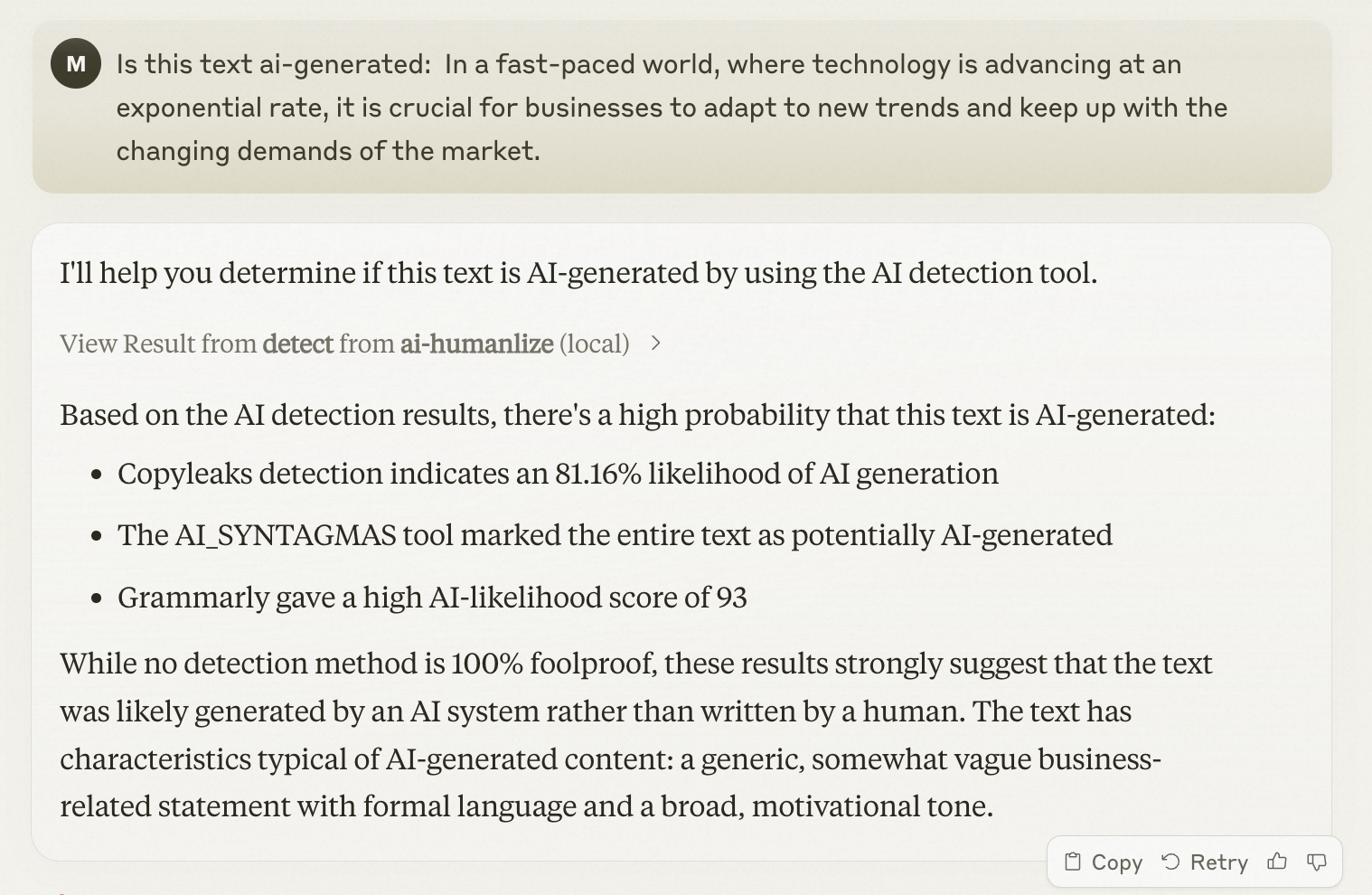
To check if text is AI-generated, simply ask Claude:
Is this text ai-generated: In a fast-paced world, where technology is advancing at an exponential rate, it is crucial for businesses to adapt to new trends and keep up with the changing demands of the market.Detect whether the text is AI-generated.Show to user the task detail url. Extract the taskId field, then concatenate the link in the following format: https://pre-www.text2go.ai/?utm_source=claude_mcp&taskId={taskId}
Inputs: type (required), text (required), detectionTypeList (required).
Recent tool additions, removals, and schema changes observed during successful MCP inspections.
Loading tool schema changelog…
Scored across 1 tool
With only one tool named 'detect', there is no possibility of ambiguity or overlap with other tools. The tool's purpose is singular and clearly defined as detecting AI-generated text and providing a specific URL format.
A single tool inherently has perfect naming consistency since there are no other tools to compare against. The name 'detect' follows a clear verb-based pattern appropriate for its function.
One tool is too few for a server named 'AI Humanizer MCP Server', which suggests broader functionality like humanizing or transforming AI text. A single detection tool feels incomplete and under-scoped for the implied domain.
The server's name implies capabilities beyond detection, such as humanizing or modifying AI-generated text, but only a detection tool is provided. This creates a significant gap where agents cannot perform the core 'humanizer' function suggested by the server name.
Transform AI-generated text into natural, human-sounding content that bypasses AI detectors.
Rewrite text so it reads naturally, or paraphrase it in a chosen style. Works in many languages.
AI humanizer for MCP clients. Rewrites AI text so it reads naturally and sounds human.