
This MCP server enables intelligent country exploration and content generation through three core tools:
Web Search - Search the internet for country information, including cultural, historical, and geographic details
Unsplash Image Search - Find high-quality photos with:
Customizable results (1-30 photos, default: 10)
Orientation filtering (landscape, portrait, or squarish)
Full metadata including photographer credits and URLs
Dice Rolling - Roll dice using standard notation (e.g., "2d6") with configurable number of rolls
The server is designed to integrate with LangGraph agents to generate comprehensive country profiles: researching content via web search, finding 10 relevant images from Unsplash, and producing rich markdown documents with embedded images and photographer credits.
Utilizes LangChain MCP adapters to integrate various tools and services within the agent workflow
Uses LangGraph for agent orchestration to create intelligent workflows that combine web search, image retrieval, and content generation for country profile creation
Integrates with OpenAI's GPT-4 language model to power the LangGraph agent for intelligent country exploration and content generation
Provides tools for searching and retrieving high-quality images from Unsplash's photo library, including support for orientation filters and photographer credits
Click on "Install Server".
Wait a few minutes for the server to deploy. Once ready, it will show a "Started" state.
In the chat, type
@followed by the MCP server name and your instructions, e.g., "@Country Explorer MCP Servercreate a profile for Japan with beautiful landscape images"
That's it! The server will respond to your query, and you can continue using it as needed.
Here is a step-by-step guide with screenshots.
MCP Demo: Country Explorer with LangGraph
🌍 Country Explorer: MCP + LangGraph Integration
This project demonstrates a complete MCP (Model Context Protocol) server integrated with LangGraph to create beautiful country profiles with embedded images.
✨ Features
🔍 MCP Server with Unsplash Search API integration
🤖 LangGraph Agent for intelligent country exploration
🖼️ 10 Images per Country with photographer credits
📄 Beautiful Markdown Profiles with embedded images
🧪 Comprehensive Test Suite for validation
📁 Organized Project Structure with
profiles/andtests/folders
🏗️ Project Structure
mcp-demo/
├── country_explorer.py          # Main LangGraph app (10 images)
├── server.py                   # MCP server with Unsplash API
├── profiles/                   # 📁 Generated country profiles
│   ├── india_profile.md
│   ├── japan_profile.md
│   ├── uganda_profile.md
│   └── usa_profile.md
├── tests/                      # 📁 Test files
│   ├── test_country_explorer.py
│   ├── test_unsplash.py
│   └── search_5_mountains.py
└── .env                        # API keys
🚀 Quick Start
Prerequisites
Python 3.13+
Unsplash API key
OpenAI API key
Installation
Clone the repository:
git clone https://github.com/anilsharmay/mcp-demo.git
cd mcp-demo
Install dependencies:
uv syncConfigure environment variables: Create
.envfile with your API keys:UNSPLASH_API_KEY=your_unsplash_api_key_here OPENAI_API_KEY=your_openai_api_key_here TAVILY_API_KEY=your_tavily_api_key_here
Running the Country Explorer
Start the MCP server:
uv run mcp dev server.pyRun the Country Explorer:
uv run python country_explorer.pyRun tests:
cd tests && uv run python test_country_explorer.py
🎯 MCP Server Tools
The MCP server provides these tools:
unsplash_search: Search for beautiful images with orientation filtersweb_search: Search the web for country informationroll_dice: Roll dice with custom notation
🤖 LangGraph Agent
The Country Explorer agent:
Researches countries using web search
Finds 10 beautiful images via Unsplash
Creates rich markdown profiles with embedded images
Includes photographer credits and links
📸 Sample Output
Each country profile includes:
Cultural information and history
Geographic details and landmarks
10 high-quality images with credits
Clean markdown formatting for easy viewing
🎬 Demo GIFs
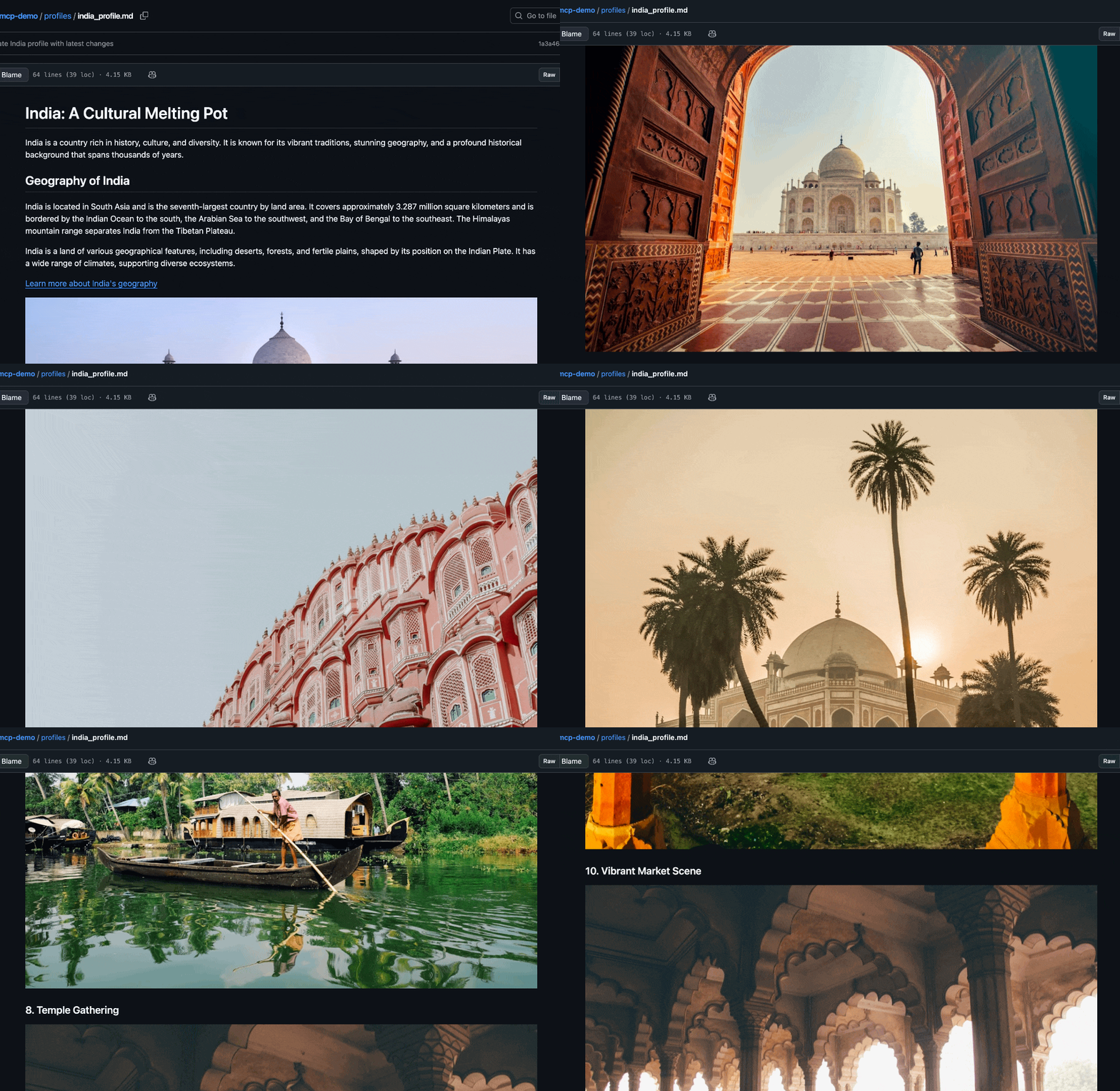
India Profile:
Switzerland Profile:
USA Profile:
🧪 Testing
Run the comprehensive test suite:
# Test MCP server
uv run python tests/test_unsplash.py

# Test Country Explorer
cd tests && uv run python test_country_explorer.py

# Test mountain search
uv run python tests/search_5_mountains.py
🔧 MCP Configuration
Add to your Cursor MCP settings:
{
  "mcpServers": {
    "unsplash-mcp-server": {
      "command": "uv",
      "args": ["--directory", ".", "run", "server.py"]
    }
  }
}
📚 Technologies Used
MCP (Model Context Protocol) - Server framework
LangGraph - Agent orchestration
LangChain MCP Adapters - Tool integration
Unsplash API - Image search
OpenAI GPT-4 - Language model
Python 3.13 - Runtime environment
🎉 Showcase
This project demonstrates:
✅ MCP Server Development with custom API integration
✅ LangGraph Agent Creation with tool orchestration
✅ Beautiful Output Generation with embedded images
✅ Clean Project Organization and testing
✅ Real-world Application of AI agent frameworks
Perfect for showcasing MCP + LangGraph integration! 🌍✨
Resources
Looking for Admin?
Admins can modify the Dockerfile, update the server description, and track usage metrics. If you are the server author, to access the admin panel.