
Ludus FastMCP is an AI-powered MCP server that automates Ludus cyber range environments through natural language commands, exposing 157 tools across 15 modules for comprehensive lab management.
Core Capabilities:
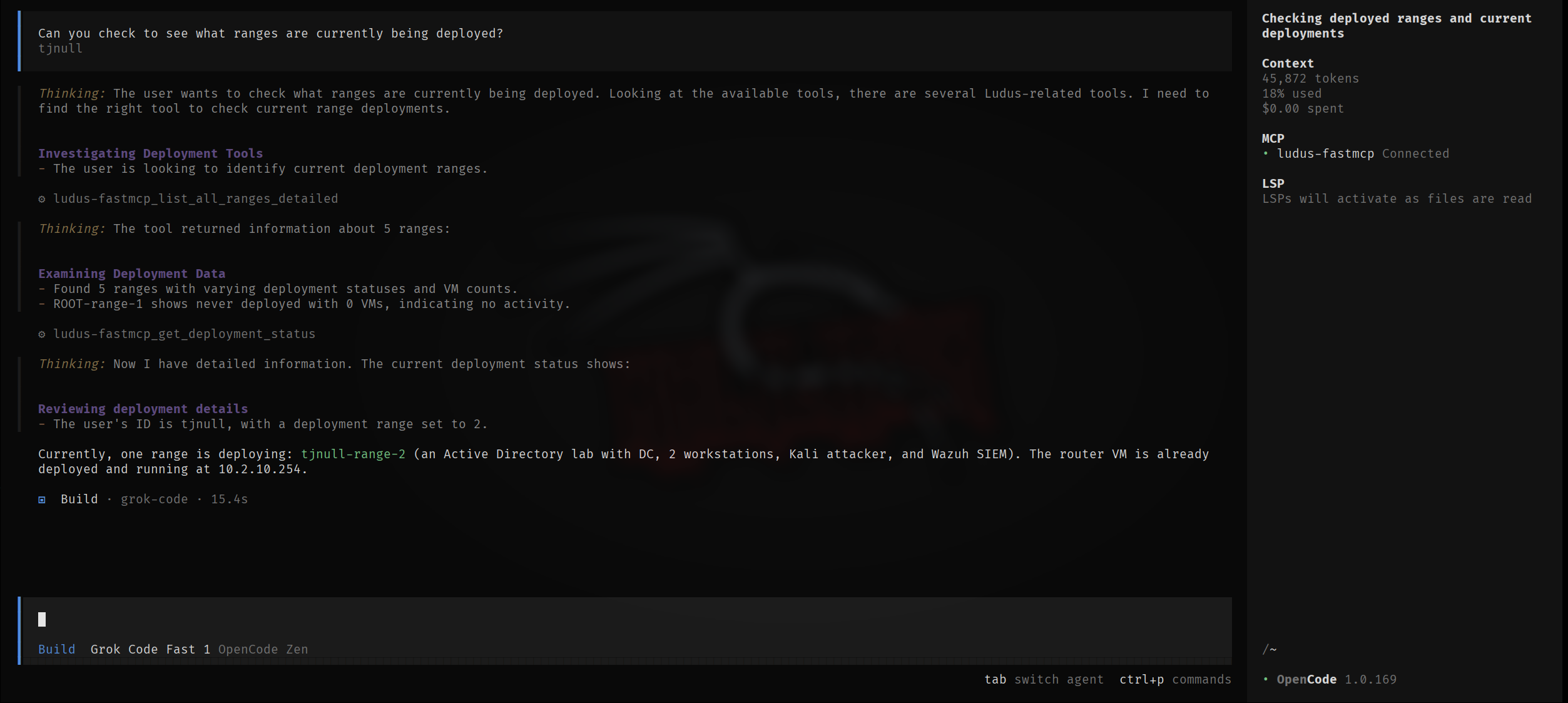
Range Lifecycle Management: Create, configure, deploy, abort, power on/off, clone, and delete cyber ranges with bulk VM operations and testing mode controls
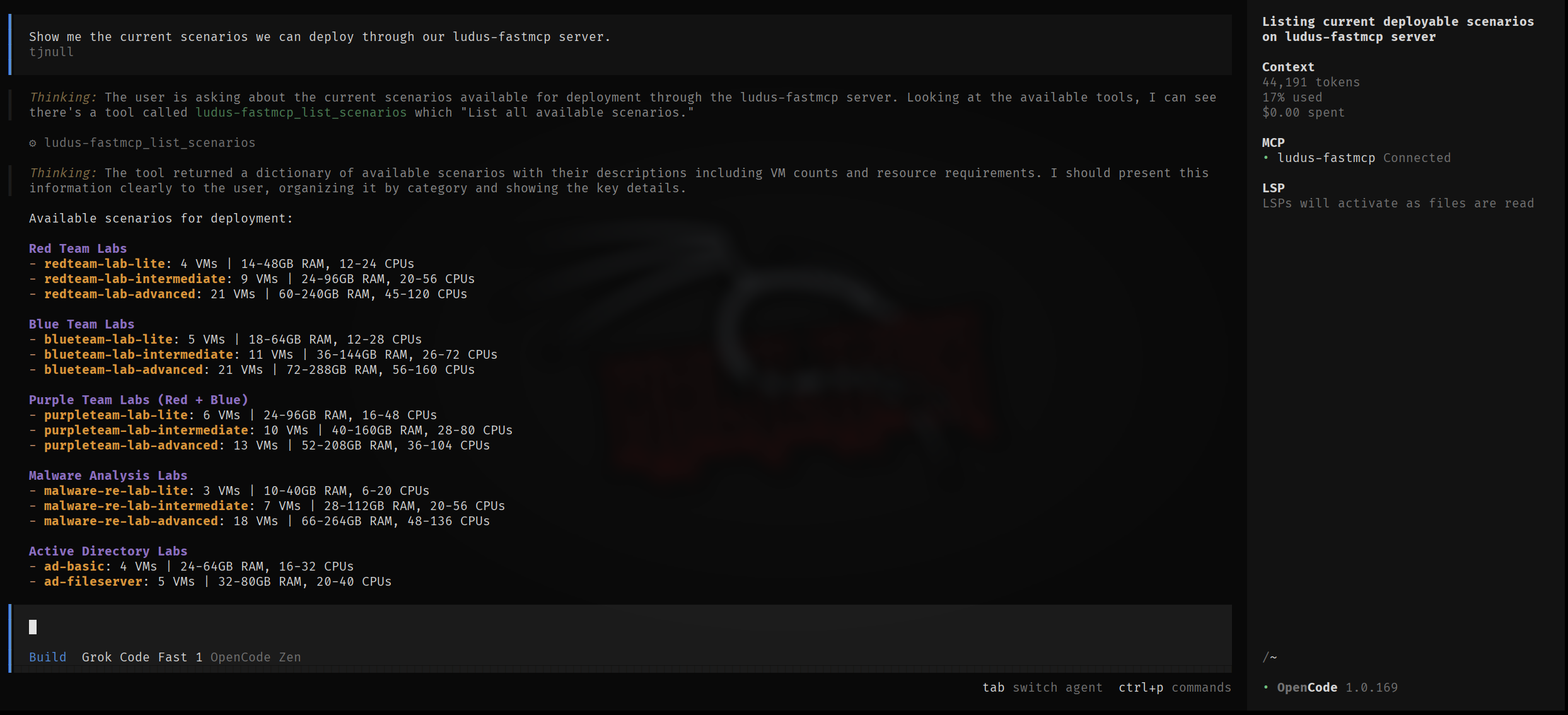
Scenario Deployment: Deploy 13 pre-built scenarios (red/blue/purple team, malware analysis, wireless labs) with customization, randomization, and SIEM integration (Wazuh, Splunk, Elastic Stack, Security Onion)
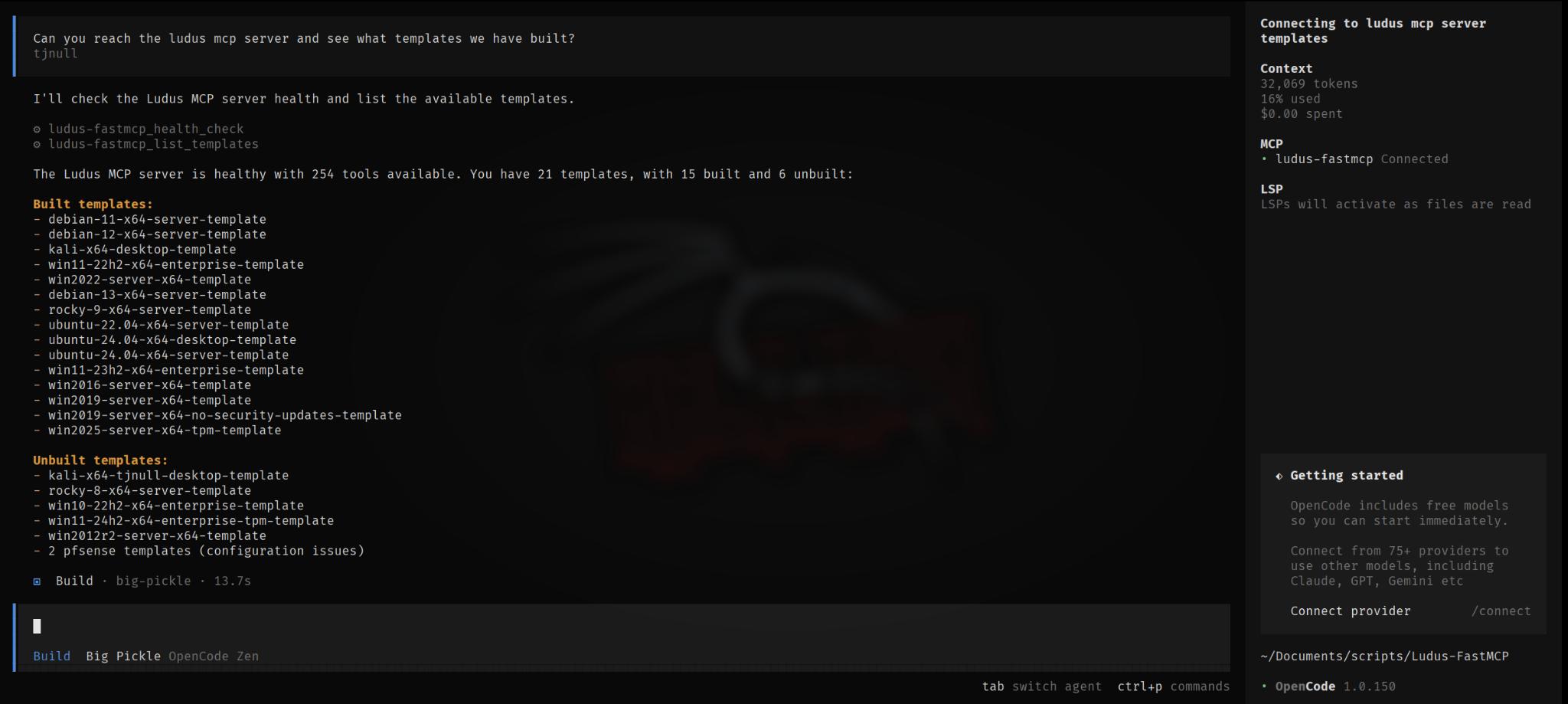
Template Management: Build, validate, optimize, and manage custom OS and container templates with dependency tracking and build logs
Snapshot Management: Create, list, rollback, and remove VM snapshots with scheduled automation and retention policies
SIEM Integration: Alert management, agent monitoring, detection summaries, and security event analysis across multiple SIEM platforms
User & Access Control: Manage users, API keys, and granular range access permissions
Network Operations: Visualize topology, test connectivity, diagnose issues, capture traffic with BPF filtering, and export SSH/RDP configurations
Deployment Control: Smart deployment with validation, monitoring, recovery tools, and Ansible tag-based resumption (base, domain, user, configure)
Security & Compliance: Run audits, compliance checks (NIST, PCI, ISO27001), vulnerability scans, and credential rotation
Metrics & Reporting: Monitor CPU, memory, disk, network usage with cost estimations; export in JSON, CSV, or Prometheus formats
Automation & Integration: Create deployment pipelines, schedule tasks with cron, configure auto-scaling, and integrate with webhooks, Slack, Jira, and Git repositories
Backup & Recovery: Export/import range backups, clone ranges with snapshots, and access recovery recommendations for failed deployments
Documentation & Training: Generate range documentation (markdown, HTML, PDF), attack path analysis, lab guides with solutions, and scenario playbooks
Community & Sharing: Import community scenarios and share range configurations publicly or with specific users
Provides Ansible role management capabilities including Ansible Galaxy integration and custom role installation for configuring Ludus cyber range environments.
Enables SIEM integration with Elastic Stack for security monitoring and logging within Ludus cyber range deployments.
Supports configuration of local LLM through Ollama for AI-powered management of Ludus environments via the ludus-ai CLI tool.
Enables SIEM integration with Splunk for security monitoring and event management in Ludus cyber range environments.
Click on "Install Server".
Wait a few minutes for the server to deploy. Once ready, it will show a "Started" state.
In the chat, type
@followed by the MCP server name and your instructions, e.g., "@Ludus FastMCPdeploy an Active Directory lab with Wazuh monitoring"
That's it! The server will respond to your query, and you can continue using it as needed.
Here is a step-by-step guide with screenshots.
Ludus FastMCP


A Model Context Protocol (MCP) server for automating Ludus cyber range environments through AI assistants written in Python.
Overview
Ludus FastMCP enables AI-powered management of Ludus cyber ranges through natural language commands. The server exposes 157 tools across 15 modules for range lifecycle management, scenario deployment, template creation, Ansible role management, and security monitoring integration.
Key Capabilities
Category | Description |
Range Management | Create, configure, deploy, and manage virtual lab environments |
Scenario Deployment | Pre-built scenarios for AD, red/blue/purple team, and malware analysis |
Template Builder | Custom OS templates, skeleton configurations, and YAML generation |
Role Management | Ansible Galaxy integration and custom role installation |
SIEM Integration | Wazuh, Splunk, Elastic Stack, and Security Onion support |
AI Configuration | Natural language to YAML configuration conversion |
Supported Platforms
Works with any MCP-compatible client including Claude Desktop, VS Code (Cline), OpenWebUI, and AnythingLLM.
Quick Start
Requirements
Python 3.11+
Access to a Ludus server instance
Ludus API credentials
Installation
Setup
Run the interactive setup wizard:
The wizard configures API credentials, tests connectivity, and generates MCP client configuration files.
For manual configuration options, see the Configuration Guide.
Usage
MCP Server (ludus-fastmcp)
Client CLI (ludus-ai)
Example Interactions
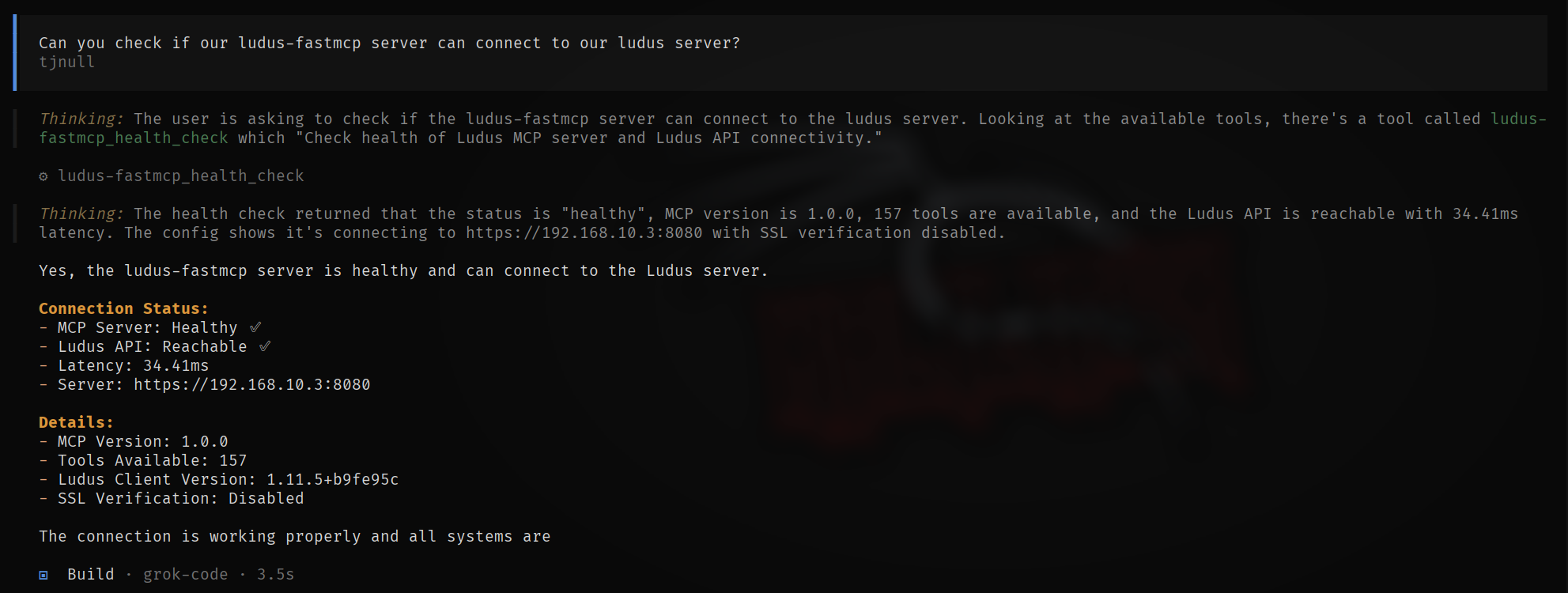
Once connected to an MCP client, interact with your Ludus environment:
Examples of using Ludus-FastMCP with grok code through Opencode.
Documentation
Document | Description |
Installation, setup, and first deployment | |
Environment variables and MCP client setup | |
Complete documentation for all 157 tools | |
Pre-built deployment scenarios | |
Common issues and solutions | |
Safety features and best practices |
Resources
Resource | Link |
Ludus Documentation | |
Ludus GitHub | |
FastMCP Framework | |
MCP Specification |
Support
GitHub Issues - Bug reports and feature requests
GitHub Discussions - Questions and community discussion
License
This project is licensed under the MIT License. See LICENSE for details.
Disclaimer
This software is intended for authorized security testing, educational purposes, and research in controlled environments. Users are responsible for compliance with applicable laws and organizational policies. The authors make no warranties and assume no liability for use or misuse of this software.