
Provides containerized deployment of the MCP-Stockfish server, making it easier to run in isolated environments without affecting local configurations.
Click on "Install Server".
Wait a few minutes for the server to deploy. Once ready, it will show a "Started" state.
In the chat, type
@followed by the MCP server name and your instructions, e.g., "@mcp-stockfishanalyze this position: r1bqkbnr/pppp1ppp/2n5/4p3/4P3/5N2/PPPP1PPP/RNBQKB1R w KQkq - 2 3"
That's it! The server will respond to your query, and you can continue using it as needed.
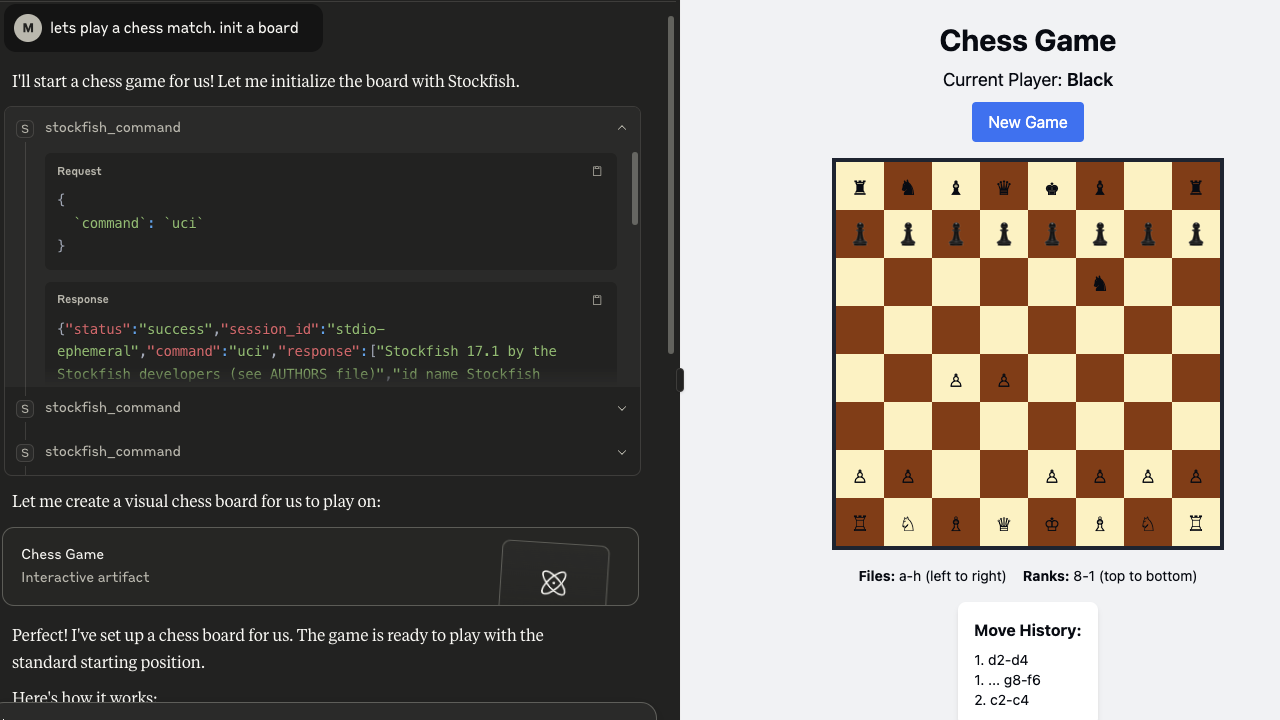
Here is a step-by-step guide with screenshots.
mcp-stockfish 🐟
A Model Context Protocol server that lets your AI talk to Stockfish. Because apparently we needed to make chess engines even more accessible to our silicon overlords.
🧠⚡🖥️ Your LLM thinks, Stockfish calculates, you pretend you understand the resulting 15-move tactical sequence.
What is this?
This creates a bridge between AI systems and the Stockfish chess engine via the MCP protocol. It handles multiple concurrent sessions because your AI probably wants to analyze seventeen positions simultaneously while you're still figuring out why your knight is hanging.
Built on mark3labs/mcp-go. Because reinventing wheels is for people with too much time.
Related MCP server: Mattermost MCP Server
Features
🔄 Concurrent Sessions: Run multiple Stockfish instances without your CPU crying
⚡ Full UCI Support: All the commands you need, none of the ones you don't
🎯 Actually Works: Unlike your last side project, this one has proper error handling
📊 JSON Everything: Because apparently we can't just use plain text anymore
🐳 Docker Ready: Containerized for when you inevitably break your local setup
Supported UCI Commands ♟️
Command | Description |
| Initializes the engine in UCI mode |
| Checks if the engine is ready. Returns |
| Sets up the board to the starting position |
| Sets up a position using FEN notation |
| Starts the engine to compute the best move |
| Searches |
| Thinks for a fixed amount of time in milliseconds. Example: |
| Stops current search |
| Closes the session |
Quick Start
Installation
Usage
Configuration ⚙️
Environment Variables
Server Configuration
MCP_STOCKFISH_SERVER_MODE: "stdio" or "http" (default: "stdio")MCP_STOCKFISH_HTTP_HOST: HTTP host (default: "localhost")MCP_STOCKFISH_HTTP_PORT: HTTP port (default: 8080)
Stockfish 🐟 Configuration
MCP_STOCKFISH_PATH: Path to Stockfish binary (default: "stockfish")MCP_STOCKFISH_MAX_SESSIONS: Max concurrent sessions (default: 10)MCP_STOCKFISH_SESSION_TIMEOUT: Session timeout (default: "30m")MCP_STOCKFISH_COMMAND_TIMEOUT: Command timeout (default: "30s")
Logging
MCP_STOCKFISH_LOG_LEVEL: debug, info, warn, error, fatalMCP_STOCKFISH_LOG_FORMAT: json, consoleMCP_STOCKFISH_LOG_OUTPUT: stdout, stderr
Tool Parameters
command: UCI command to executesession_id: Session ID (optional, we'll make one up if you don't)
Response Format
Session Management
Sessions do what you'd expect:
Spawn Stockfish processes on demand
Keep UCI state between commands
Clean up when you're done (or when they timeout)
Enforce limits so you don't fork-bomb yourself
Integration
Claude Desktop
Development
Credits 🐟
Powered by Stockfish, the chess engine that's stronger than both of us combined. Created by people who actually understand chess, unlike this wrapper.
Thanks to:
The Stockfish team for making chess engines that don't suck
MCP SDK for Go for handling the protocol so I don't have to
Coffee
License
MIT - Do whatever you want, just don't blame me when it breaks.
