
Provides tools for interacting with SQLite databases, including retrieving database catalog information, executing arbitrary SQL queries, and running predefined canned queries with parameters.
Click on "Install Server".
Wait a few minutes for the server to deploy. Once ready, it will show a "Started" state.
In the chat, type
@followed by the MCP server name and your instructions, e.g., "@mcp-sqliteshow me the schema of the users table"
That's it! The server will respond to your query, and you can continue using it as needed.
Here is a step-by-step guide with screenshots.
mcp-sqlite
Provide useful data to AI agents without giving them access to external systems. Compatible with Datasette for human users!
Features
AI agents can get the structure of all tables and columns in the SQLite database in one command -
sqlite_get_catalog.The catalog can be enriched with descriptions for the tables and columns using a simple YAML or JSON metadata file.
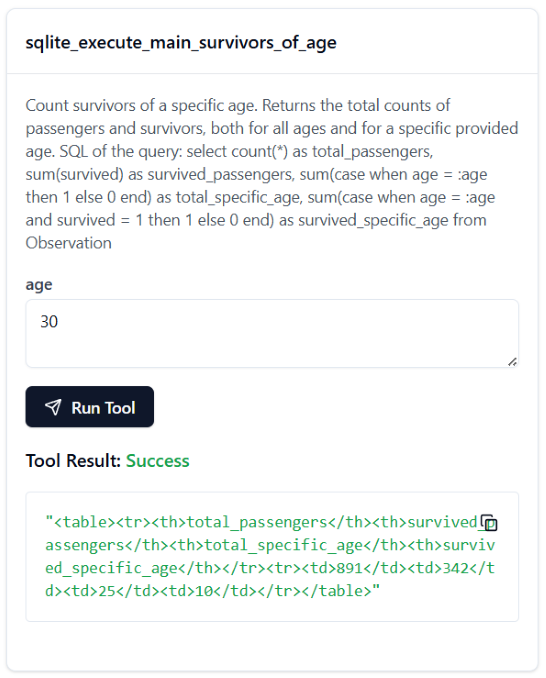
The same metadata file can contain canned queries to the AI to use. Each canned query will be turned into a separate MCP tool
sqlite_execute_main_{tool name}.AI agents can execute arbitrary SQL queries with
sqlite_execute.
Quickstart using Visual Studio Code
Install uv.
Install Visual Studio Code if you don't already have it. Turn on GitHub Copilot.
Open this repo in VS Code. Open a GitHub Copilot agent mode chat. Check the available tools - you should see MCP Server: sqlite_sample with three available tools.

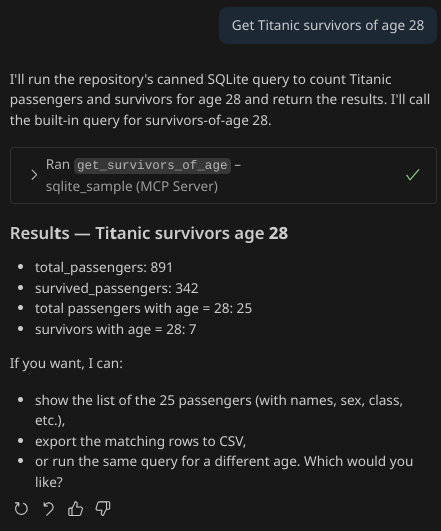
You should be able to ask Copilot in agent mode a question like "Get Titanic survivors of age 28" and get a response.
Use the sample MCP configuration file mcp.json and the sample metadata file titanic.yml as a starting point for your own configuration.
Interactive exploration with MCP Inspector and Datasette
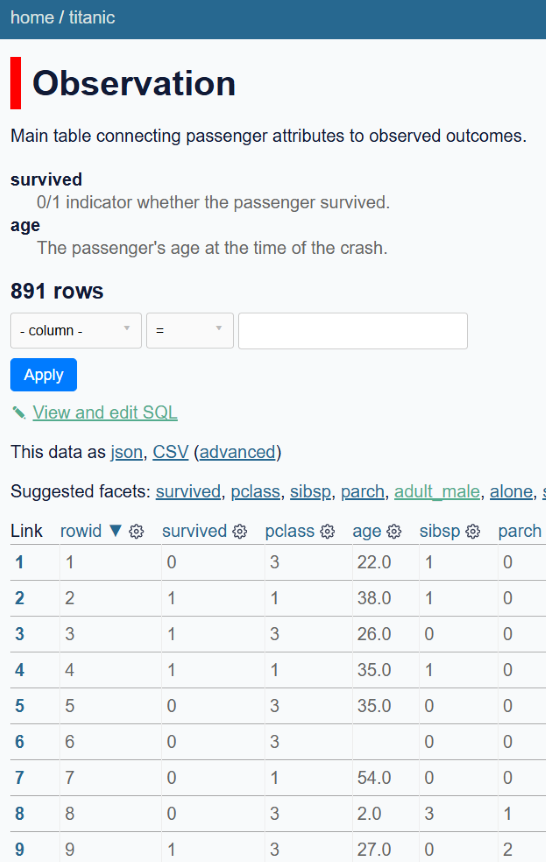
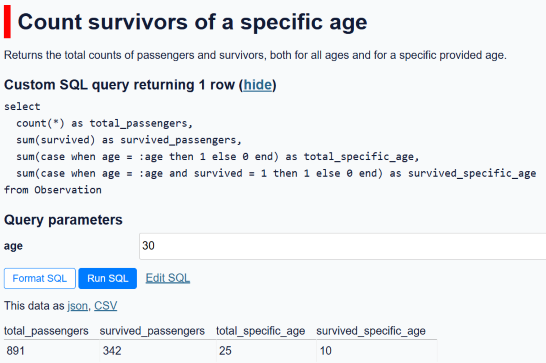
The same database and metadata files can be used to explore the data interactively with MCP Inspector and Datasette.
MCP Inspector | Datasette |
|
|
|
|
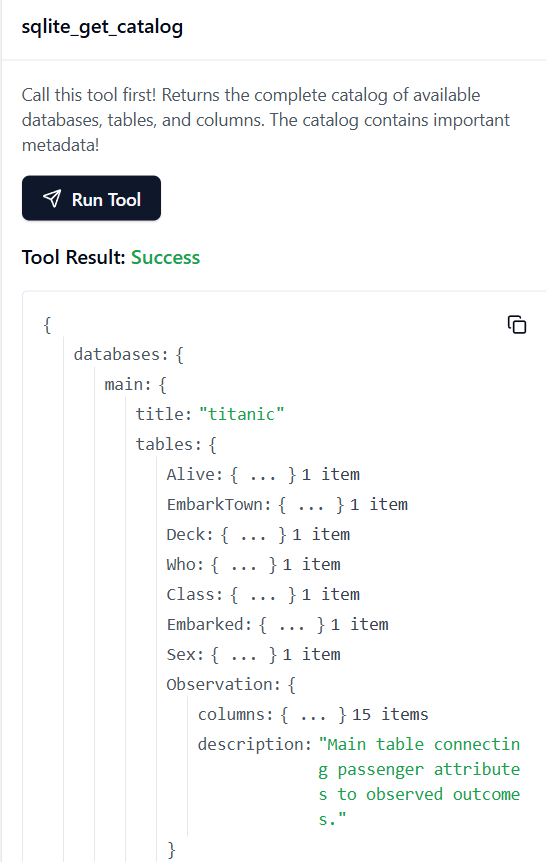
MCP Inspector
Use the MCP Inspector dashboard to interact with the SQLite database the same way that an AI agent would:
Install npm.
Run:
npx @modelcontextprotocol/inspector uvx mcp-sqlite sample/titanic.db --metadata sample/titanic.yml
Datasette
Since mcp-sqlite metadata is compatible with the Datasette metadata file, you can also explore your data with Datasette:
Compatibility with Datasette allows both AI agents and humans to easily explore the same local data!
MCP Tools provided by mcp-sqlite
sqlite_get_catalog(): Tool the agent can call to get the complete catalog of the databases, tables, and columns in the data, combined with metadata from the metadata file. In an earlier iteration of
mcp-sqlite, this was a resource instead of a tool, but resources are not as widely supported, so it got turned into a tool. If you have a usecase for the catalog as a resource, open an issue and we'll bring it back!sqlite_execute(sql): Tool the agent can call to execute arbitrary SQL. The table results are returned as HTML. For more information about why HTML is the best format for LLMs to process, see Siu et al.
{canned query name}({canned query args}): A tool is created for each canned query in the metadata, allowing the agent to run predefined queries without writing any SQL.
Usage
Command-line options
Metadata
Hidden tables
Hiding a table with hidden: true will hide it from the catalog returned by the MCP tool sqlite_get_catalog().
However, note that the table will still be accessible by the AI agent!
Never rely on hiding a table from the catalog as a security feature.
Canned queries
Canned queries are each turned into a separate callable MCP tool by mcp-sqlite.
For example, a query named my_canned_query will become a tool my_canned_query.
The canned queries functionality is still in active development with more features planned for development soon:
Roadmap
Datasette query feature | Supported in mcp-sqlite? |
✅ | |
✅ | |
✅ | |
✅ | |
✅ | |
❌ (planned) | |
✅ | |
✅ | |
❌ (planned) | |
❌ (planned) | |
❌ (not planned) | |
❌ (not planned) |