
Enables natural language interactions with SAP S/4HANA and ECC systems by automatically discovering OData services and generating dynamic CRUD tools for all entities, allowing users to query, create, update, and delete business data through conversational AI.
Click on "Install Server".
Wait a few minutes for the server to deploy. Once ready, it will show a "Started" state.
In the chat, type
@followed by the MCP server name and your instructions, e.g., "@SAP OData to MCP Servershow me the last 5 purchase orders created this week"
That's it! The server will respond to your query, and you can continue using it as needed.
Here is a step-by-step guide with screenshots.
SAP OData to MCP Server for BTP🚀
🎯 Project Goal
Transform your SAP S/4HANA or ECC system into a conversational AI interface by exposing all OData services as dynamic MCP tools. This enables natural language interactions with your ERP data:
"Show me 10 banks" → Automatically queries the Bank entity with $top=10
"Update bank with ID 1 to have street number 5" → Executes PATCH operation on Bank entity
"Create a new customer with name John Doe" → Performs POST to Customer entity
"List all purchase orders from this week" → Applies $filter for date range on PurchaseOrder entity
🏗️ Architecture Overview - 3-Level Progressive Discovery
graph TB
    A[AI Agent/LLM] --> B[MCP Client]
    B --> C[SAP MCP Server]
    C --> D[SAP BTP Destination]
    D --> E[SAP System]

    C --> F[Level 1: Lightweight Discovery]
    F --> G[Minimal Service/Entity List]
    C --> H[Level 2: Full Metadata]
    H --> I[Complete Entity Schemas]
    C --> J[Level 3: CRUD Execution]
    J --> K[Authenticated Operations]

    style A fill:#e1f5fe
    style C fill:#f3e5f5
    style E fill:#e8f5e8
    style F fill:#fff3e0
    style H fill:#e8eaf6
    style J fill:#e0f2f1
Core Components:
🔍 Level 1 - Discovery: Lightweight search returning minimal service/entity lists (token-optimized)
📋 Level 2 - Metadata: Full schema details on-demand for selected entities
⚡ Level 3 - Execution: Authenticated CRUD operations using metadata from Level 2
🔌 MCP Protocol Layer: Full compliance with MCP 2025-06-18 specification
🌐 HTTP Transport: Session-based Streamable HTTP for web applications
🔐 BTP Integration: Seamless authentication via SAP BTP Destination service
3-Level Approach Benefits:
Token Efficient: Level 1 returns 90% less data than full schemas
Progressive Detail: Fetch full schemas only when needed
Better LLM Experience: Smaller responses, clearer workflow
Reduced Context: From 200+ tools down to just 3
✨ Key Features
🎨 Natural Language to OData
Smart Query Translation: Converts natural language to proper OData queries
Context-Aware Operations: Understands entity relationships and constraints
Parameter Inference: Automatically maps user intent to tool parameters
🔄 Dynamic CRUD Operations
Read Operations: Entity sets with filtering, sorting, pagination
Create Operations: New entity creation with validation
Update Operations: Partial and full entity updates
Delete Operations: Safe entity deletion with confirmation
🚀 Production-Ready
Session Management: Automatic session creation and cleanup
Error Handling: Comprehensive error handling with user-friendly messages
Logging: Detailed logging for debugging and monitoring
Security: DNS rebinding protection, CORS, Helmet security
📊 Real-Time Metadata
Service Catalog: Live discovery of available services
Entity Schemas: Dynamic schema generation from OData metadata
Capability Detection: Automatic detection of CRUD capabilities per entity
🏛️ System Architecture
┌─────────────────────┐    ┌───────────────────────────┐    ┌─────────────────────┐
│                     │    │                           │    │                     │
│   🤖 AI Agent       │    │   🖥️  SAP MCP Server     │    │   🏢 SAP            │
│   - Claude          │◄──►│   - Service Discovery     │◄──►│   - OData Services  │
│   - GPT-4           │    │   - CRUD Tool Registry    │    │   - Business Logic  │
│   - Local LLMs      │    │   - Session Management    │    │   - Master Data     │
│                     │    │   - BTP Authentication    │    │                     │
└─────────────────────┘    └───────────────────────────┘    └─────────────────────┘
                                           │
                                           ▼
                           ┌───────────────────────────┐
                           │                           │
                           │   ☁️  SAP BTP Platform    │
                           │   - Destination Service   │
                           │   - Connectivity Service  │
                           │   - XSUAA Security        │
                           │                           │
                           └───────────────────────────┘
🎯 Use Cases
📈 Business Intelligence Queries
User: "Show me top 10 customers by revenue this quarter"
→ Tool: r-CustomerService-Customer
→ Parameters: $filter, $orderby, $top
📝 Data Maintenance
User: "Update supplier ABC123 to have status 'Active'"
→ Tool: u-SupplierService-Supplier
→ Parameters: SupplierId="ABC123", Status="Active"
📊 Analytical Insights
User: "How many open purchase orders are there?"
→ Tool: r-PurchaseOrderService-PurchaseOrder
→ Parameters: $filter=Status eq 'Open'&$count=true
🔧 System Administration
User: "List all inactive users in the system"
→ Tool: r-UserService-User
→ Parameters: $filter=Status eq 'Inactive'
🛠️ Installation & Setup
Prerequisites
Node.js 18.x or higher
SAP S/4HANA or ECC system with OData services enabled
SAP BTP account with Destination and Connectivity services
TypeScript knowledge for customization
🚀 Usage Examples
Natural Language Queries
The MCP server automatically translates these natural language commands to the appropriate tool calls:
Natural Language | Generated Tool Call | OData Query |
"Show me 10 banks" |
|
|
"Find banks in Germany" |
|
|
"Update bank 123 name to ABC Corp" |
|
|
"Create a new customer John Doe" |
|
|
"Delete order 456" |
|
|
📋 Available Tools - 3-Level Architecture
The server exposes 3 progressive discovery tools instead of hundreds of individual CRUD tools:
Level 1: discover-sap-data
Purpose: Lightweight search for services and entities
Returns: Minimal data (serviceId, serviceName, entityName, entityCount)
Usage:
// Search for customer entities
discover-sap-data({ query: "customer" })

// Get all available services
discover-sap-data({ query: "" })

// Search in specific category
discover-sap-data({ query: "sales", category: "sales" })Fallback: If no matches found, returns ALL services with entity lists
Level 2: get-entity-metadata
Purpose: Get complete schema for a specific entity
Returns: Full schema with properties, types, keys, capabilities
Usage:
// Get full schema for Customer entity
get-entity-metadata({
  serviceId: "API_BUSINESS_PARTNER",
  entityName: "Customer"
})Output: All properties, types, nullable flags, maxLength, keys, capabilities
Level 3: execute-sap-operation
Purpose: Perform authenticated CRUD operations
Operations: read, read-single, create, update, delete
Usage:
// Read customers
execute-sap-operation({
  serviceId: "API_BUSINESS_PARTNER",
  entityName: "Customer",
  operation: "read",
  filterString: "CustomerName eq 'ACME'"
})

// Update customer
execute-sap-operation({
  serviceId: "API_BUSINESS_PARTNER",
  entityName: "Customer",
  operation: "update",
  parameters: { CustomerID: "123", CustomerName: "New Name" }
})
Workflow Example
1. discover-sap-data → "customer"
   ↓ Returns: List of customer-related entities

2. get-entity-metadata → "API_BUSINESS_PARTNER", "Customer"
   ↓ Returns: Full schema with all properties

3. execute-sap-operation → read/create/update/delete
   ✓ Executes operation with proper parameters
Protocol Version: 2025-06-18
Supported Capabilities:
✅ Tools with
listChangednotifications✅ Resources with
listChangednotifications✅ Logging with level control
✅ Session Management for HTTP transport
✅ Error Handling with proper error codes
Transport Support
✅ Streamable HTTP (recommended)
✅ Stdio for command line usage
✅ Session-based with automatic cleanup
✅ DNS Rebinding Protection
🔒 Security & Authentication
SAP BTP Integration
Uses BTP Destination service for S/4HANA or ECC authentication
Supports Principal Propagation and OAuth2
Automatic token refresh and session management
Secure credential storage in BTP
HTTP Security
Helmet.js security headers
CORS protection with configurable origins
DNS rebinding attack prevention
Request rate limiting (configurable)
Session Security
Automatic session expiration (24h default)
Secure session ID generation
Session cleanup on server restart
Memory leak prevention
📚 API Reference
Health Check
GET /health
{
  "status": "healthy",
  "activeSessions": 3,
  "discoveredServices": 25,
  "version": "2.0.0"
}
Server Info
GET /mcp
{
  "name": "btp-sap-odata-to-mcp-server",
  "protocol": { "version": "2025-06-18" },
  "capabilities": { "tools": {}, "resources": {} },
  "features": ["Dynamic service discovery", "CRUD operations"],
  "activeSessions": 3
}
Documentation
GET /docs
{
  "title": "SAP MCP Server API",
  "endpoints": {...},
  "mcpCapabilities": {...},
  "usage": {...}
}
🎬 Demo
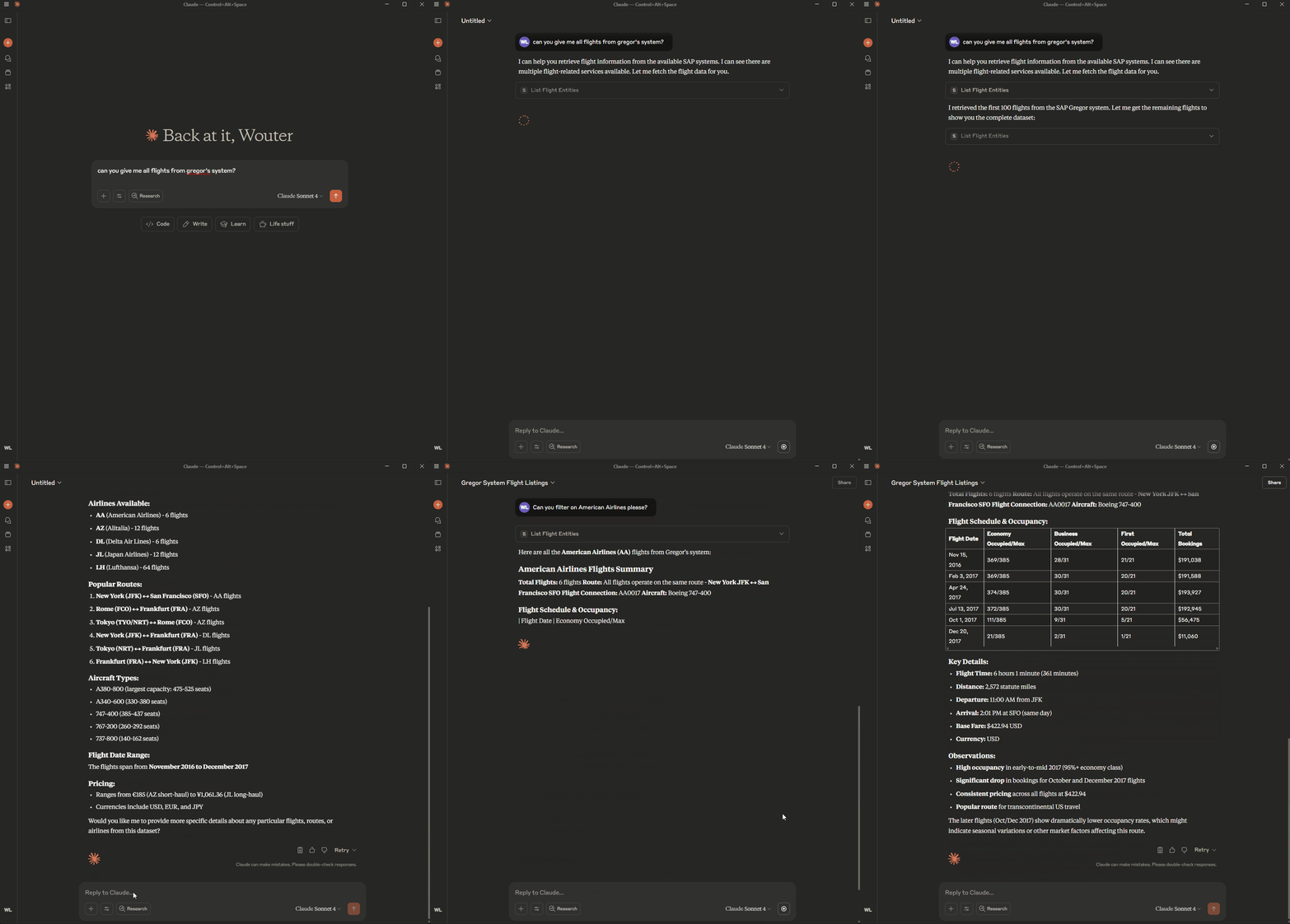
See the MCP server in action:
⚙️ Environment Variable: Disable ReadEntity Tool Registration
To disable registration of the ReadEntity tool for all entities in all services, set the following in your .env file:
DISABLE_READ_ENTITY_TOOL=trueThis will prevent registration of the ReadEntity tool for all entities and services.
⚡ Quick Start
For local development and testing, see LOCAL_RUN.md
For deployment to SAP BTP, see DEPLOYMENT.md