
Click on "Install Server".
Wait a few minutes for the server to deploy. Once ready, it will show a "Started" state.
In the chat, type
@followed by the MCP server name and your instructions, e.g., "@API as MCPask the IBM Granite model to summarize this document"
That's it! The server will respond to your query, and you can continue using it as needed.
Here is a step-by-step guide with screenshots.
Project Title
Turn your REST APIs to an MCP server
Description
This sample runs a IBM Granite model using ollama locally. The code uses gradio to expose an MCP server with a tool to call the POST API and get the response in JSON
Getting Started
Dependencies
Need python 3.12 or greater
Need ollama and here are the instructions to run IBM Granite on ollama running on mac os
[instructions] (https://www.ibm.com/granite/docs/run/granite-with-ollama/mac/)
Test
Executing program
Access locally
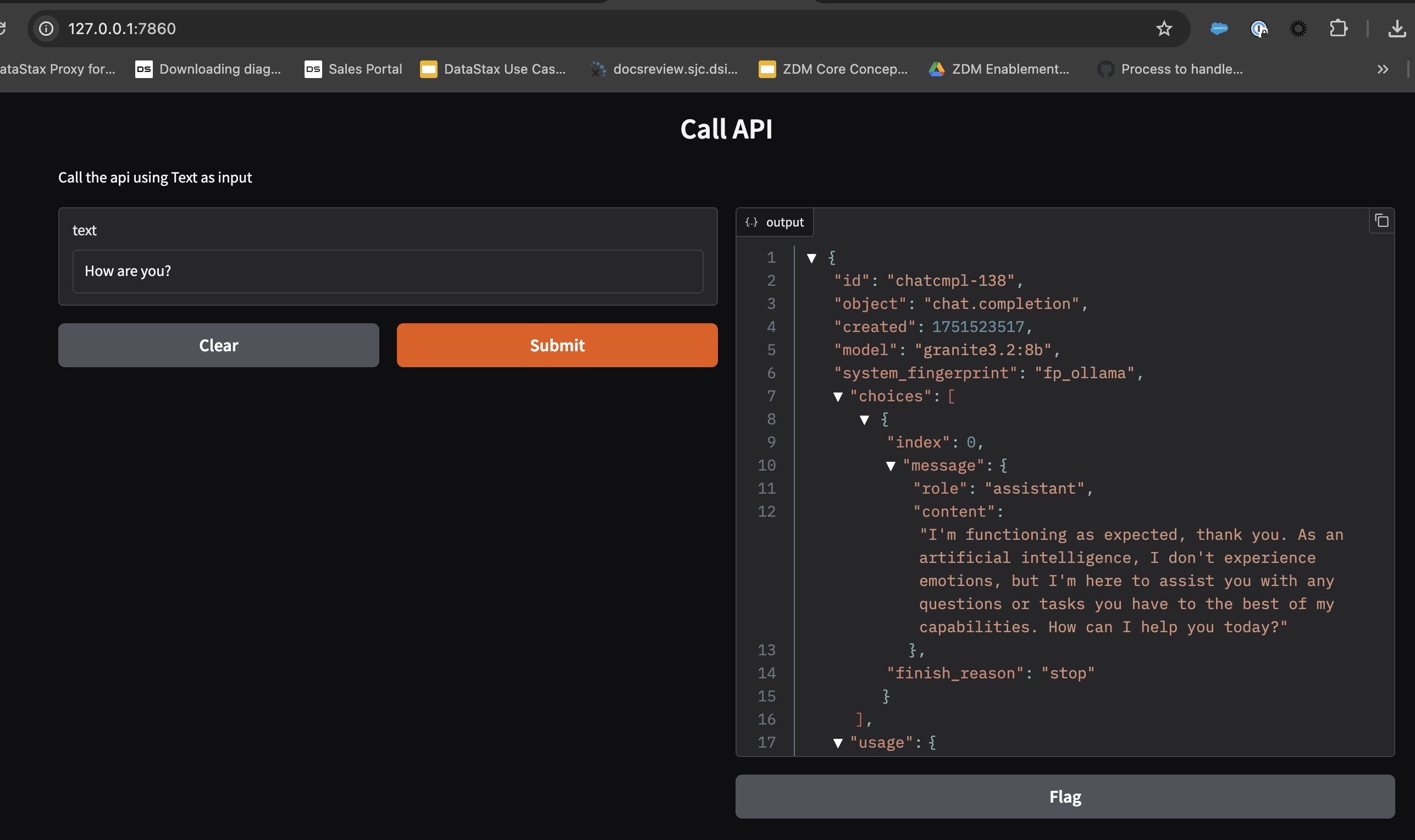
Open http://localhost:7860 in your browser Enter some text and click “Submit” You should see the results
Add it to an MCP client
Visit http://localhost:7860/gradio_api/mcp/schema This shows the MCP tool schema that clients will use You can also find this in the “View API” link in the footer of your Gradio app Add this JSON BLOB to your MCP client:
For example in cursor mcp client, you should see as below


