
The MCP SBOM Server is a tool that scans container images using Trivy to generate Software Bill of Materials (SBOMs) in both SPDX JSON and CycloneDX formats.
Container Image Scanning: Executes Trivy scans on specified container images
Multiple SBOM Formats: Supports both SPDX JSON and CycloneDX standards
MCP Integration: Operates as a server adhering to the Model Context Protocol (MCP)
Compatibility: Works with Python 3.12 and MCP 1.6
Debugging: Provides tools for debugging via MCP Inspector
Requirements: Needs
uv,trivy, andNode.jsfor installation/executionWindows Support: Includes guidance for Windows systems
Performs container and application vulnerability scanning using Trivy and produces a Software Bill of Materials (SBOM) in CycloneDX format.
Click on "Install Server".
Wait a few minutes for the server to deploy. Once ready, it will show a "Started" state.
In the chat, type
@followed by the MCP server name and your instructions, e.g., "@MCP SBOM Serverscan my Dockerfile for vulnerabilities and generate an SBOM"
That's it! The server will respond to your query, and you can continue using it as needed.
Here is a step-by-step guide with screenshots.
MCP SBOM Server


MCP server to perform a Trivy scan and produce an SBOM in CycloneDX format.
Installation
Prerequisites
Install the following.
MCP Clients
Configuration
"mcpServers": {
        "mcp-sbom": {
            "command": "uv",
            "args": [
                "--directory",
                "/path/to/mcp-sbom",
                "run",
                "mcp-sbom"
            ]
        }
    }
Building
This project employsuv.
Synchronize dependencies and update the lockfile.
uv syncDebugging
MCP Inspector
Use MCP Inspector.
Launch the MCP Inspector as follows:
npx @modelcontextprotocol/inspector uv --directory /path/to/mcp-sbom run mcp-sbom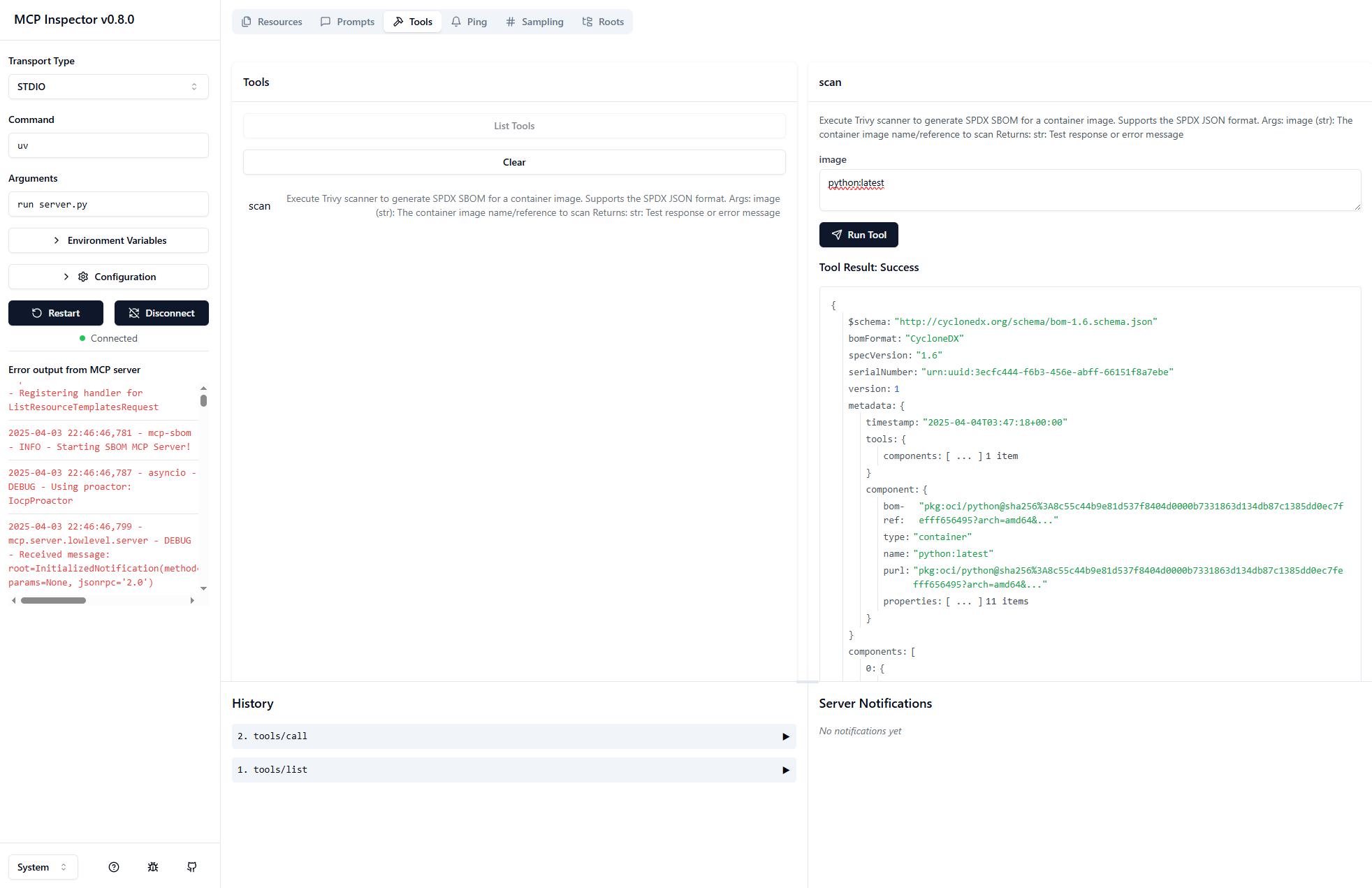
Windows
When running on Windows, use paths of the style:
C:/Users/gkh/src/mcp-sbom-server/src/mcp_sbom