
This server allows you to manage your Google Tasks directly through Claude. You can:
Authentication: Connect to your Google Tasks account using OAuth flow
Task List Management:
List all your task lists
Get details about specific task lists
Create new task lists
Update existing task lists (change title)
Delete task lists
Task Management:
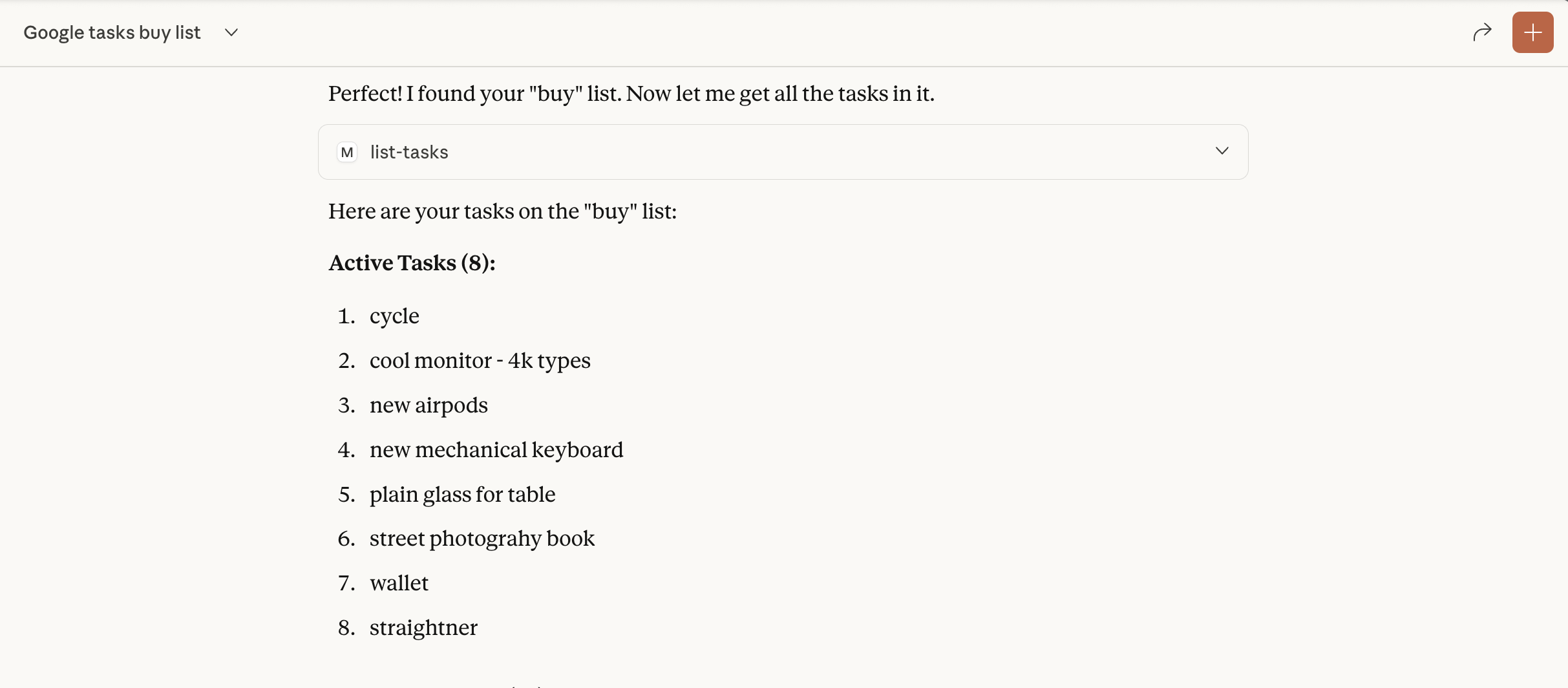
List tasks within a list (with options for hidden, deleted, or completed tasks)
Get details about specific tasks
Create new tasks (with title, notes, and due date)
Update existing tasks
Delete tasks
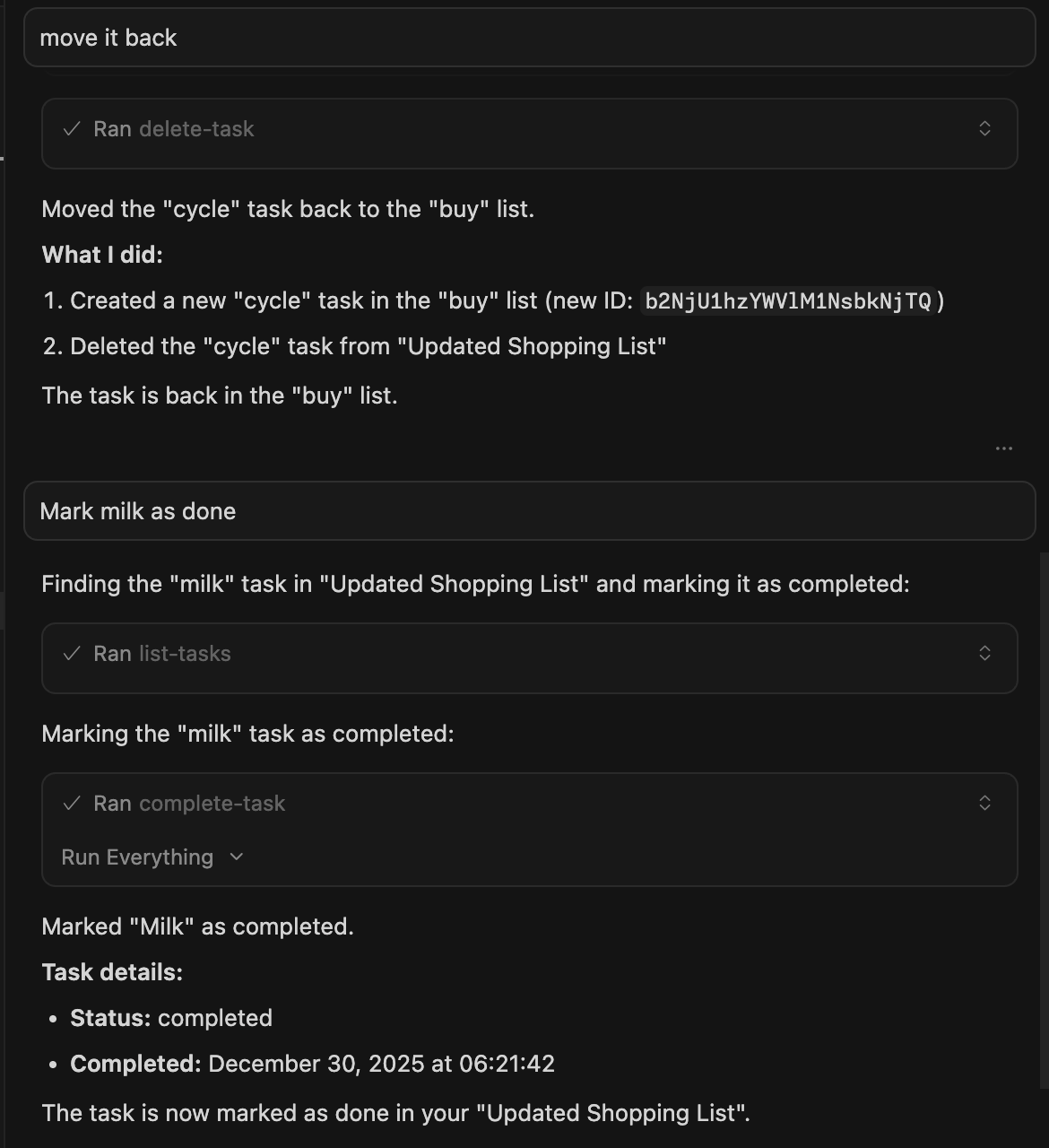
Mark tasks as completed
Move tasks to reorder or change parent
Clear completed tasks from a list
Provides tools for task list management (listing, creating, updating, deleting task lists) and task management (listing, creating, updating, deleting, completing, moving tasks and clearing completed tasks).
Click on "Install Server".
Wait a few minutes for the server to deploy. Once ready, it will show a "Started" state.
In the chat, type
@followed by the MCP server name and your instructions, e.g., "@Google Tasks MCP Serverlist my tasks for today"
That's it! The server will respond to your query, and you can continue using it as needed.
Here is a step-by-step guide with screenshots.
Google Tasks MCP Server
This Model Context Protocol (MCP) server provides a bridge between Claude and Google Tasks, allowing you to manage your task lists and tasks directly through Claude.
All (bar some edits) code in this project was"vibe coded" - generated with Claude/Copilot with instructions from me.
Features
This MCP server provides the following functionality:
Task List Management
list-tasklists- List all your task listsget-tasklist- Get details about a specific task listcreate-tasklist- Create a new task listupdate-tasklist- Update an existing task listdelete-tasklist- Delete a task list
Task Management
list-tasks- List all tasks in a task listget-task- Get details about a specific taskcreate-task- Create a new taskupdate-task- Update an existing taskdelete-task- Delete a taskcomplete-task- Mark a task as completedmove-task- Move a task (reorder or change parent)clear-completed-tasks- Clear all completed tasks from a list
Related MCP server: Google Search MCP Server
Setup Instructions
1. Create Google Cloud Project & Enable API
Go to the Google Cloud Console
Create a new project
Navigate to "APIs & Services" > "Library"
Search for "Google Tasks API" and enable it
Go to "APIs & Services" > "Credentials"
Click "Create Credentials" > "OAuth Client ID"
Configure the OAuth consent screen (External is fine for personal use)
For Application Type, select "Web application"
Add "http://localhost:3000/oauth2callback" as an authorized redirect URI
Create the client ID and secret
2. Configure Claude for Desktop
Install Claude for Desktop
Open the Claude configuration file:
MacOS:
~/Library/Application Support/Claude/claude_desktop_config.jsonWindows:
%APPDATA%\Claude\claude_desktop_config.json
Add the Google Tasks MCP server configuration:
Replace the path and credentials with your own values.
Environment Variables:
GOOGLE_CLIENT_ID(required) - Your Google OAuth Client IDGOOGLE_CLIENT_SECRET(required) - Your Google OAuth Client SecretGOOGLE_REDIRECT_URI(optional) - OAuth redirect URI (defaults tohttp://localhost:3000/oauth2callback)
Note: The server validates that GOOGLE_CLIENT_ID and GOOGLE_CLIENT_SECRET are set at startup and will fail with clear error messages if they are missing or invalid.
3. Build and Run the Server
Install dependencies:
Build the server:
Restart Claude for Desktop
Authentication Flow
When you first use the Google Tasks MCP server:
Use the
authenticatetool to get an authorization URLVisit the URL in your browser and sign in with your Google account
After authorizing, you'll receive a code on the browser page
Use the
set-auth-codetool with this code to complete authenticationYou can now use all other tools to interact with Google Tasks
Note: Your authentication tokens (including refresh tokens) are automatically saved to disk at ~/.config/google-tasks-mcp/credentials.json with restricted permissions (600). This means:
You only need to authenticate once - credentials persist across server restarts
Automatic token refresh - Access tokens are automatically refreshed when they expire (typically after 1 hour) using the saved refresh token
No re-authentication needed - After the initial setup, you won't need to authenticate again unless you revoke access or delete the credentials file
Requirements
Node.js 20+ (see
package.jsonengines)Claude for Desktop (latest version)
Google Cloud Project with Tasks API enabled
Implementation Features
This MCP server includes the following improvements:
Persistent token storage - Authentication credentials are saved to disk (
~/.config/google-tasks-mcp/credentials.json) with restricted permissions, so you only need to authenticate onceEnvironment variable validation - Startup validation ensures required credentials are configured with clear error messages
Automatic token refresh - OAuth tokens are automatically refreshed when they expire, eliminating the need to re-authenticate during active sessions or after restarts
Enhanced input validation - Comprehensive validation of all inputs including ID formats, string lengths, and RFC 3339 date formats
HTML sanitization - OAuth callback responses are sanitized to prevent XSS vulnerabilities
Graceful shutdown - Proper cleanup of resources on SIGINT/SIGTERM signals
Type safety - Full TypeScript type safety throughout the codebase with proper interfaces
Configurable redirect URI - The OAuth redirect URI can be customized via the
GOOGLE_REDIRECT_URIenvironment variable
Screenshots
Claude Desktop
Cursor
License
This project is for demonstration purposes only. Use at your own risk.
