<p align="center">
<img src="https://raw.githubusercontent.com/aitytech/agentkits-memory/main/assets/logo.svg" alt="AgentKits Logo" width="80" height="80">
</p>
<h1 align="center">AgentKits Memory</h1>
<p align="center">
<em>by <strong>AityTech</strong></em>
</p>
<p align="center">
<a href="https://www.npmjs.com/package/@aitytech/agentkits-memory"><img src="https://img.shields.io/npm/v/@aitytech/agentkits-memory.svg" alt="npm"></a>
<img src="https://img.shields.io/badge/license-MIT-blue.svg" alt="License">
<img src="https://img.shields.io/badge/Claude_Code-Compatible-blueviolet" alt="Claude Code">
<img src="https://img.shields.io/badge/Cursor-Compatible-blue" alt="Cursor">
<img src="https://img.shields.io/badge/Copilot-Compatible-green" alt="Copilot">
<img src="https://img.shields.io/badge/Windsurf-Compatible-cyan" alt="Windsurf">
<img src="https://img.shields.io/badge/Cline-Compatible-orange" alt="Cline">
</p>
<p align="center">
<strong>Persistent Memory System for AI Coding Assistants via MCP</strong>
</p>
<p align="center">
<em>Fast. Local. Zero external dependencies.</em>
</p>
<p align="center">
Store decisions, patterns, errors, and context that persists across sessions.<br>
No cloud. No API keys. No setup. Just works.
</p>
<p align="center">
<a href="#quick-start">Quick Start</a> •
<a href="#web-viewer">Web Viewer</a> •
<a href="#features">Features</a> •
<a href="#agentkits-ecosystem">Ecosystem</a> •
<a href="https://agentkits.net">agentkits.net</a>
</p>
---
## Features
| Feature | Benefit |
|---------|---------|
| **100% Local** | All data stays on your machine. No cloud, no API keys, no accounts |
| **Blazing Fast** | SQLite + WASM = instant queries, zero latency |
| **Zero Config** | Works out of the box. No database setup required |
| **Cross-Platform** | Windows, macOS, Linux - same code, same speed |
| **MCP Server** | `memory_save`, `memory_search`, `memory_recall`, `memory_list`, `memory_status` |
| **Web Viewer** | Browser UI to view, add, edit, delete memories |
| **Vector Search** | Optional HNSW semantic similarity (no external service) |
| **Auto-Capture** | Hooks for session context, tool usage, summaries |
| **Git-Friendly** | Export to markdown for version control |
---
## Web Viewer
View and manage your memories through a modern web interface.
```bash
npx agentkits-memory-web
```
Then open **http://localhost:1905** in your browser.
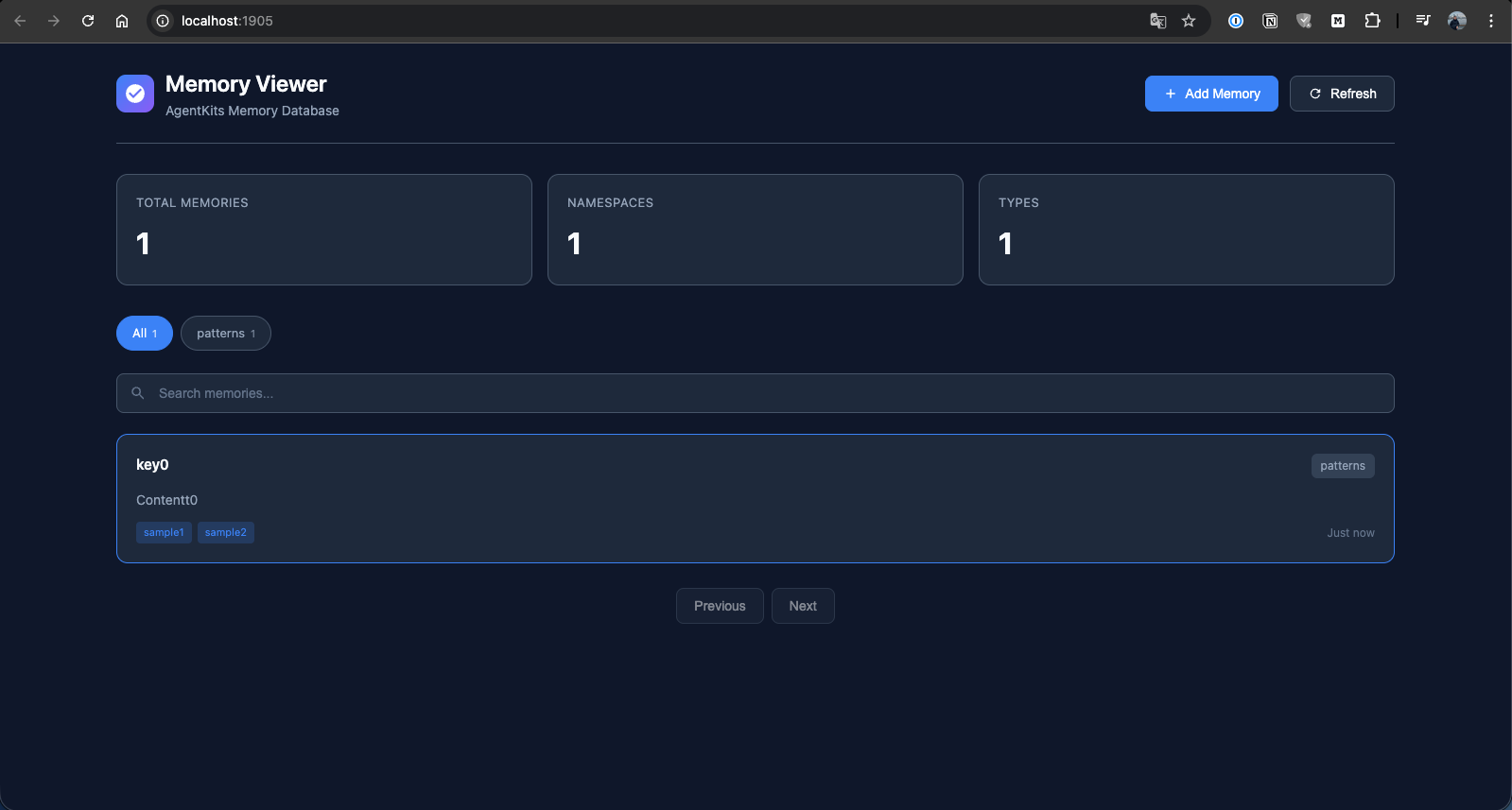
### Memory List
Browse all stored memories with search and namespace filtering.
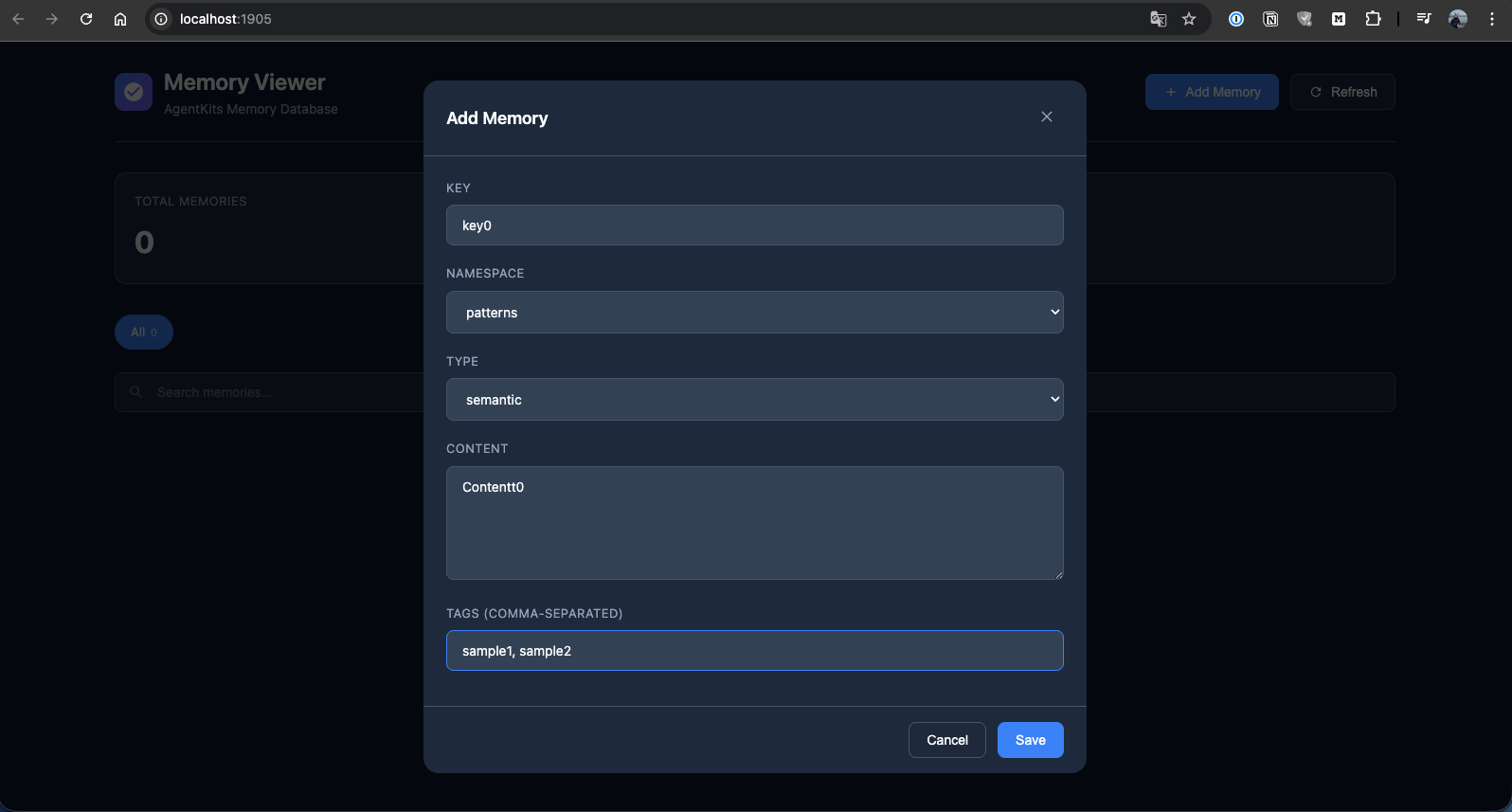
### Add Memory
Create new memories with key, namespace, type, content, and tags.
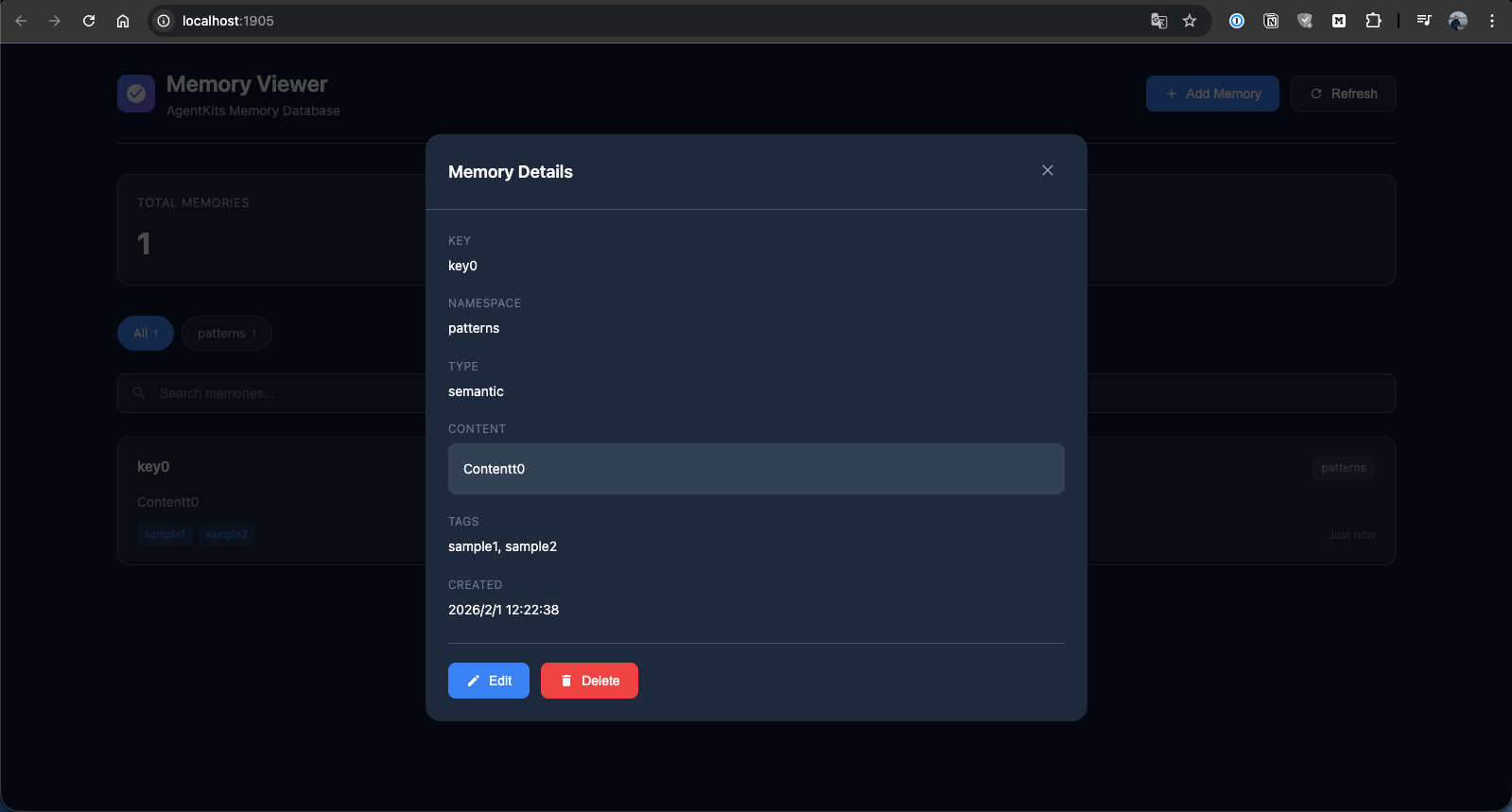
### Memory Details
View full memory details with edit and delete options.
---
## Quick Start
### 1. Install
```bash
npm install @aitytech/agentkits-memory
```
### 2. Configure MCP Server
Add to your `.mcp.json` (or `.claude/.mcp.json`):
```json
{
"mcpServers": {
"memory": {
"command": "npx",
"args": ["agentkits-memory-server"]
}
}
}
```
### 3. Use Memory Tools
Once configured, your AI assistant can use these tools:
| Tool | Description |
|------|-------------|
| `memory_save` | Save decisions, patterns, errors, or context |
| `memory_search` | Search memories using semantic similarity |
| `memory_recall` | Recall everything about a specific topic |
| `memory_list` | List recent memories |
| `memory_status` | Check memory system status |
---
## CLI Commands
```bash
# Start MCP server
npx agentkits-memory-server
# Start web viewer (port 1905)
npx agentkits-memory-web
# View stored memories (terminal)
npx agentkits-memory-viewer
# Save memory from CLI
npx agentkits-memory-save "Use JWT with refresh tokens" --category pattern --tags auth,security
# Setup hooks for auto-capture
npx agentkits-memory-setup
```
---
## Programmatic Usage
```typescript
import { ProjectMemoryService } from '@aitytech/agentkits-memory';
const memory = new ProjectMemoryService({
baseDir: '.claude/memory',
dbFilename: 'memory.db',
});
await memory.initialize();
// Store a memory
await memory.storeEntry({
key: 'auth-pattern',
content: 'Use JWT with refresh tokens for authentication',
namespace: 'patterns',
tags: ['auth', 'security'],
});
// Query memories
const results = await memory.query({
type: 'hybrid',
namespace: 'patterns',
content: 'authentication',
limit: 10,
});
// Get by key
const entry = await memory.getByKey('patterns', 'auth-pattern');
```
---
## Auto-Capture Hooks
The package includes hooks for automatically capturing AI coding sessions:
| Hook | Trigger | Action |
|------|---------|--------|
| `context` | Session Start | Injects previous session context |
| `session-init` | First User Prompt | Initializes session record |
| `observation` | After Tool Use | Captures tool usage |
| `summarize` | Session End | Generates session summary |
Setup hooks:
```bash
npx agentkits-memory-setup
```
Or manually copy `hooks.json` to your project:
```bash
cp node_modules/@aitytech/agentkits-memory/hooks.json .claude/hooks.json
```
---
## Memory Categories
| Category | Use Case |
|----------|----------|
| `decision` | Architecture decisions, ADRs |
| `pattern` | Reusable code patterns |
| `error` | Error solutions and fixes |
| `context` | Project context and facts |
| `observation` | Session observations |
---
## Storage
Memories are stored in `.claude/memory/memory.db` within your project directory.
```
.claude/memory/
├── memory.db # SQLite database
├── memory.db-wal # Write-ahead log (temp)
└── exports/ # Optional markdown exports
```
---
## API Reference
### ProjectMemoryService
```typescript
interface ProjectMemoryConfig {
baseDir: string; // Default: '.claude/memory'
dbFilename: string; // Default: 'memory.db'
enableVectorIndex: boolean; // Default: false
dimensions: number; // Default: 384
embeddingGenerator?: EmbeddingGenerator;
cacheEnabled: boolean; // Default: true
cacheSize: number; // Default: 1000
cacheTtl: number; // Default: 300000 (5 min)
}
```
### Methods
| Method | Description |
|--------|-------------|
| `initialize()` | Initialize the memory service |
| `shutdown()` | Shutdown and persist changes |
| `storeEntry(input)` | Store a memory entry |
| `get(id)` | Get entry by ID |
| `getByKey(namespace, key)` | Get entry by namespace and key |
| `update(id, update)` | Update an entry |
| `delete(id)` | Delete an entry |
| `query(query)` | Query entries with filters |
| `semanticSearch(content, k)` | Semantic similarity search |
| `count(namespace?)` | Count entries |
| `listNamespaces()` | List all namespaces |
| `exportToMarkdown(namespace)` | Export to markdown |
| `getStats()` | Get statistics |
---
## Requirements
- Node.js >= 18.0.0
- MCP-compatible AI coding assistant
---
## AgentKits Ecosystem
**AgentKits Memory** is part of the AgentKits ecosystem by AityTech - tools that make AI coding assistants smarter.
| Product | Description | Link |
|---------|-------------|------|
| **AgentKits Engineer** | 28 specialized agents, 100+ skills, enterprise patterns | [GitHub](https://github.com/aitytech/agentkits-engineer) |
| **AgentKits Marketing** | AI-powered marketing content generation | [GitHub](https://github.com/aitytech/agentkits-marketing) |
| **AgentKits Memory** | Persistent memory for AI assistants (this package) | [npm](https://www.npmjs.com/package/@aitytech/agentkits-memory) |
<p align="center">
<a href="https://agentkits.net">
<img src="https://img.shields.io/badge/Visit-agentkits.net-blue?style=for-the-badge" alt="agentkits.net">
</a>
</p>
---
## Star History
<a href="https://star-history.com/#aitytech/agentkits-memory&Date">
<picture>
<source media="(prefers-color-scheme: dark)" srcset="https://api.star-history.com/svg?repos=aitytech/agentkits-memory&type=Date&theme=dark" />
<source media="(prefers-color-scheme: light)" srcset="https://api.star-history.com/svg?repos=aitytech/agentkits-memory&type=Date" />
<img alt="Star History Chart" src="https://api.star-history.com/svg?repos=aitytech/agentkits-memory&type=Date" />
</picture>
</a>
---
## License
MIT
---
<p align="center">
<strong>Give your AI assistant memory that persists.</strong>
</p>
<p align="center">
<em>AgentKits Memory by AityTech</em>
</p>
<p align="center">
Star this repo if it helps your AI remember.
</p>
