
Provides tools to interact with Coda documents, allowing for the management of pages, tables, columns, and rows, as well as the ability to list formulas, controls, and trigger buttons.
Click on "Install Server".
Wait a few minutes for the server to deploy. Once ready, it will show a "Started" state.
In the chat, type
@followed by the MCP server name and your instructions, e.g., "@Coda MCP Serverlist all the tables in my 'Product Roadmap' doc"
That's it! The server will respond to your query, and you can continue using it as needed.
Here is a step-by-step guide with screenshots.
Coda MCP Server (Koyeb + LangSmith)
This repo runs a Coda MCP server with:
Streamable HTTP endpoint:
/mcp(recommended)Legacy SSE endpoint:
/sse
Quick Start (Koyeb First)
1. Fork or use this repo on GitHub
Use this repository in your own GitHub account (for example RunLittleTurtle/mcp-coda).
2. Create a Koyeb account and connect GitHub
In Koyeb:
Create a new Web service
Select your GitHub repo and
mainbranchKeep Buildpack as builder
Choose Free / CPU Eco instance
3. Set environment variables
Add these variables in Koyeb:
API_KEY= your Coda API keyPORT=3000
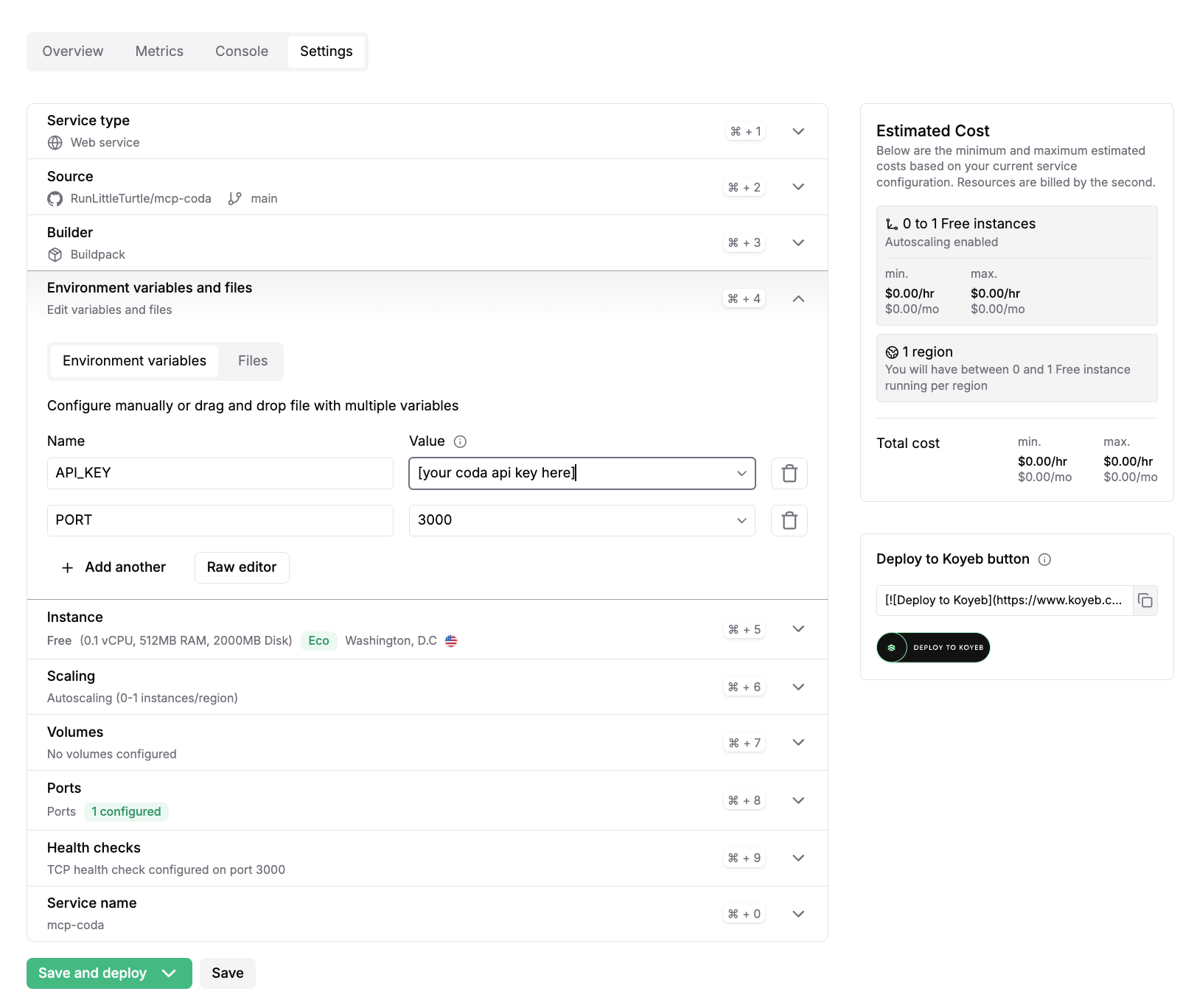
4. Configure port
In Koyeb Ports:
Port:
3000Protocol:
HTTPPublic HTTPS access: enabled
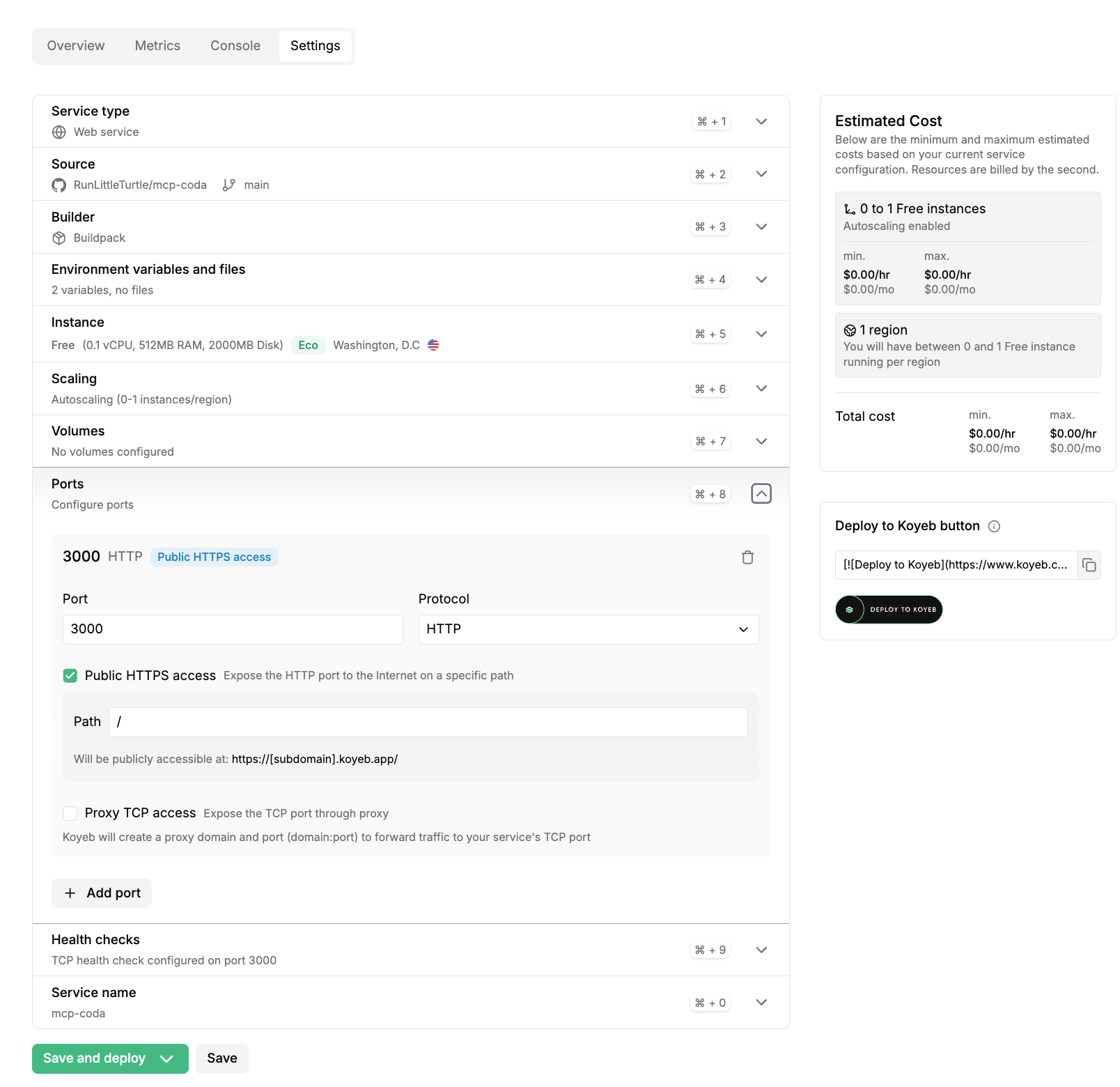
5. Deploy
Click Save and deploy.
After deploy, your public URL will look like:
https://your-service-name.koyeb.app
Health check:
https://your-service-name.koyeb.app/health
MCP endpoint:
https://your-service-name.koyeb.app/mcp
LangSmith Agent Builder Setup
Add an MCP server with:
Name:
mcp-coda(or your preferred name)URL:
https://your-service-name.koyeb.app/mcpAuthentication:
Static HeadersHeaders: none
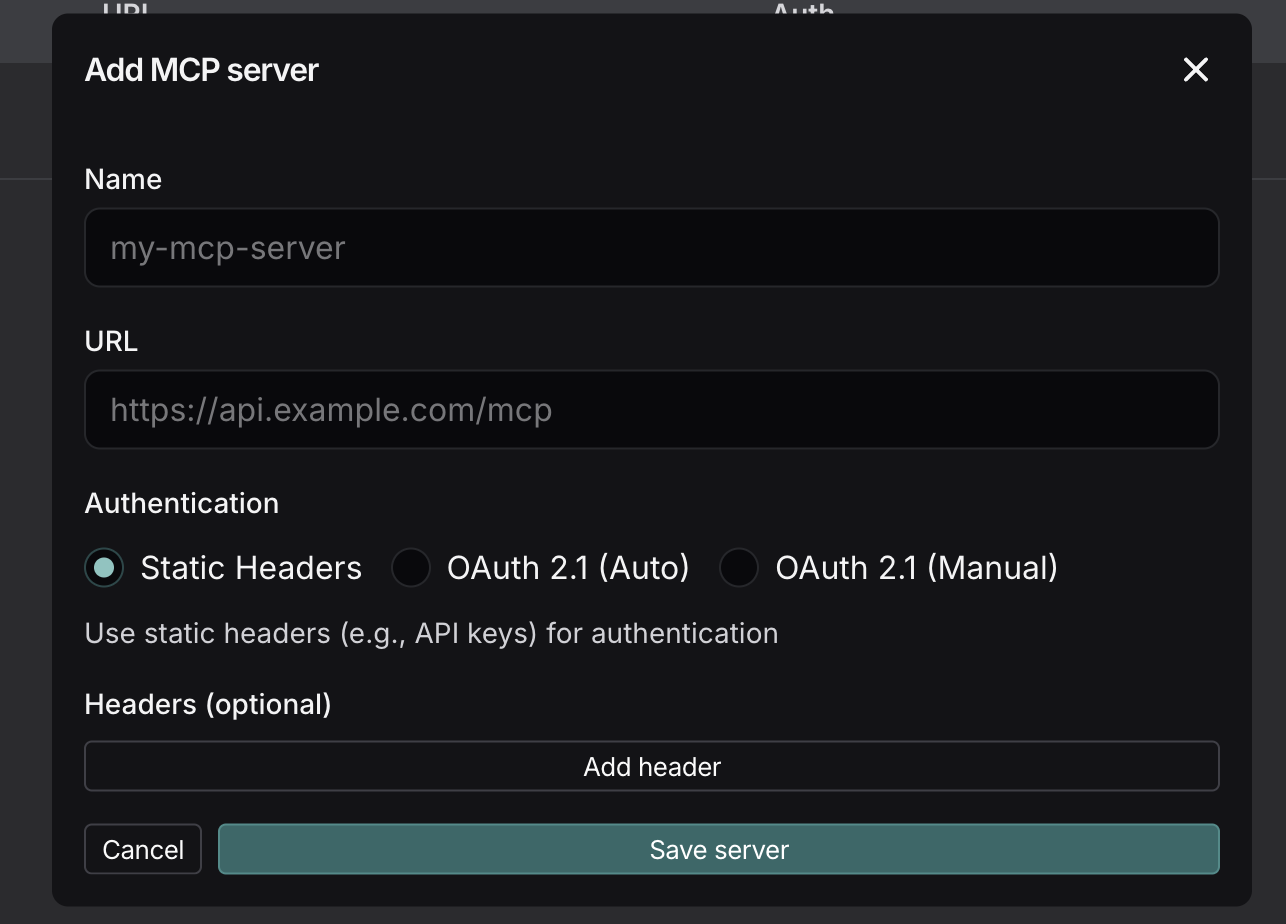
Important:
Use
/mcp(not/and not/ssein Agent Builder)If tools do not appear after a redeploy, wait a few seconds and reload Agent Builder
Local (minimal)
Then test:
http://localhost:3000/healthhttp://localhost:3000/mcp
Environment variables
API_KEYorCODA_API_KEY(required)PORT(optional, default3000)
Credits
Original project: dustinrgood/coda-mcp
Early fork lineage: orellazri/coda-mcp
License
MIT