
Click on "Install Server".
Wait a few minutes for the server to deploy. Once ready, it will show a "Started" state.
In the chat, type
@followed by the MCP server name and your instructions, e.g., "@MCP Gatewayuse_filesystem action="list" params={}"
That's it! The server will respond to your query, and you can continue using it as needed.
Here is a step-by-step guide with screenshots.
MCP Gateway - 二级路由聚合网关
一个 MCP 网关,将多个第三方 MCP Server 聚合为少量顶层工具,大幅减少 LLM 的上下文占用与解决某些IDE没法支持太多tools的问题。
效果图
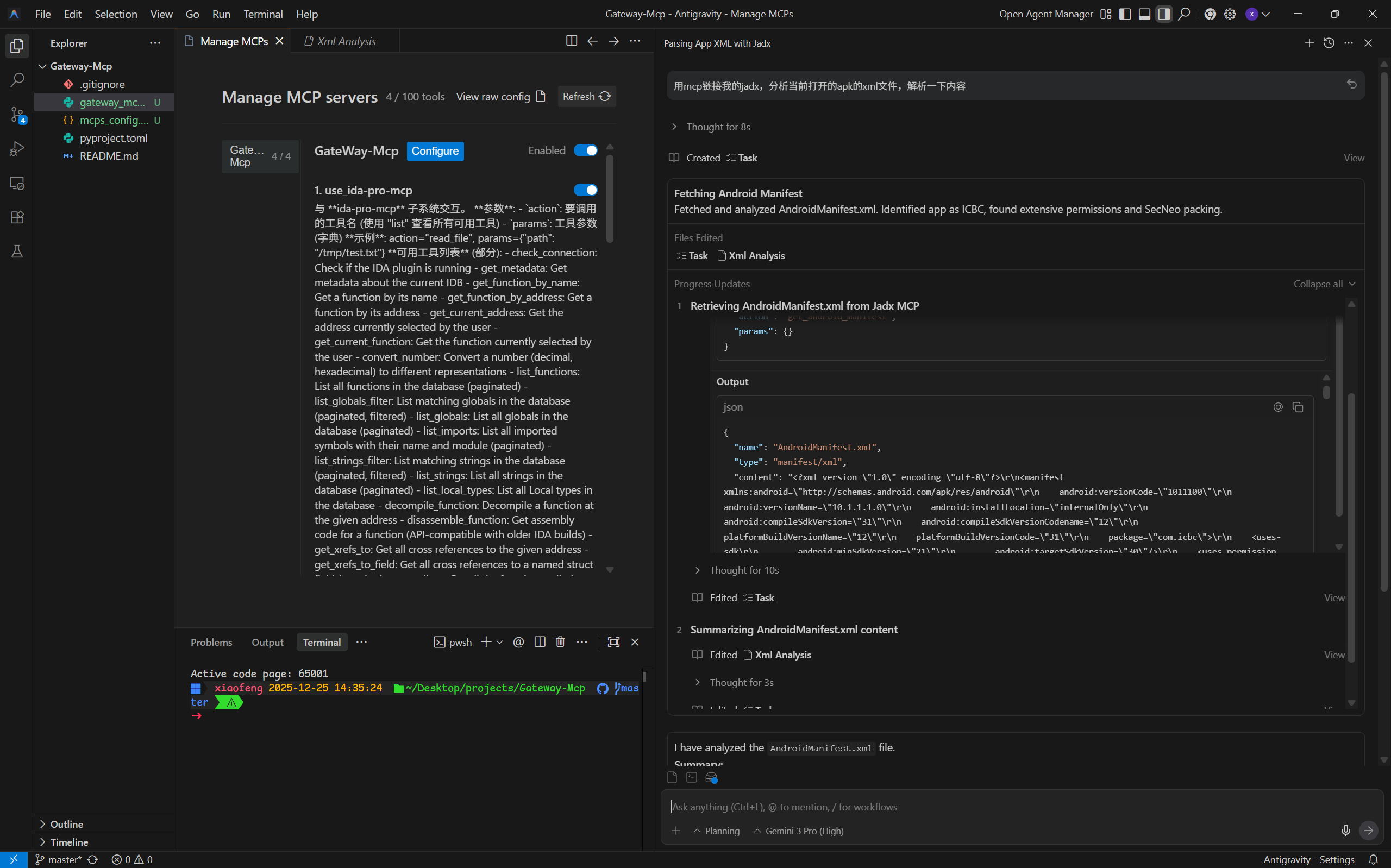
工作原理
效果:无论后台有多少个 MCP Server,LLM 只看到 N 个工具(N = Server 数量)。
安装
配置
编辑 Gateway-Mcp 中的 mcps_config.json,添加您原来json中的 MCP Server:
去IDE中配置顶层mcp,也就是这里的Gateway-Mcp,配置文件的参考如下(需要你修改 python.exe和gateway_mcp_server.py文件路径哦)
理论上autoApprove不需要加,但是为了解决某些ide不能自动调用工具的问题,我加了一下,你的估计不需要
使用示例
LLM 调用方式简单展示:
添加更多 MCP Server
只需在 mcps_config.json 中添加新的条目,Gateway 会自动为其创建对应的 use_{name} 工具和拉取工具最新描述。
许可证
MIT