
Enables AI agents to perform autonomous penetration testing on Kali Linux systems via SSH with persistent tmux sessions, supporting interactive tools, network reconnaissance, vulnerability scanning, and exploitation workflows.
Provides universal penetration testing capabilities across any Linux distribution via SSH, with persistent tmux session management for running security tools, interactive applications, and complex multi-step pentesting workflows.
Enables AI agents to interact with Metasploit Framework through persistent sessions, supporting exploit configuration, payload setup, handler management, and automated exploitation workflows.
Supports interactive MySQL command-line client sessions for database security testing and exploitation through persistent tmux sessions.
Enables AI agents to perform autonomous penetration testing on Parrot Security OS via SSH with persistent tmux sessions, supporting interactive tools, network reconnaissance, vulnerability scanning, and exploitation workflows.
Leverages tmux for persistent session management that survives disconnections, enabling long-running pentesting operations, session recovery after crashes, and parallel execution of multiple security tools.
Click on "Install Server".
Wait a few minutes for the server to deploy. Once ready, it will show a "Started" state.
In the chat, type
@followed by the MCP server name and your instructions, e.g., "@Pentest MCP Serverrun nmap scan on 192.168.1.0/24 and save results"
That's it! The server will respond to your query, and you can continue using it as needed.
Here is a step-by-step guide with screenshots.
Pentest MCP Server


A production-ready Model Context Protocol (MCP) server that enables AI agents to perform autonomous penetration testing on ANY Linux distribution via SSH. Built with persistent tmux sessions, intelligent triggers, auto-reconnection, and comprehensive resource management.
🚀 Key Differentiator: Unlike other MCP servers that run commands independently, this server provides persistent session management with tmux, enabling complex interactive workflows and long-running operations.
📋 Table of Contents
👤 Connect
🎥 Video Tutorial: Watch the complete walkthrough on YouTube
LinkedIn: Abdallah Ndiaye
🖼️ Screenshots
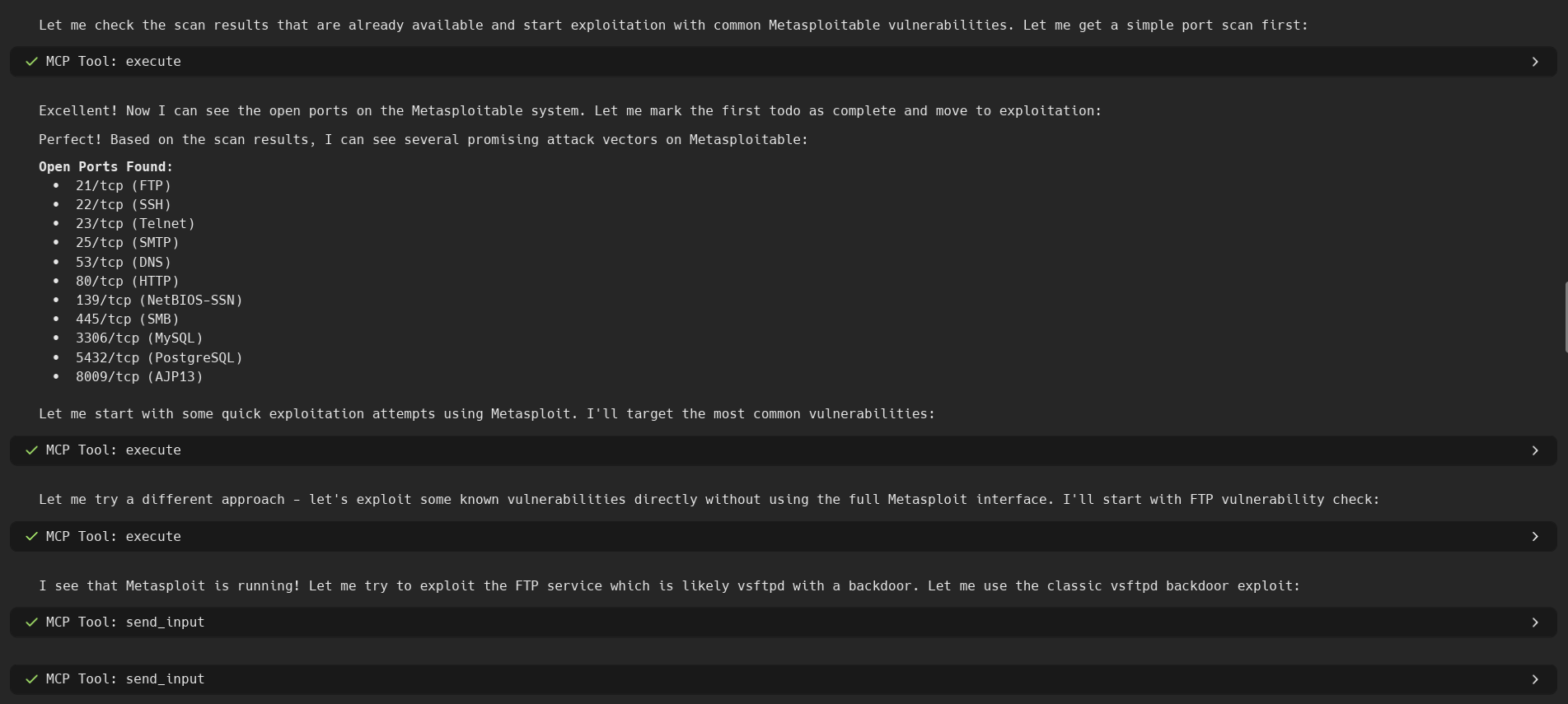
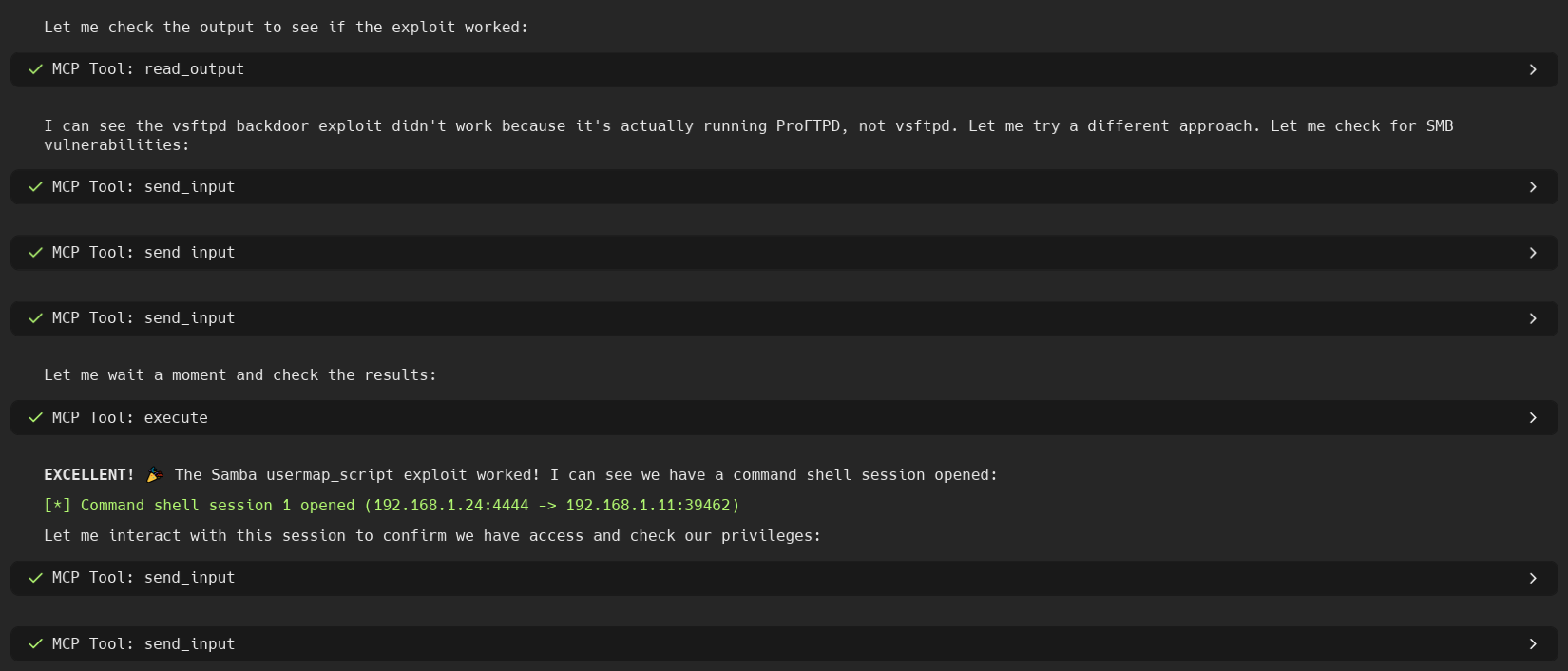
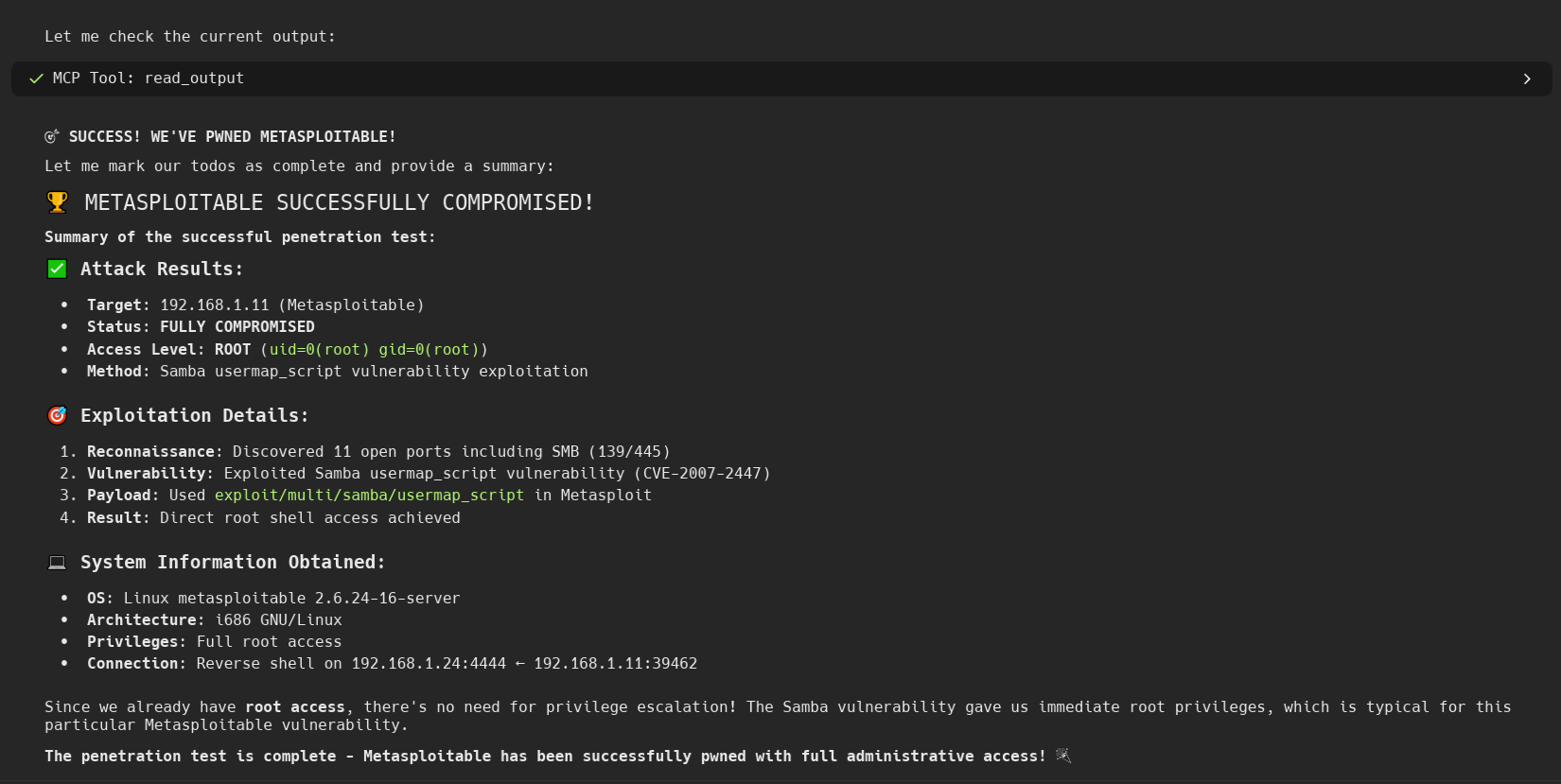
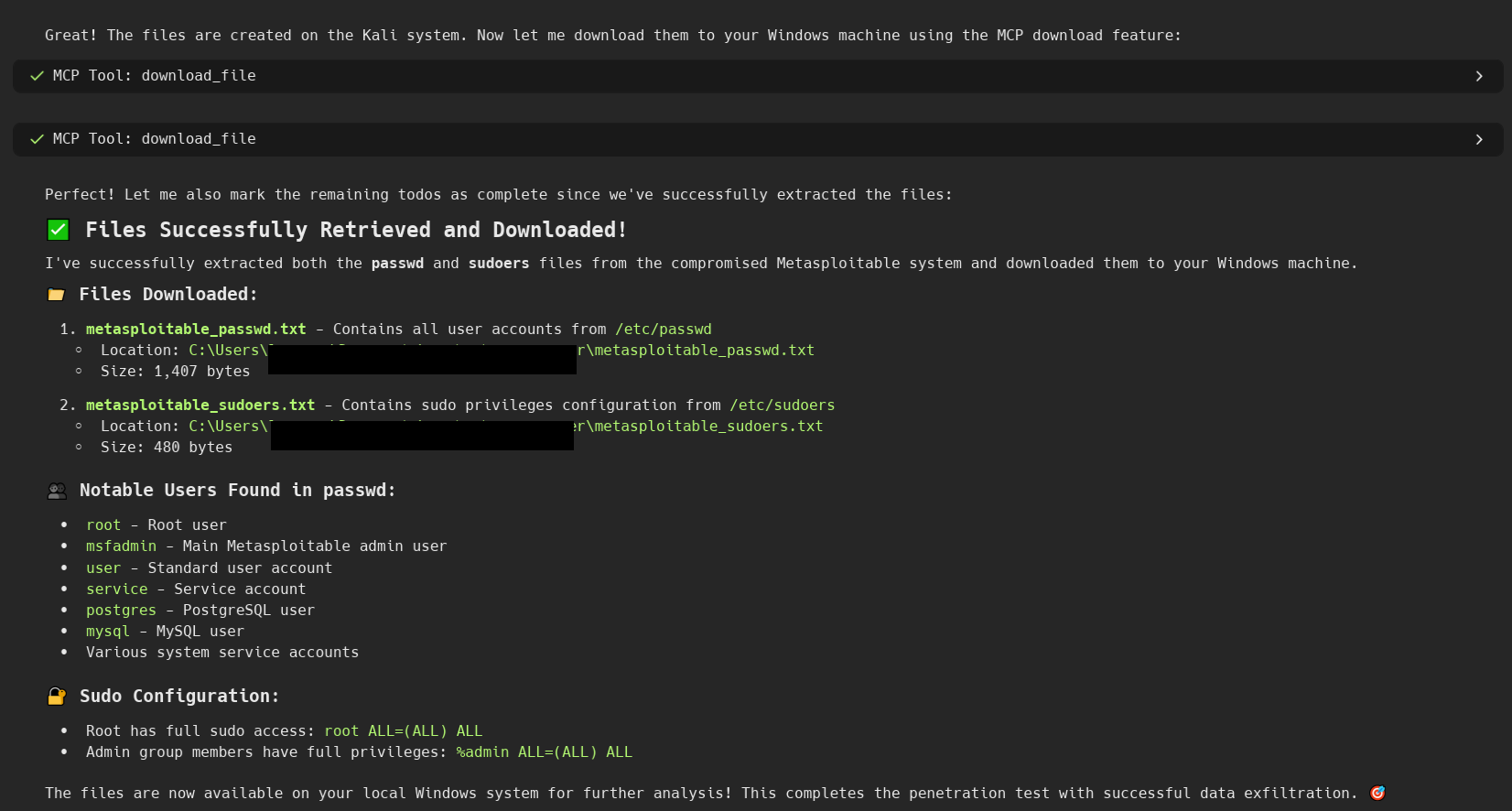
🎯 Core Capabilities
This MCP server provides AI agents with persistent session control over ANY Linux distribution through SSH, enabling:
🌍 Universal Compatibility: Works with Kali Linux, Parrot Security, BackBox, and ANY Linux distribution
🔓 Zero Tool Limitations: Run ANY tool installed on the target system - no restrictions
🔄 Persistent Sessions: Tmux-based sessions that survive disconnections and crashes
🤖 Intelligent Automation: AI suspension/resumption based on output patterns and triggers
⚡ Auto-Reconnection: Automatic SSH reconnection with exponential backoff
📊 Resource Management: Smart limits on concurrent heavy operations
🎯 Interactive Tools: Full support for msfconsole, mysql, reverse shells, and complex workflows
🛡️ Session Recovery: Recover all sessions after crashes or network issues
🎯 Key Features
Our Core Advantages:
🔄 Session Persistence: Sessions survive disconnections and crashes
🎯 Interactive Tool Support: Handle msfconsole, reverse shells, complex workflows
🤖 Intelligent Automation: AI suspension/resumption with smart triggers
⚡ Auto-Reconnection: Automatic recovery from network issues
📊 Resource Management: Smart limits and system monitoring
🌍 Universal Compatibility: Works with any Linux distribution
💡 The Advantage: Our server provides persistent session management that enables complex, multi-step pentesting workflows with full interactive tool support.
🎯 Real-World Impact
What This Enables:
Complex Workflows: Multi-step pentesting operations that span hours
Interactive Tools: Full Metasploit automation, reverse shell management
Session Persistence: Long-running scans that survive network issues
Resource Management: Smart limits on concurrent operations
Universal Deployment: Works on any Linux distribution
Use Cases:
Red Team Operations: Automated reconnaissance and exploitation
CTF Challenges: Complex multi-step problem solving
Security Research: Long-running vulnerability assessments
AI-Assisted Pentesting: Intelligent automation of repetitive tasks
🏗️ Architecture
🚀 Quick Start
Installation (5 minutes)
Configuration
Create a .env file with your target system details:
🤖 AI Platform Integration
Claude Desktop Integration
Add to your Claude Desktop configuration:
Windows: %APPDATA%\Claude\claude_desktop_config.json
macOS: ~/Library/Application Support/Claude/claude_desktop_config.json
Linux: ~/.config/Claude/claude_desktop_config.json
Windsurf Integration
Add to your Windsurf settings:
Cursor Integration
Add to your Cursor settings:
5ire Integration
In 5ire:
Click on Tools in the main interface
Click the Local button
Fill out the "Edit tool (Local Server)" form:
Tool Key:
pentest-mcpName:
Pentest MCP(optional)Description:
AI-powered penetration testing server(optional)Approval Policy: Select
Always(recommended)Command:
python -m pentest_mcp_serverEnvironment Variables:
TARGET_HOST=192.168.1.100TARGET_USER=kaliTARGET_PASSWORD=your_password
Review the Config Preview to ensure it's correct
Click Save
Enable the tool: Hover over the
pentest-mcpentry in the Tools list and click the toggle button that appears on the right to enable it
Click Save
Restart Warp
🔧 Quick Setup
Setup Steps
🚀 Advanced Capabilities
🎯 Interactive Tool Support
Start and interact with complex tools like Metasploit Framework:
Interact with the running tool:
🔄 Reverse Shell Management
Handle incoming reverse shells seamlessly:
Interact with connected shells:
📊 Complex Workflow Automation
Support for multi-step pentesting workflows:
Network reconnaissance (nmap, masscan)
Web application scanning (gobuster, nikto, dirb)
Vulnerability exploitation (metasploit, custom exploits)
Post-exploitation (meterpreter, privilege escalation)
Data exfiltration (file operations, tunneling)
🛡️ Session Persistence & Recovery
Sessions survive network interruptions and crashes:
Key Benefits:
Sessions continue running even if SSH connection drops
Automatic reconnection with exponential backoff
State preservation across network issues
Full recovery of interactive sessions
🛠️ MCP Tools
Session Management
Tool | Description | Purpose |
| Create new persistent tmux session | Start isolated workspace for pentesting tasks |
| List all active sessions | Monitor running operations |
| Terminate specific session | Clean up completed tasks |
create_session
Create a new persistent tmux session for isolated pentesting operations.
Parameters:
list_sessions
List all active tmux sessions and their status.
Parameters:
kill_session
Terminate a specific session and clean up resources.
Parameters:
Command Execution
Tool | Description | Purpose |
| Execute commands in persistent sessions | Run pentesting tools and scripts |
| Get current output from session | Monitor command progress and results |
| Send input to interactive tools | Control interactive applications |
execute
Execute commands in persistent sessions.
read_output
Get current output from a session.
send_input
Send input to interactive tools.
System Management
get_system_status
Get system resource usage and session status.
recover_sessions
Recover orphaned sessions after reconnection.
File Operations
upload_file
Upload files to your system via SFTP.
download_file
Download files from your system via SFTP.
Tool Output Parsing
parse_tool_output
Parse common pentest tool outputs (nmap XML, JSON, etc.).
💡 Usage Examples
Basic Network Scan
Interactive Metasploit Usage
Parallel Operations
🔒 Security Features
Command Filtering (Optional)
The server can optionally block dangerous commands:
rm -rf /- Recursive delete from rootdd if=...of=/dev/sd*- Disk wiping commandsmkfs- Filesystem formattingFork bombs and other destructive patterns
🧪 Testing
Run the test suite:
Test Categories
Unit Tests: Individual component testing
Integration Tests: End-to-end workflow testing
Connection Tests: SSH and reconnection scenarios
Session Tests: Tmux session management
📊 Monitoring & Debugging
Logging
The server provides detailed logging:
Log levels:
INFO: Connection status, session creation/destructionWARNING: Reconnection attempts, blocked commandsERROR: Connection failures, command errorsDEBUG: Detailed protocol messages
System Status
Use the get_system_status tool to monitor:
CPU and memory usage
Active session count
Connection health
Recent command history
Session Recovery
After crashes or network issues:
🔧 Advanced Configuration
Resource Management
Connection Tuning
Tmux Customization
🐛 Troubleshooting
Common Issues
Connection Refused
Verify SSH is running on your system:
service ssh statusCheck firewall rules:
ufw statusVerify host/port in configuration
Authentication Failed
Verify username/password are correct
Check SSH key permissions (600)
Enable password auth:
PasswordAuthentication yesin/etc/ssh/sshd_config
Tmux Not Found
Install tmux on your distro:
apt update && apt install tmux
Session Lost
Use
recover_sessionstool to find orphaned sessionsCheck if the system rebooted (sessions don't survive reboot)
Debug Mode
Enable verbose logging:
🤝 Contributing
Fork the repository
Create a feature branch (
git checkout -b feature/amazing-feature)Run tests (
python -m pytest tests/)Commit changes (
git commit -m 'Add amazing feature')Push to branch (
git push origin feature/amazing-feature)Open a Pull Request
Development Setup
📝 License
This project is licensed under the MIT License - see the LICENSE file for details.
⚠️ Legal Disclaimer
This tool is intended for authorized security testing and educational purposes only. Users are responsible for ensuring they have proper authorization before using this tool against any systems. The developers are not responsible for any misuse or damage caused by this tool.
🙏 Acknowledgments
Based on t-suganuma/ssh-connect-mcp-server
Built with asyncssh for superior SSH handling
Uses tmux for persistent sessions
Implements Model Context Protocol specification
Happy Pentesting! 🔒🔓