
Supports local embedding generation using Ollama models like nomic-embed-text to provide private and cost-effective vector processing for document retrieval.
Integrates with OpenAI's embedding API to generate vector representations of documents for high-performance semantic search and retrieval-augmented generation.
Click on "Install Server".
Wait a few minutes for the server to deploy. Once ready, it will show a "Started" state.
In the chat, type
@followed by the MCP server name and your instructions, e.g., "@MCP RAG with ChromaDBsearch my documents for information about the 2024 roadmap"
That's it! The server will respond to your query, and you can continue using it as needed.
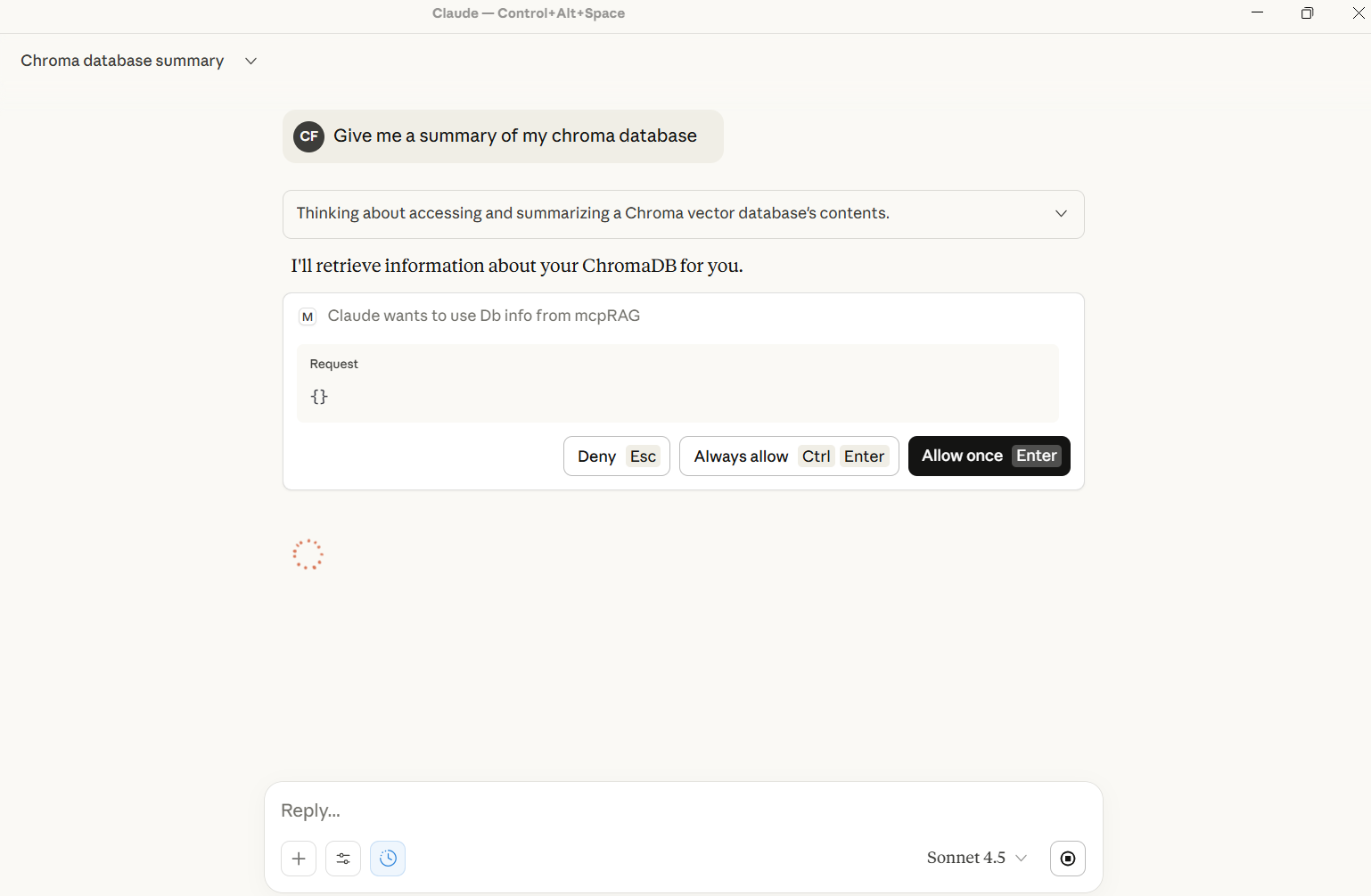
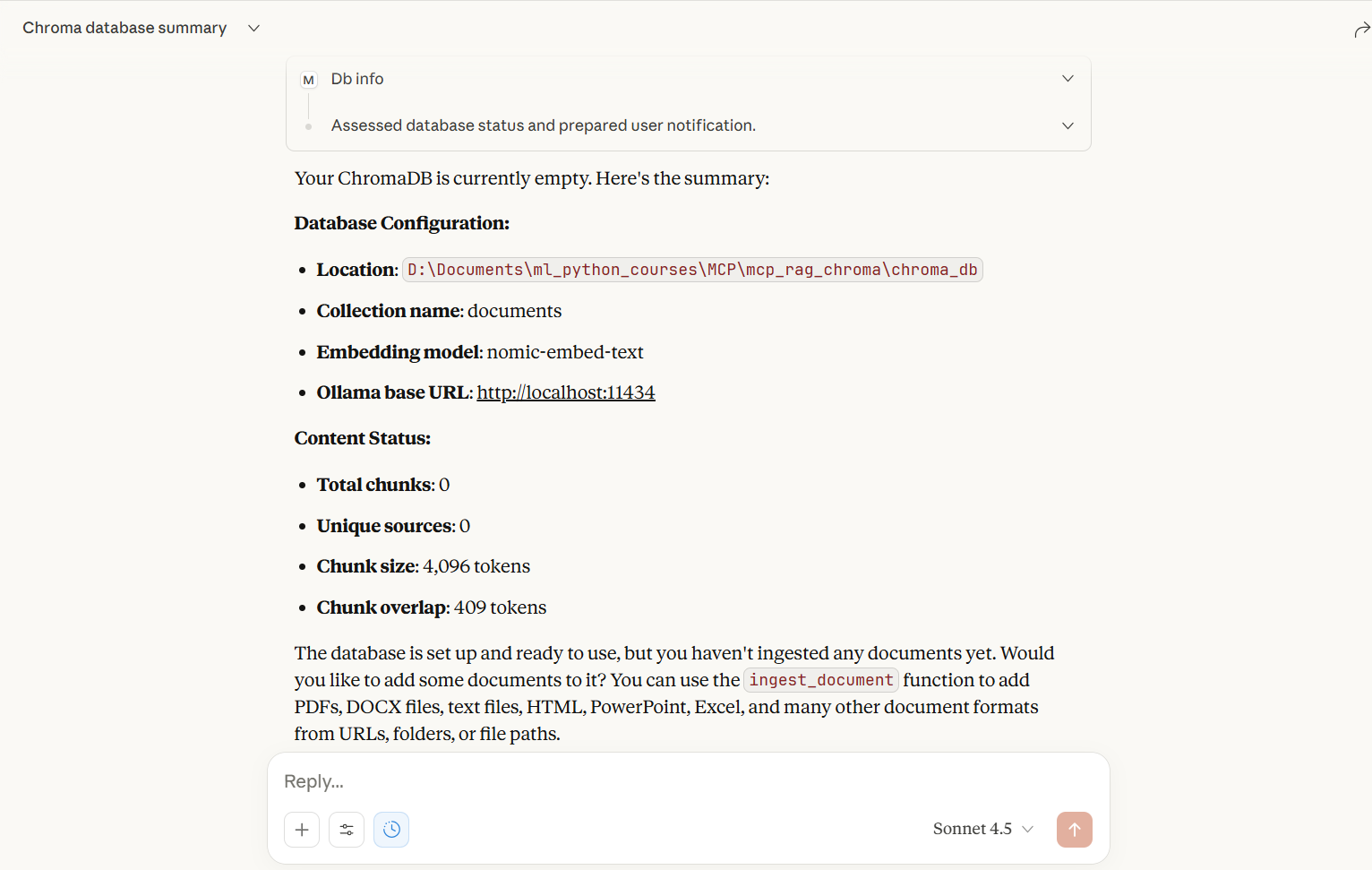
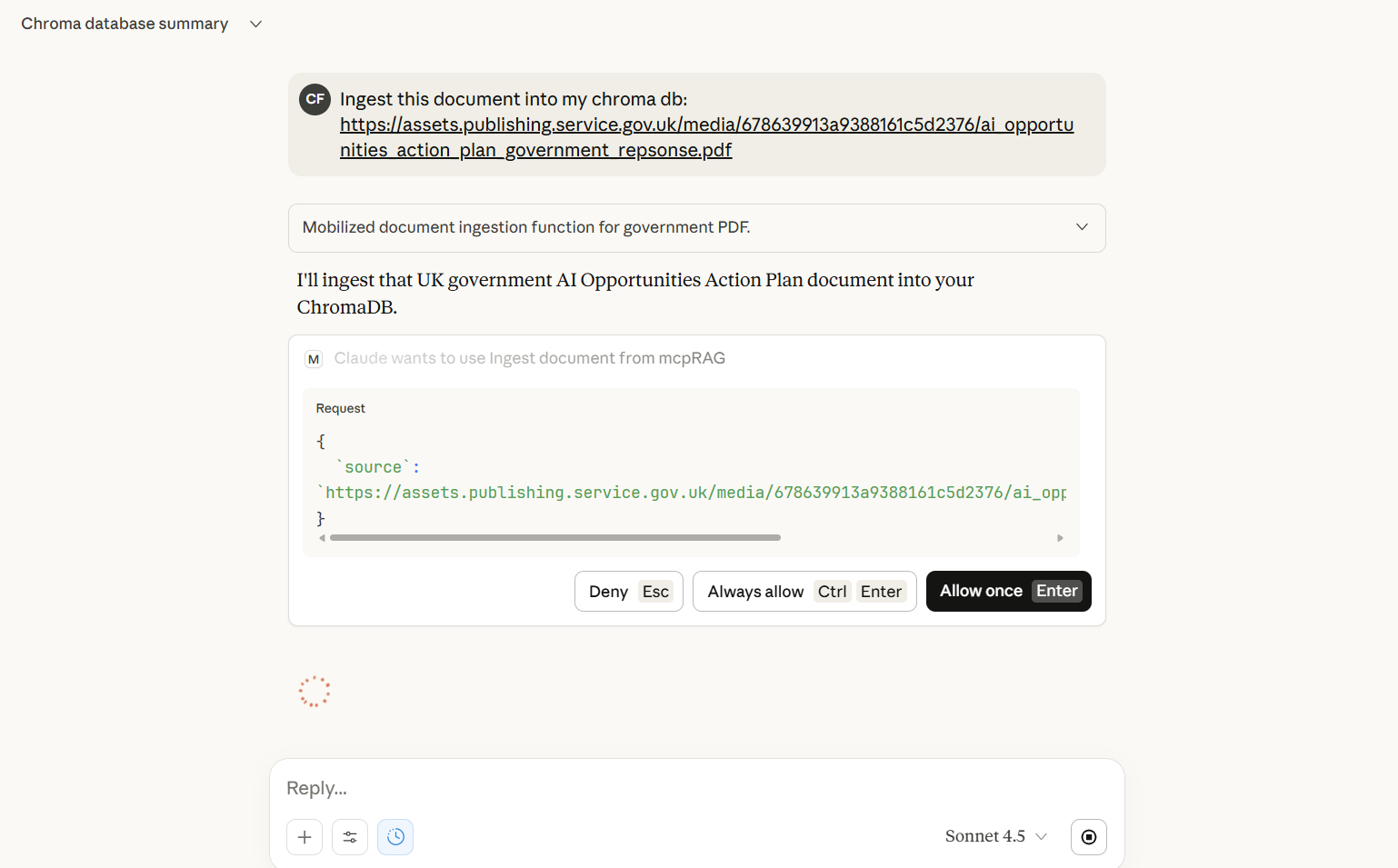
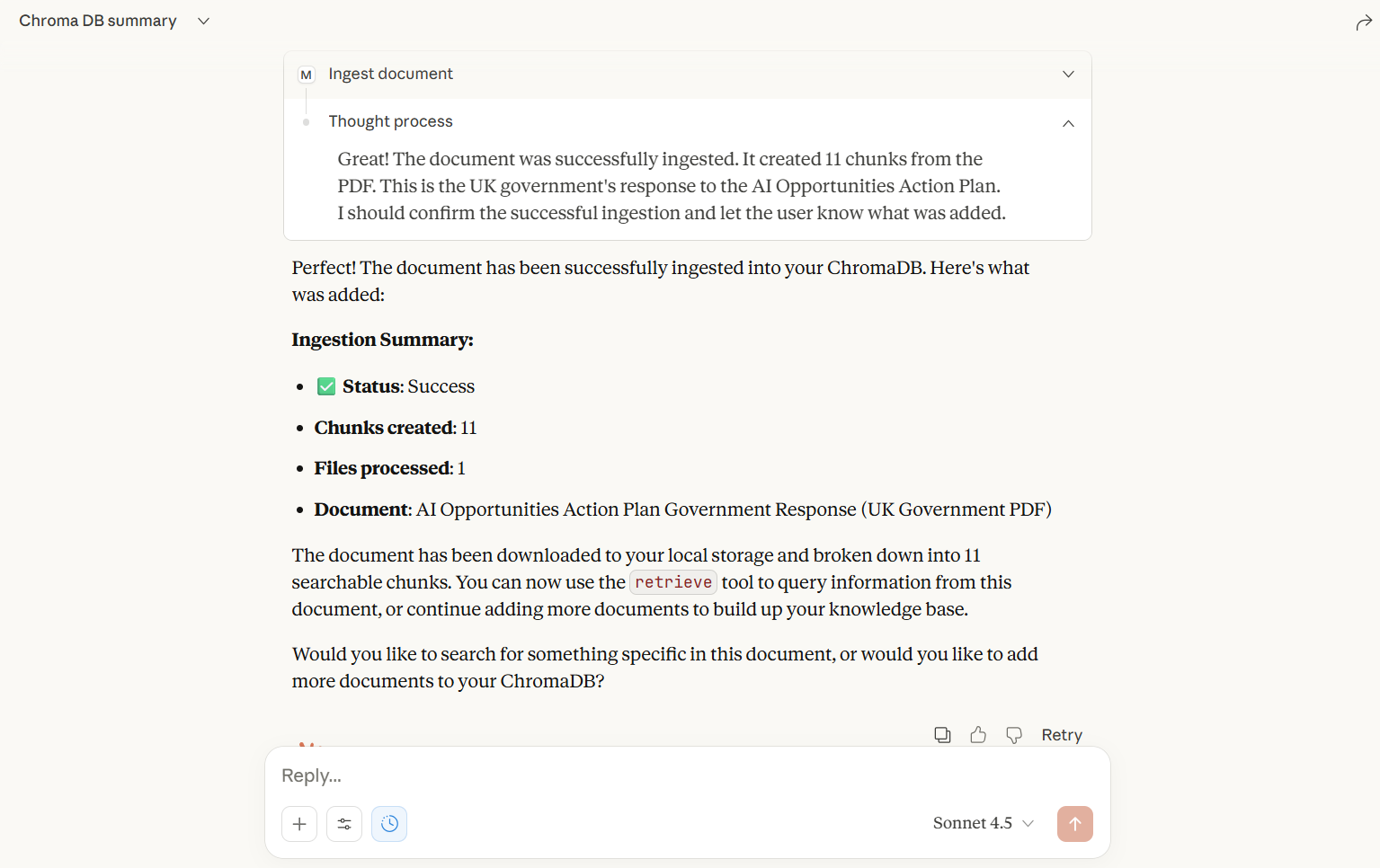
Here is a step-by-step guide with screenshots.
MCP RAG with ChromaDB - Multi-Format Document Support
By
A powerful MCP (Model Context Protocol) server that provides RAG (Retrieval-Augmented Generation) capabilities with support for multiple document formats. Powered by LangChain, ChromaDB, with OpenAI or Ollama embeddings.
Screenshots
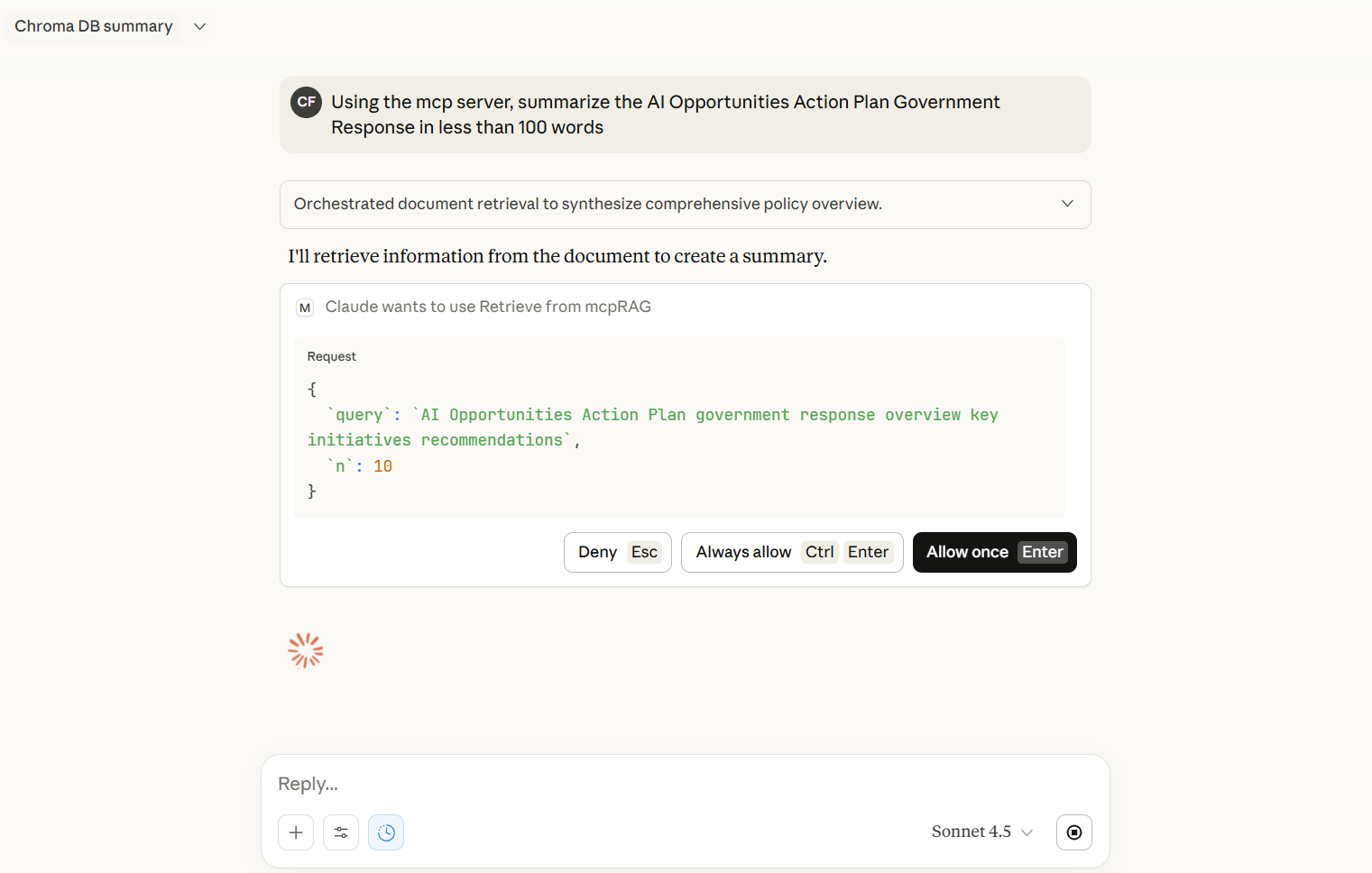
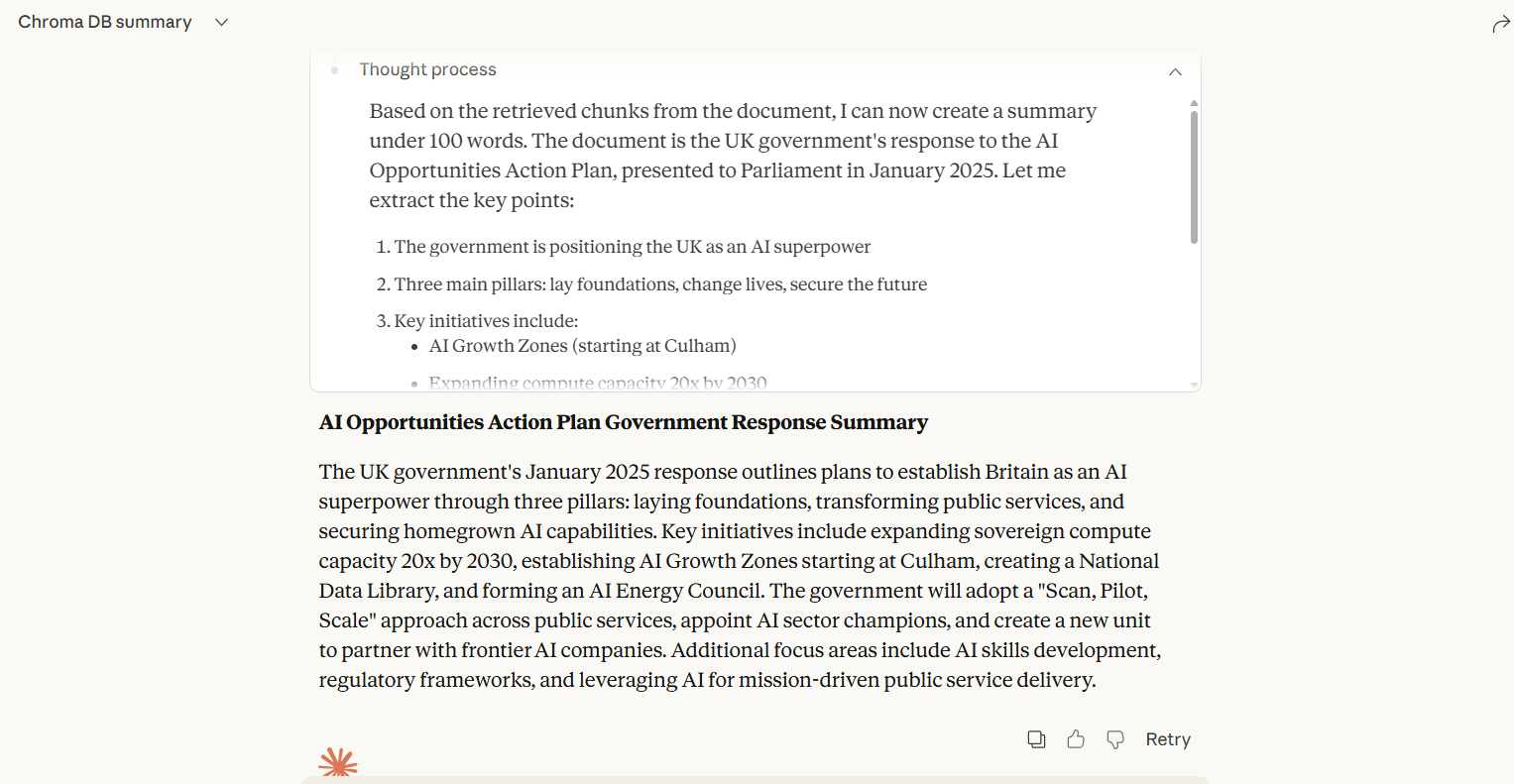
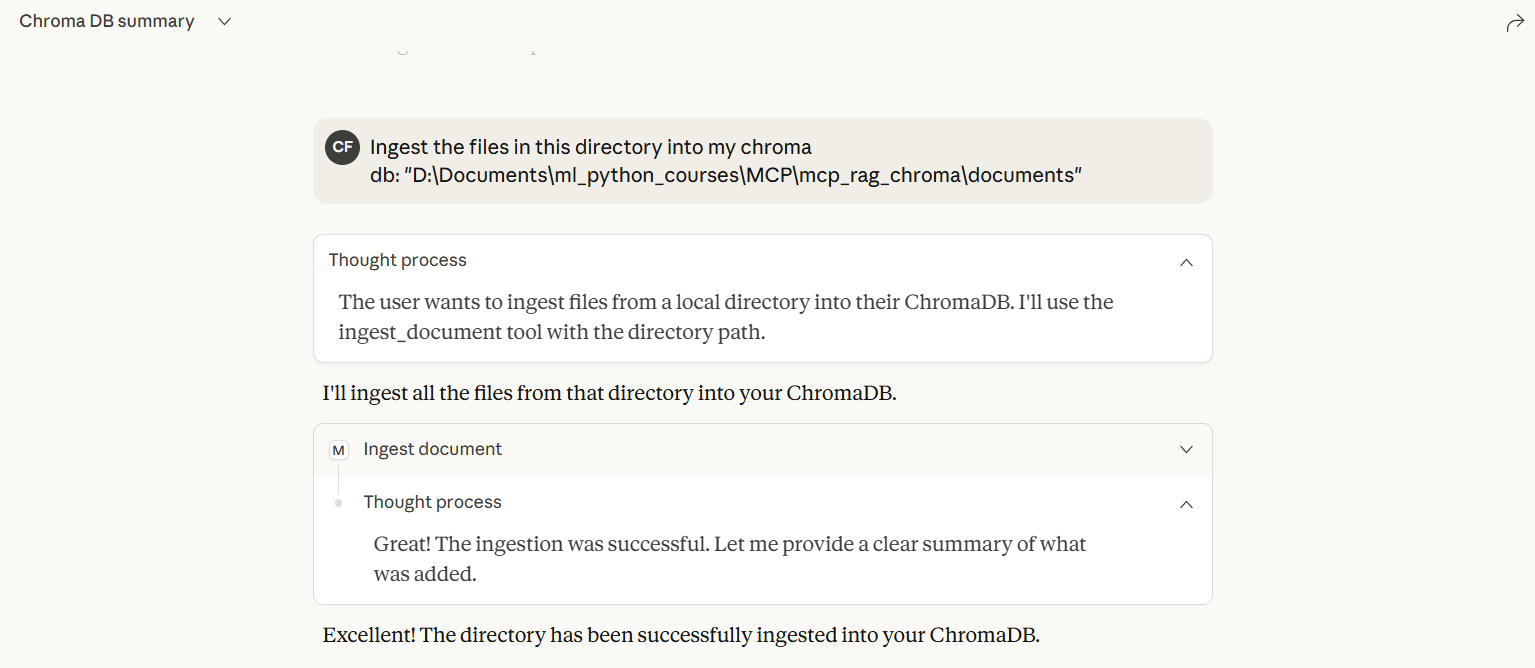
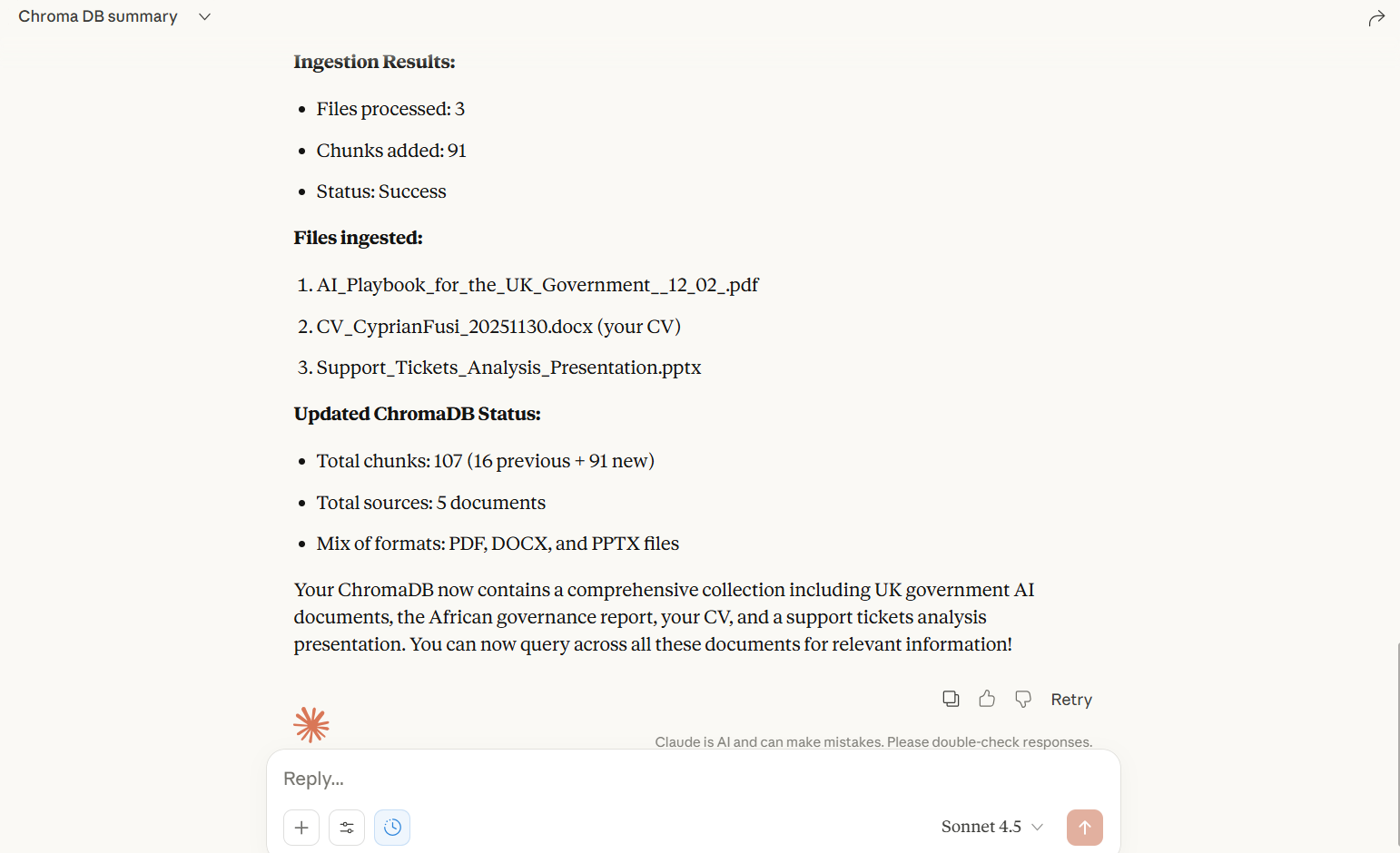
Embedding Options
Choose your embedding provider:
OpenAI (Recommended for Claude Desktop/MCP) - Reliable, fast, cloud-based. See OPENAI_SETUP.md
Ollama (Free, Local) - No cost, runs locally, may have MCP connection issues
Quick Start with OpenAI:
Get API key from https://platform.openai.com/api-keys
Copy
.env.exampleto.envSet
OPENAI_API_KEY=sk-your-key-hereRun
python server.py
See OPENAI_SETUP.md for detailed instructions.
Supported Document Formats
PDF (.pdf) - via PyPDF2
Microsoft Word (.docx, .doc) - via python-docx
PowerPoint (.pptx, .ppt) - via python-pptx
Excel (.xlsx, .xls) - via openpyxl
OpenDocument Text (.odt) - via odfpy
HTML (.html, .htm) - via BeautifulSoup4
Plain Text (.txt)
Markdown (.md, .markdown)
CSV (.csv)
JSON (.json)
XML (.xml)
RTF (.rtf)
Features
Multi-format document ingestion with automatic format detection
Vector storage using ChromaDB with persistent storage
Dual embedding support: OpenAI (recommended for MCP) or Ollama (free, local)
Concurrent document processing for improved performance
Batch database writes for efficiency (OpenAI processes 100 docs/batch)
Support for URLs, single files, and entire directories
Semantic search and retrieval with similarity scoring
Graceful fallbacks when optional dependencies are missing
Environment-based configuration via .env file
Installation
Clone or download this repository
Install Python dependencies:
OR
Choose your embedding provider:
Option A: OpenAI (Recommended)
# Copy environment file cp .env.example .env # Edit .env and add your API key # Get key from: https://platform.openai.com/api-keys OPENAI_API_KEY=sk-your-key-hereOption B: Ollama (Free, Local)
# Download from https://ollama.ai # Pull the embedding model ollama pull nomic-embed-text # Edit .env EMBEDDING_PROVIDER=ollamaNote: Ollama may have connection issues in MCP/Claude Desktop context.
Usage
Running the Server
Integration with Claude Desktop
To use this MCP server with Claude Desktop, add the following configuration to your Claude Desktop config file:
For MacOS: ~/Library/Application Support/Claude/claude_desktop_config.json
For Windows: %APPDATA%\Claude\claude_desktop_config.json
Replace /path/to/mcp_rag_server with the actual path to your installation directory.
Alternatively, you can also integrate it directly from Github by updating claude desktop as follows:
If this is your first MCP server then use this instead:
Available MCP Tools
1. ingest_document
Ingest documents from various sources and formats.
Parameters:
source(str): URL, file path, or directory path
Examples:
Ingest from URL:
ingest_document("https://example.com/document.pdf")Ingest single file:
ingest_document("/path/to/document.docx")Ingest entire directory:
ingest_document("/path/to/documents/")
Supported sources:
HTTP/HTTPS URLs (downloads file first)
Local file paths (any supported format)
Directory paths (processes all supported files)
2. retrieve
Search for relevant document chunks based on a query.
Parameters:
query(str): Search queryn(int, optional): Number of results to return (default: 5, max: 100)
Returns: List of chunks with text, metadata, and similarity scores
3. db_info
Get information about the database and its contents.
Returns: Database statistics, configuration, and unique sources
4. clear_db
Clear all data from the database.
Returns: Status message
5. ingest_pdf (Legacy)
Backwards-compatible PDF ingestion tool. Redirects to ingest_document.
Configuration
Edit the configuration section in server.py and .env:
server.py settings:
.env settings:
Architecture
Document Processing Pipeline
Source Detection: Determines if source is URL, file, or directory
Download (if URL): Downloads file to local storage
Format Detection: Identifies document format by extension
Text Extraction: Uses appropriate extractor for the format
Text Chunking: Splits text into overlapping chunks
Embedding: Generates vector embeddings using OpenAI or Ollama (configurable)
Storage: Stores chunks and embeddings in ChromaDB
Extraction Methods
Each format has a dedicated extraction function:
extract_text_from_pdf()- Extracts text from PDF pagesextract_text_from_docx()- Extracts paragraphs and tables from Word docsextract_text_from_pptx()- Extracts text from PowerPoint slidesextract_text_from_xlsx()- Extracts data from Excel sheetsextract_text_from_odt()- Extracts text from OpenDocument filesextract_text_from_html()- Parses HTML and extracts clean textextract_text_from_markdown()- Processes Markdown filesAnd more...
The main extract_text() function routes to the appropriate extractor based on file extension.
Dependencies
Required
langchain-chroma- ChromaDB integrationlangchain-ollama- Ollama embeddingslangchain-core- Core LangChain functionalitylangchain-text-splitters- Text chunkingrequests- HTTP downloadsfastmcp- MCP server framework
Document Format Support
PyPDF2- PDF extractionpython-docx- DOCX extractionbeautifulsoup4+lxml- HTML/XML parsingpython-pptx- PowerPoint extractionopenpyxl- Excel extractionodfpy- OpenDocument extractionmarkdown- Markdown processing (optional)
Error Handling
The server includes comprehensive error handling:
Graceful degradation when optional dependencies are missing
Logging of extraction failures without crashing the entire process
Informative error messages for unsupported file types
Fallback to text extraction for unknown formats
Performance Optimizations
Concurrent Processing: Multiple documents processed in parallel using ThreadPoolExecutor
Batch Writes: All chunks written to database in a single operation
Async/Await: Non-blocking I/O operations
Read-Only Mode: Excel files opened in read-only mode for better performance
Streaming Downloads: Large files downloaded in chunks
Limitations
.doc(old Word format) support limited - requirespython-docxwhich works best with.docx.ppt(old PowerPoint format) support limited - works best with.pptx.xls(old Excel format) support limited - works best with.xlsxRTF files use basic text extraction
Scanned PDFs without OCR will not extract text
Some complex document layouts may not preserve formatting
Troubleshooting
Ollama Connection Issues
Ensure Ollama is running and accessible:
Empty Text Extraction
For PDFs: May be scanned images - consider OCR tools
For other formats: Check file isn't corrupted or password-protected
License
This project is open source and available under the MIT License.
Acknowledgments
This project is built with and depends on several excellent open-source technologies:
Core Framework & Infrastructure:
FastMCP - MCP server framework
LangChain - Core LLM application framework
ChromaDB - Vector database for embeddings storage
Embedding Providers:
Document Processing:
PyPDF2 - PDF text extraction
python-docx - Microsoft Word processing
python-pptx - PowerPoint processing
openpyxl - Excel spreadsheet processing
Beautiful Soup - HTML/XML parsing
odfpy - OpenDocument format support
Special thanks to the developers and maintainers of these projects for making this RAG server possible.
Contributing
Contributions welcome! To add support for new formats:
Add extraction function following the pattern
extract_text_from_[format]()Add format extension to
SUPPORTED_EXTENSIONSAdd mapping in
extract_text()functionUpdate documentation